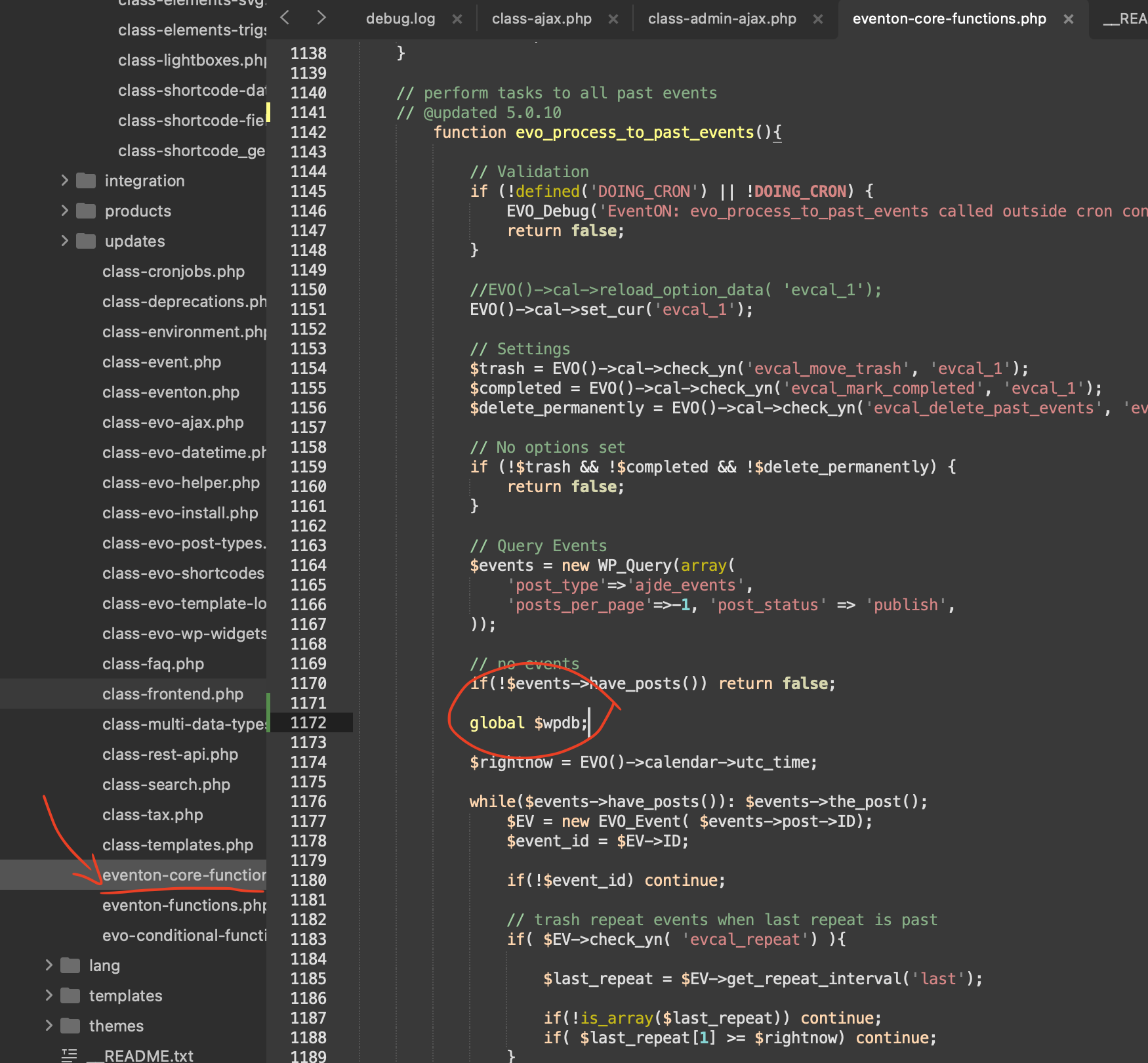
kindly apply this code change in your eventon/includes/eventon-core-functions.php line 1172
code: global $wpdb;
We will include this change in the next version update to eventON.
Replies for tickets on suppota
kindly apply this code change in your eventon/includes/eventon-core-functions.php line 1172
code: global $wpdb;
We will include this change in the next version update to eventON.
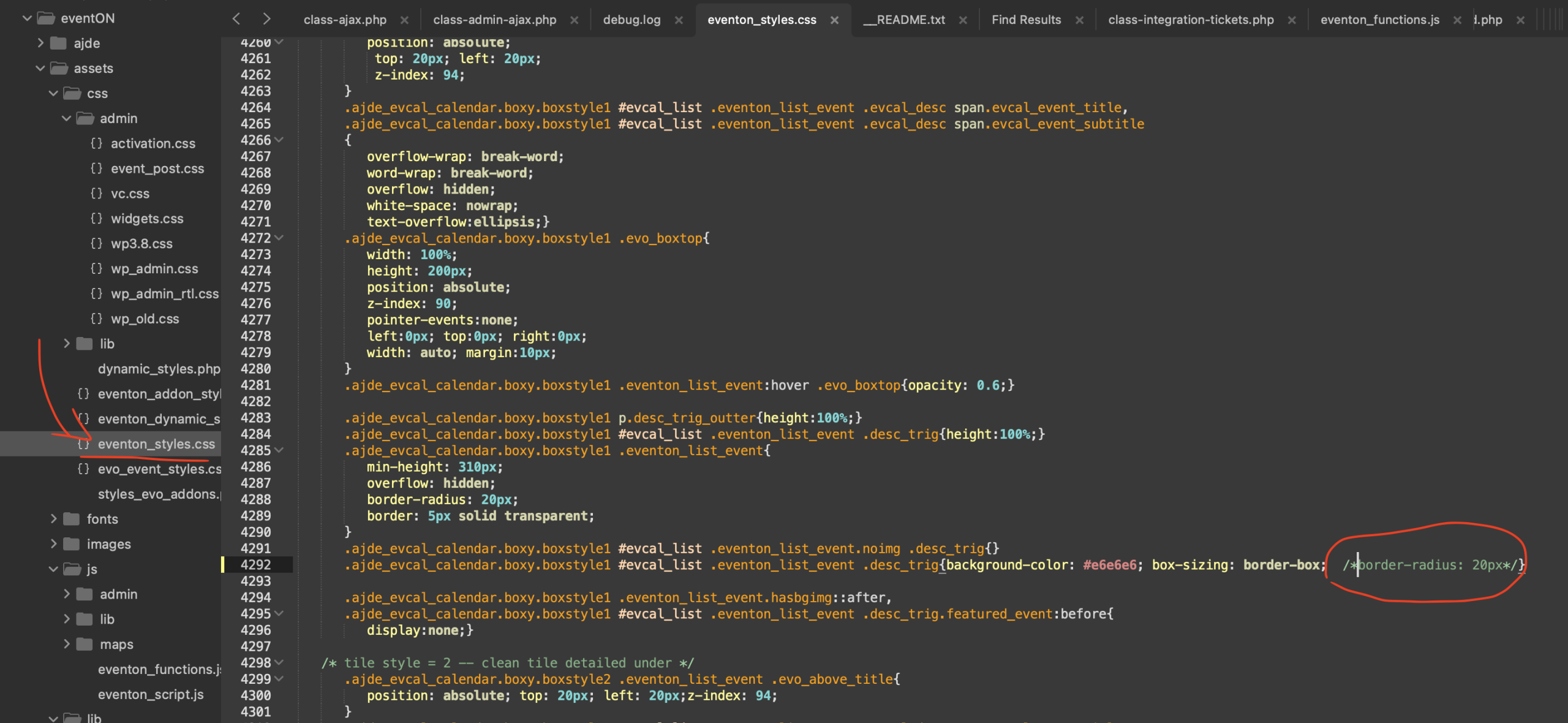
Roman, please apply this patch fix on your version of EventON/assets/css/eventon_styles.css line 4292
Comment out the section shown in the screenshot. — We will include this code fix in the next version release of EventON.
[add_eventon_fc grid_ux=”2” style=”names” load_fullmonth=”yes” exp_so=”yes” filter_clear=”yes” filter_type=”select” etc_override=”yes” event_past_future=”future” ux_val=”3”]
I don’t changed it
Oh, i think it was because there were items in the cart. Why do settings change without us touching them?
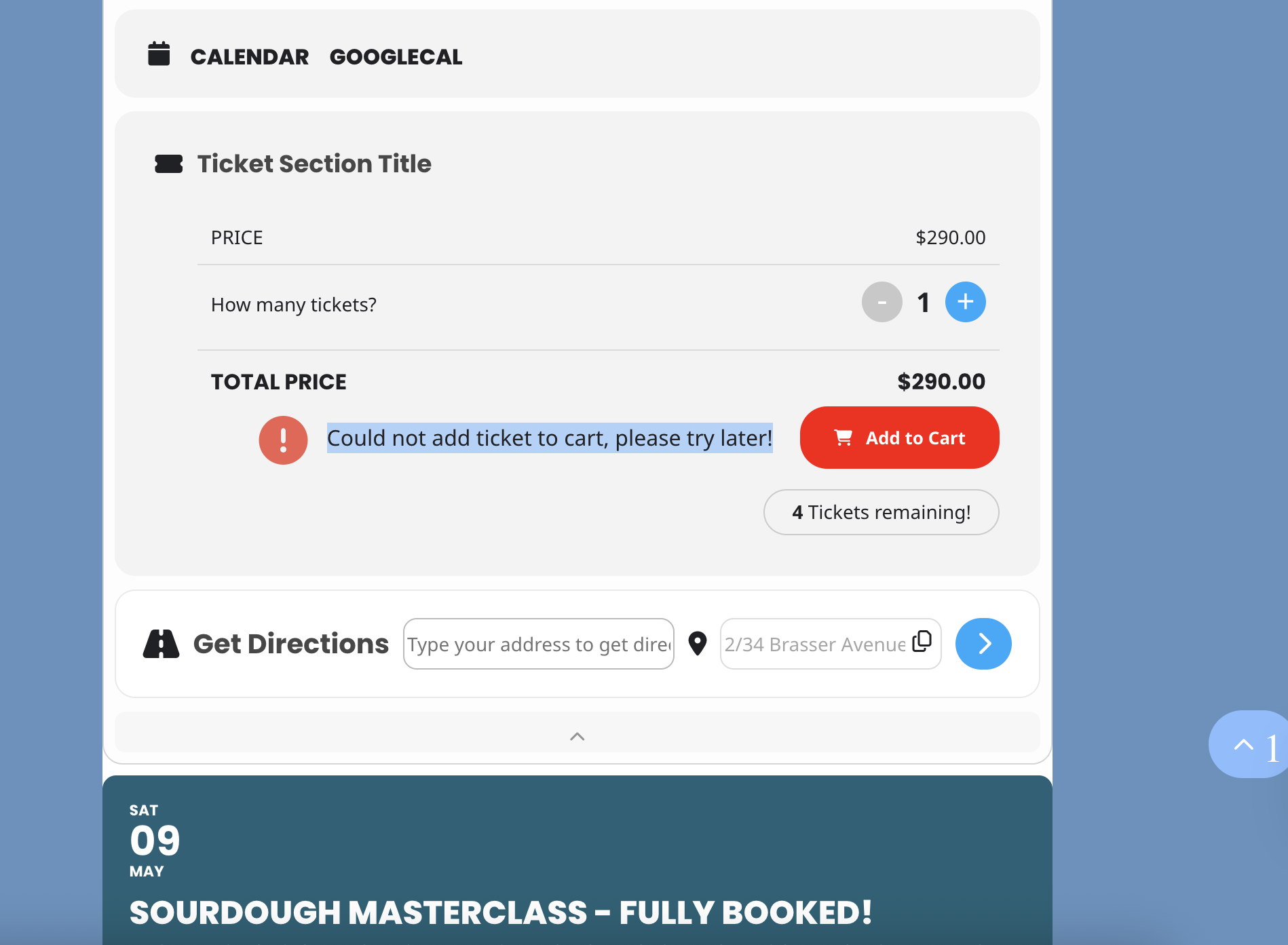
Thanks but now I can’t add any tickets to cart and get an error.
Hello! Beaver Builder had a layout that was interfering with the /events pages. I’ve excluded events archives from it, and now eventon content is showing up, but the layouts are off.
E.g. you can see that https://vetstownhall.org/events has full-width content, the sidebar is at the bottom instead of on the right, and the content starts too high on the page.
Also https://vetstownhall.org/events/one-event/1477/0/ does not result in an open lightbox.
When I chose ”Events” instead of ”Attend Events” on Eventon settings -> events paging -> page to get content from, that link did pop up an open lightbox, but the page was still poorly formatted.
My hope is to be able to type in a link like https://vetstownhall.org/events/one-event/1477/0/ and come up with a page that looks like https://vetstownhall.org/attend-events/ but with that event open.
Thank you for your continued help!
I cannot find any events with enabled Tickets.
Could you also send us wp-admin access to https://stonebridgeranch.com/ site from ”Access Info” box on right side menu, to further assist your situation.
Hello,
I cannot check the page because of ”Mot de passe”. Could you check?
What’s your current shortcode?
Thank you for your messages!
I am going to escalate this ticket to development to help in here. Please allow us some time to address this, and we truly appreciate your patience. Thank you for being a valued EventON customer!
Additionally, if your site has any IP blocking or security restrictions in place, kindly disable them temporarily to facilitate our support process.
Ashan,
The error on customer’s website when I try to execute the cron job:
https://ambleevents.org/wp-admin/tools.php?page=advanced-cron-manager
[26-Apr-2026 19:15:36 UTC] PHP Fatal error: Uncaught Error: Call to a member function delete() on null in /home/www/clickandbuilds/AmbleEvents/wp-content/plugins/eventON/includes/eventon-core-functions.php:1210
Stack trace:
#0 /home/www/clickandbuilds/AmbleEvents/wp-content/plugins/eventON/includes/class-frontend.php(729): evo_process_to_past_events()
#1 /home/www/clickandbuilds/AmbleEvents/wp-includes/class-wp-hook.php(341): evo_frontend->evo_cron_daily_actions()
#2 /home/www/clickandbuilds/AmbleEvents/wp-includes/class-wp-hook.php(365): WP_Hook->apply_filters()
#3 /home/www/clickandbuilds/AmbleEvents/wp-includes/plugin.php(570): WP_Hook->do_action()
#4 /home/www/clickandbuilds/AmbleEvents/wp-content/plugins/advanced-cron-manager/inc/Cron/EventsActions.php(159): do_action_ref_array()
#5 /home/www/clickandbuilds/AmbleEvents/wp-includes/class-wp-hook.php(341): underDEVAdvancedCronManagerCronEventsActions->run()
#6 /home/www/clickandbuilds/AmbleEvents/wp-includes/class-wp-hook.php(365): WP_Hook->apply_filters()
#7 /home/www/clickandbuilds/AmbleEvents/wp-includes/plugin.php(522): WP_Hook->do_action()
#8 /home/www/clickandbuilds/AmbleEvents/wp-admin/admin-ajax.php(192): do_action()
#9 {main}
thrown in /home/www/clickandbuilds/AmbleEvents/wp-content/plugins/eventON/includes/eventon-core-functions.php on line 1210
On dev2 works fine.