We are glad your issue is resolved, if you have any further questions or concerns please create a new ticket.
Archives: Replies
Replies for tickets on suppota
Reply to: tickets(371531)
Actually it is worse because it does not change month at all and the the events do not load at all, all we we see is the events trying to load (grey boxes).
On my side it works completely fine, I just cannot test this on iPhone.
Try following the instructions in this documentation to activate debug in your site to see any PHP errors recorded that can provide insight on to whats going on. Please reply with a link to debug.log file. If you are not able to do this please send us FTP access to your site so we can do this for you.
Please also check
https://docs.myeventon.com/documentations/why-my-site-and-eventon-page-loading-slow/
Also go to EventON > Advanced > change Select event calendar WP Query method.
Even on a laptop using Firefox I clicked on 17th January event and it took 20 seconds to load it. What is the delay on it?
I believe this is because “Tile Background Image Size” is set to Full Size and since there are 20 events, each has 2048px image it needs to show, it slows the overall loading performance.
So try adding tile_bg_size=”med” to your shortcode.
Also try adding show_limit=”yes” show_limit_ajax=”yes” event_count=”10″ to limit the number of events loading.
Reply to: tickets(365571)
Awesome!!! many many thanks!!
Reply to: tickets(372090)
Hello,
We cannot help with any code customizations since it’s against CodeCanyon’s Support Policy, I am afraid.
Reply to: tickets(371800)
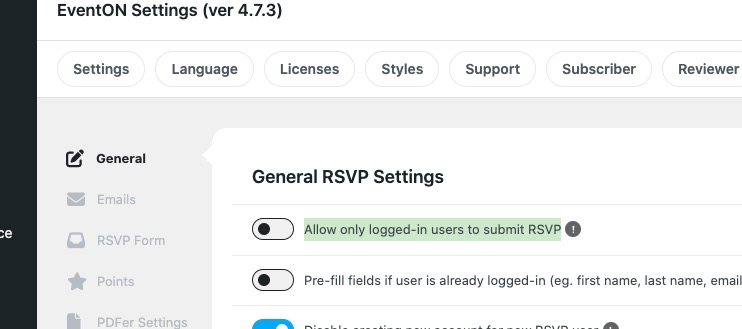
Is “Allow only logged-in users to submit RSVP” enabled on your website?
This should be done from the event page – having to go to the backend and go throug…
You can do the same from the event page, just open it in Incognito mode, then find user’s RSVP with their email and change.
Can this simple tweak be done? This would be a very big help!
Thank you for your great suggestion, at the moment it is not supported. However please create a new ticket and select Feature Request as category so others can vote on your idea and get it moved into development faster.
Reply to: tickets(372165)
Hello,
Please go to Edit Event > Tickets > Seats Layout > now click on a seat > click Edit:
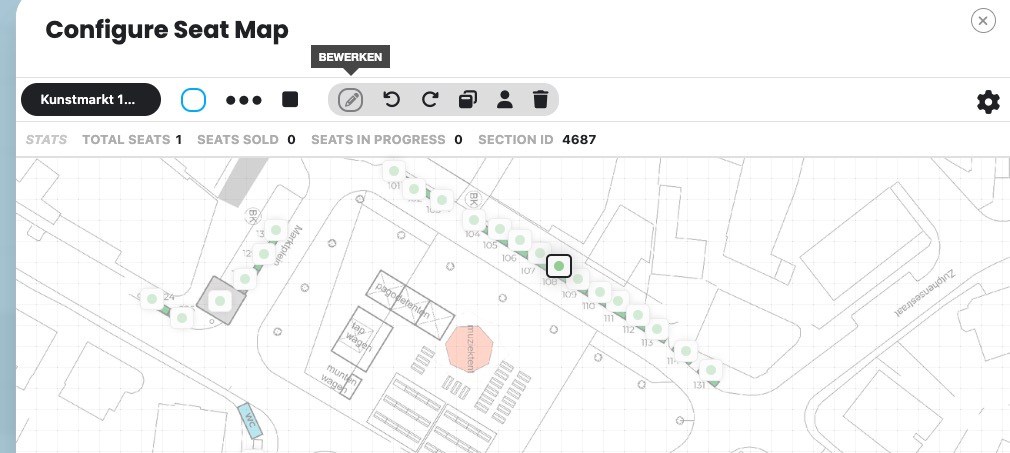
Now add Variations/Options:
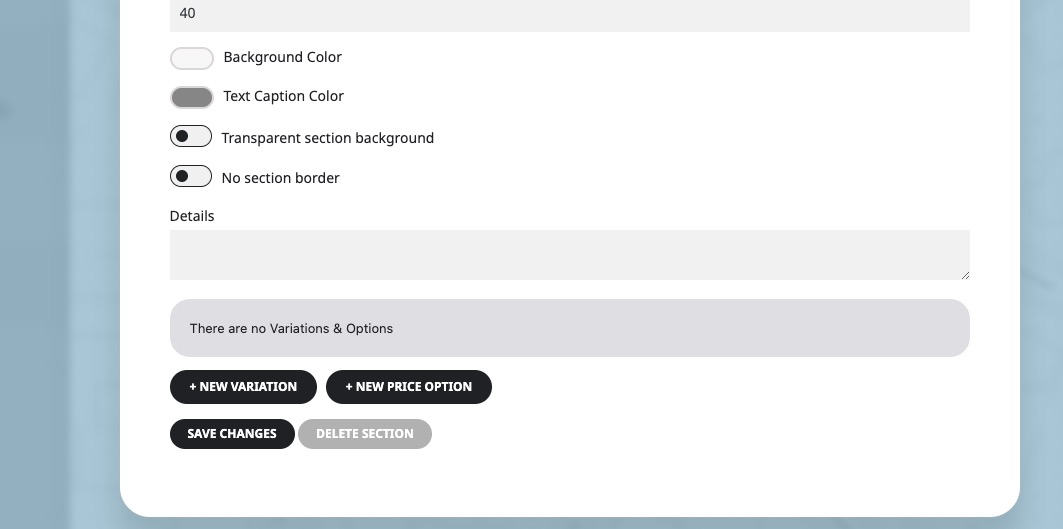
Seats must be added first before you can add variations.
Please check and let me know.
Reply to: tickets(372148)
Hello,
Please also add this code:
.ajde_evcal_calendar.boxy .eventon_list_event.hasbgimg, .ajde_evcal_calendar.boxy.boxstyle1 .evo_boxtop, .ajde_evcal_calendar.boxy.boxstyle2 .evo_boxtop { border-radius: 0 !important; }
.evo_lightbox.eventcard .evo_lightbox_body, .evo_lightbox .evo_lightbox_body, .evo_lightbox .evolb_content { border-radius: 0 !important; }
Also note that there are can be more parts that need to be changed, so please follow this guide:
https://docs.myeventon.com/documentations/change-css-calendar/
You just need to find a code line and then add border-radius: 0 !important; to it.
Reply to: tickets(372154)
Hello,
You can either add them manually with Custom Meta fields:
https://docs.myeventon.com/documentations/setup-use-custom-meta-fields-events/
Or through the code by following:
https://docs.myeventon.com/documentations/show-additional-custom-data-eventcard/
How to get the Event Type data:
https://docs.myeventon.com/documentations/taxonomies-eventon/
Reply to: tickets(372158)
Hello,
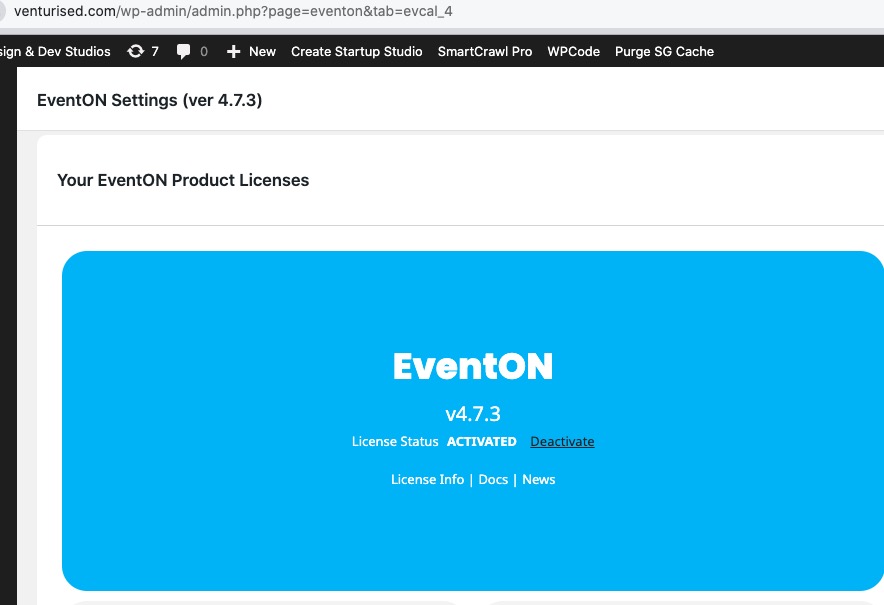
The plugin is activated:
Please take a look at this even I created:
https://venturised.com/events/test/
I also fixed Single Event templates not showing by following:
https://docs.myeventon.com/documentations/single-events-page-not-working-404-error/
In order to add events, please go to and click on Add New Event:
https://venturised.com/wp-admin/edit.php?post_type=ajde_events
In order to add calendars on pages, please follow
https://docs.myeventon.com/documentations/shortcode-generator/
Reply to: tickets(372159)
Closed as duplicate.