Dear Artem,
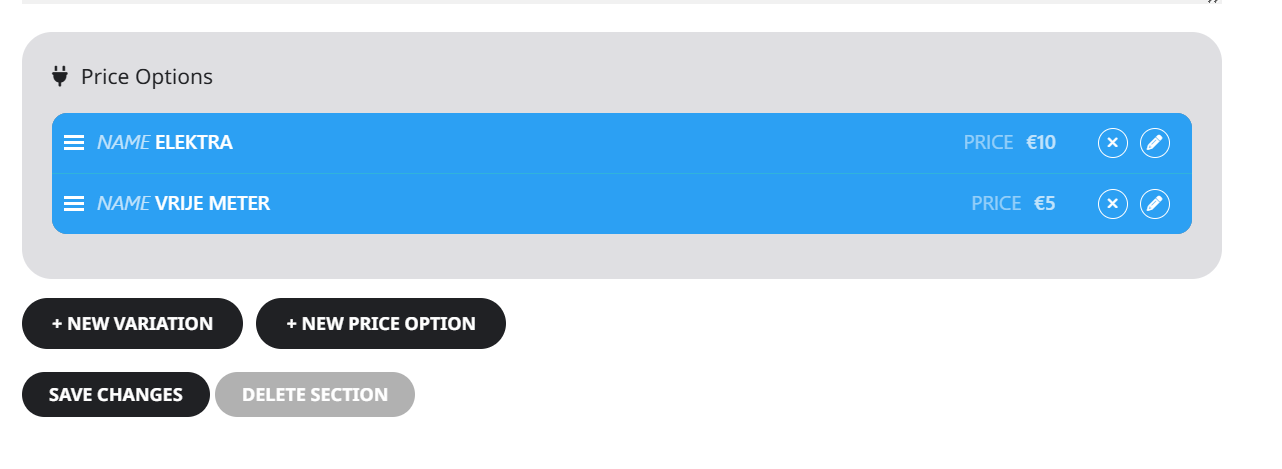
I have added price options on seat 130 but they are not visible yet.
Replies for tickets on suppota
Dear Artem,
I have added price options on seat 130 but they are not visible yet.
Your system is not allowing me to attach an image now.
Sorry, screenshot did not seem to attach on the last message, attached again here.
Because the changes above actually maade things worse I have reverted to the original shortcode but I have added a screenshot here of how it looks with the amended shortcode.

We still have issues, when the event is clicked on the popup does not work, instead all events become very long with no details.
https://theoldfoundryvenue.co.uk/event/
We have made the following changes:
1.Changed the WP Query Method
2.Added tile_bg_size=”med” to the shortcode
3.Added show_limit=”yes” show_limit_ajax=”yes” event_count=”10″ to the shortcode
4.Turned debug on, for some reason WordPress is not generating a file, so attached is a screenshot of the bug report.
Hi Artem
Thank you for your reply. I also added to every boder value !important. Now it works. Thanks again!
Kind Regards,
Oliver
work on our dev site
Please send us wp-admin access to your site as a private message for us to further assist your situation.
Please try customizing the email template itself: https://docs.myeventon.com/documentations/customize-ticket-email-template/
Hi Artem,
We followed the documentation from Eventon about the e-mail template. We copied the file in our child theme, but it seems to be overwritten as our changes are not visible in the output template.
passwords doesn’t work and i have been temporarily locked out via wordfence
Great. We have turned both start and end reminders off on our events until Jan so we don’t have to handle all the confused emails from participants.
There is a test event in our calendar that you can look at.