Hello,
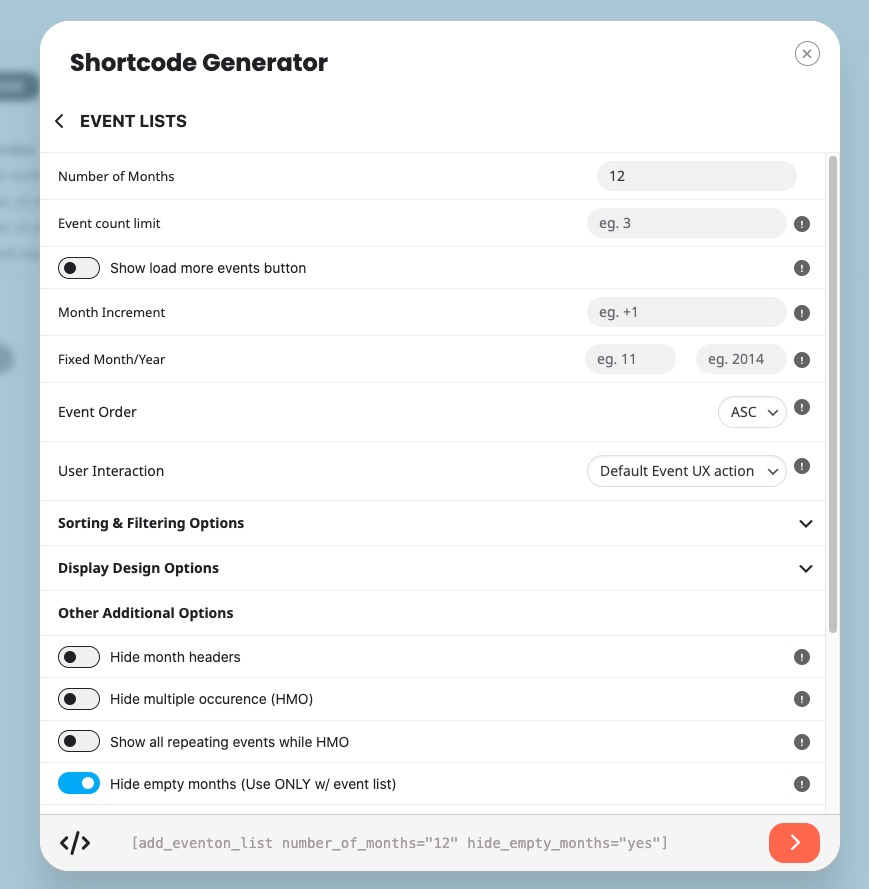
If you are trying to show multiple months at once, please take a look at Event Lists shortcode:
[add_eventon_list number_of_months=”12″ hide_empty_months=”yes”]
Replies for tickets on suppota
Hello,
If you are trying to show multiple months at once, please take a look at Event Lists shortcode:
[add_eventon_list number_of_months=”12″ hide_empty_months=”yes”]
Hello,
Seems to be working in Troubleshooting Mode:
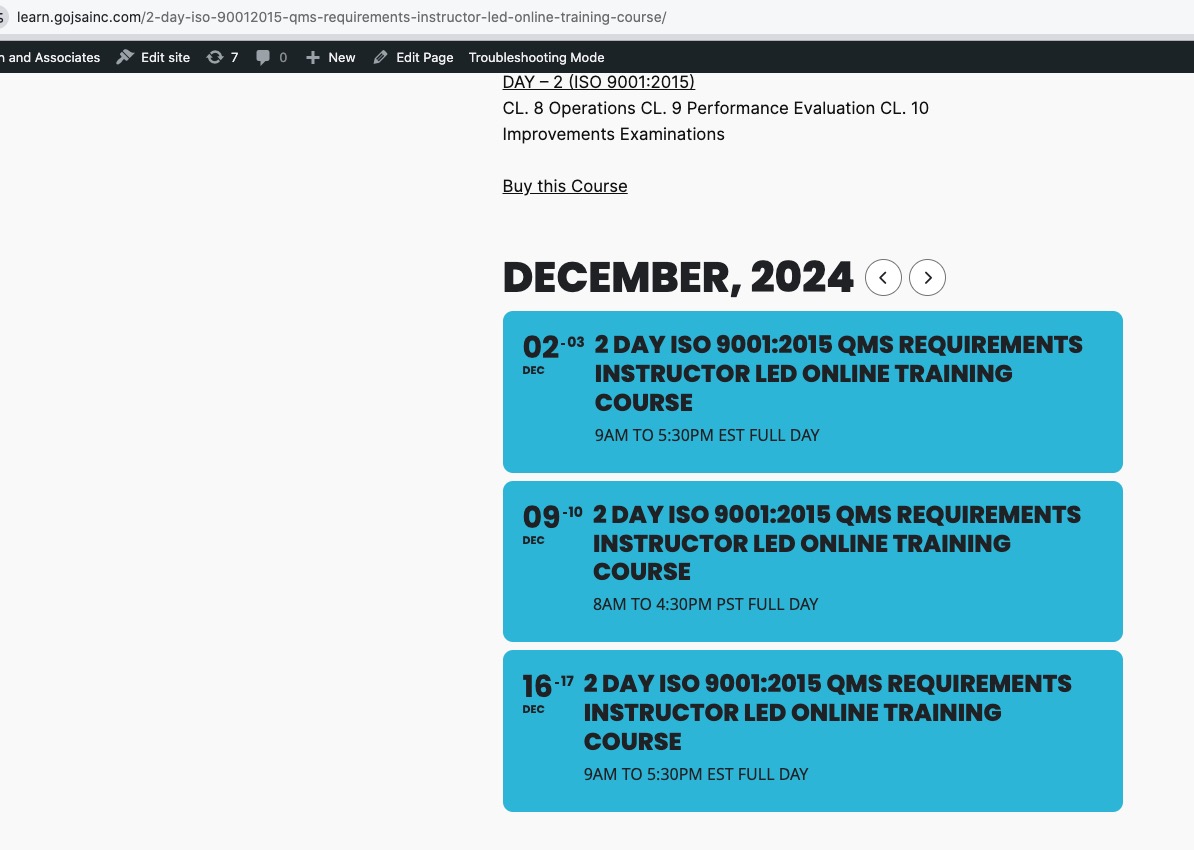
Could you please try the instructions mentioned in this documentation to make sure your issue is indeed coming from eventon.
Hello,
Please follow this guide:
https://docs.myeventon.com/documentations/how-to-cancel-addon-subscription-before-auto-renew/
Do you want to refund the add-on itself?
Excellent! That worked. Did I overlook that guidance somewhere in other support articles?
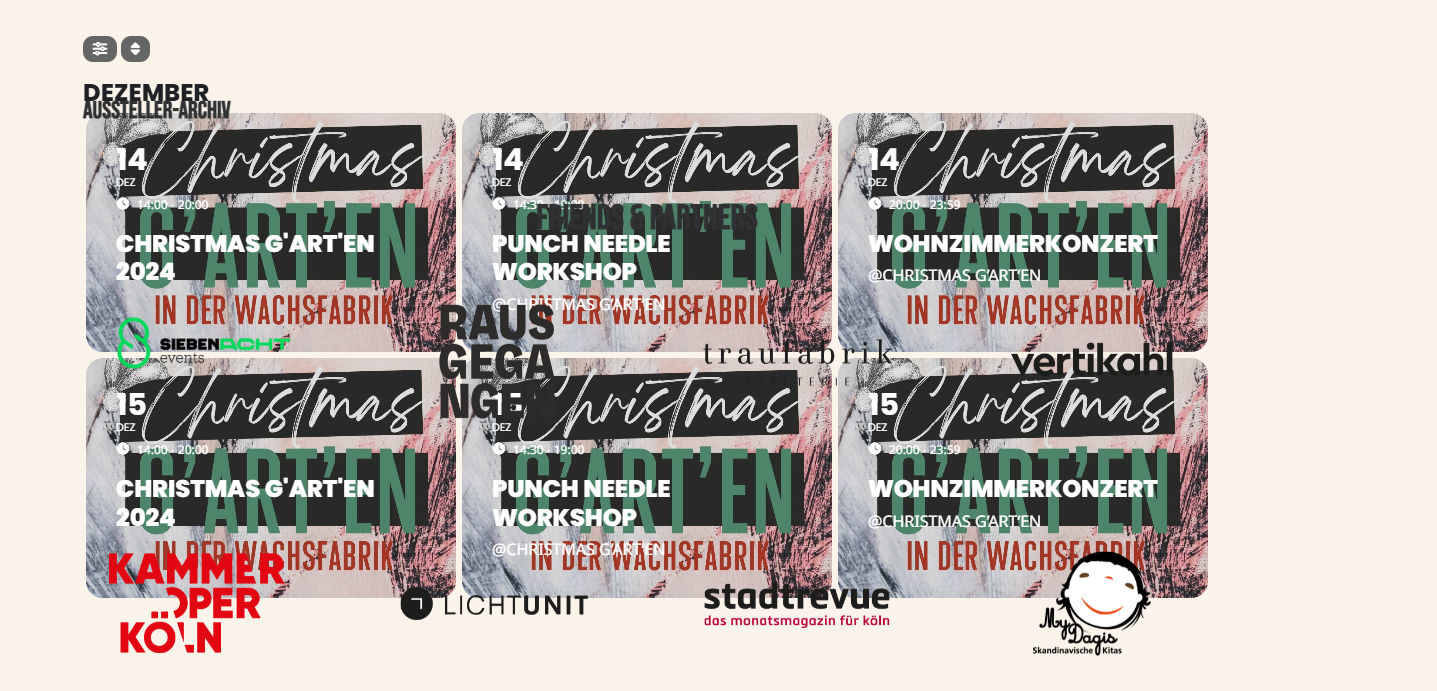
After plugin Update, all events goes inside another section instead scaling them to their own block
Hi Artem,
Not sure if this response was for me? How does that relate to the 3 events showing? Not sure if i can follow :-S
how do i hide the 3rd?
Thanks
Tim
I already know that manual method.
Suppose that we have a lot of recuring events. I wanted to find out an automated way. Something like a new section in the plugin to be able to add some pre-defined dates as holidays.
Or something like a hook to be able to exclude some dates when adding a new recurring event.
So, I think this function is not part of the plugin.
When customers go to an event and then click on Change RSVP, they cannot change from Yes to No?
They are not tech savvy and screw up their login and password but blame the system … they know how to change their RSVP, they just can’t get logged on sometimes … it’s their issue. Don’t worry about it. Some of the users are old …
Or from wp-admin > All Event RSVPs > Edit > change RSVP Status, then go to Edit Event > RSVP > Sync Count.
This should be done from the event page – having to go to the backend and go through all of this is a pain in the ass. The application should be able to do this. Of course, I can do it now that I know how but all of this testing on live applications is very frustrating! Seems like I am part of your research and development team.
I also would like to sort the attendee list sorted by ID number so I know what order people RSVPed.
Can this simple tweak be done? This would be a very big help!
Good afternoon, can you tell me what steps I can check to solve the problem?
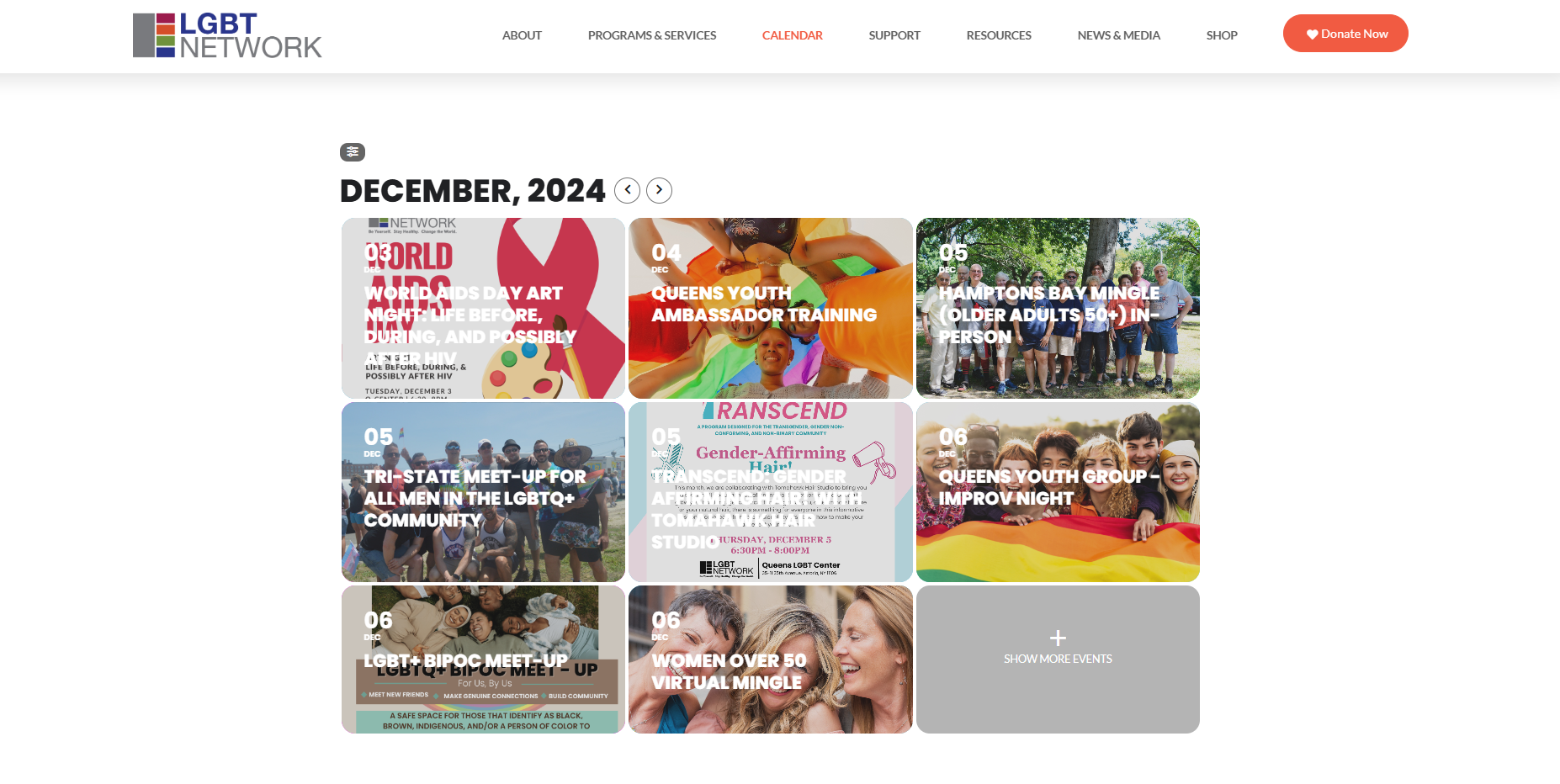
Sorry for the confusion. I meant to say that the issue is occurring with the main calendar. The link I sent you is where the problem is happening. To clarify, by “preview image,” I am referring to the background image. I’ve also included a screenshot showing the area where we’re having trouble changing the background image and adjusting the white-colored font.
Below is the admin access:
https://lgbtnetwork.org/wp-admin/
Username: eventonadmin
Password: ViuwW)p%)JbOUkLzhilA^oxG