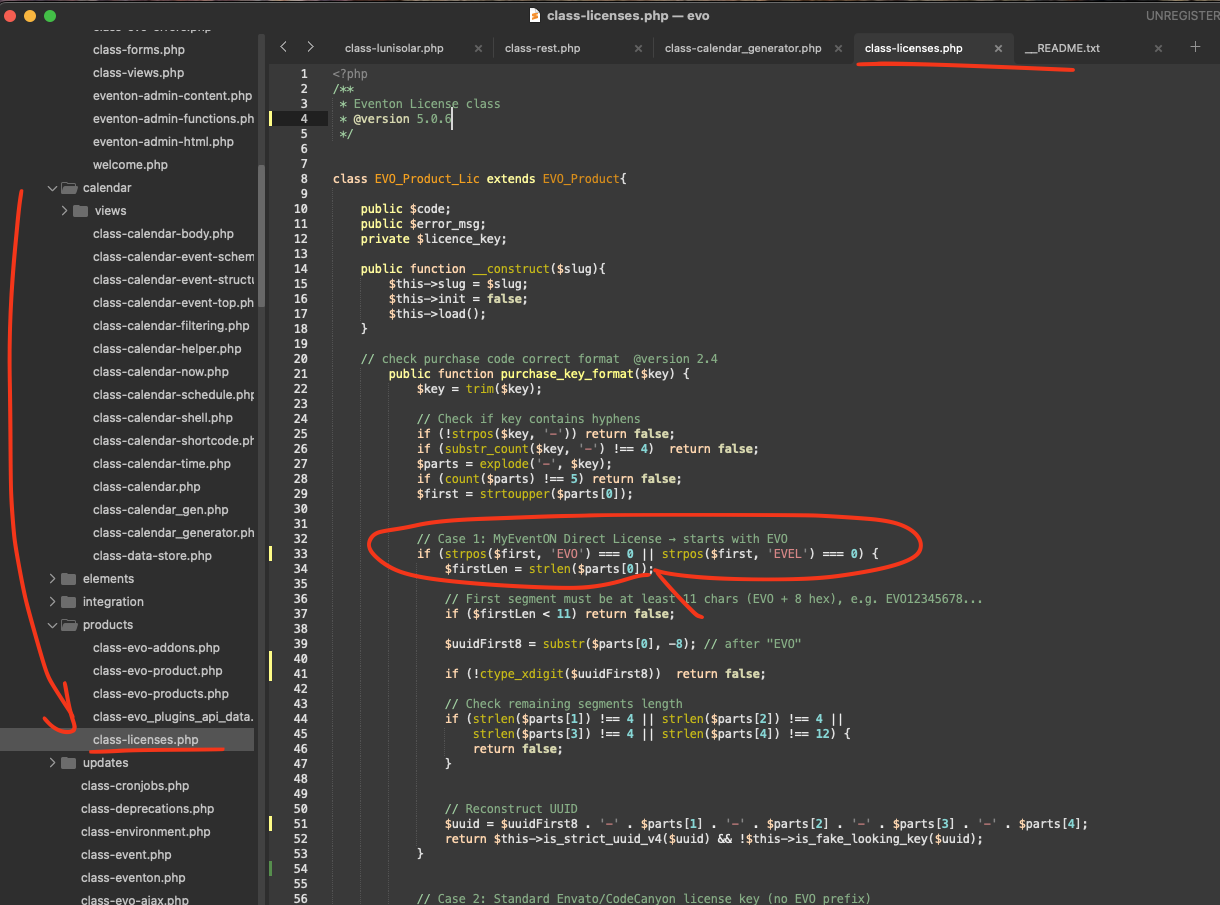
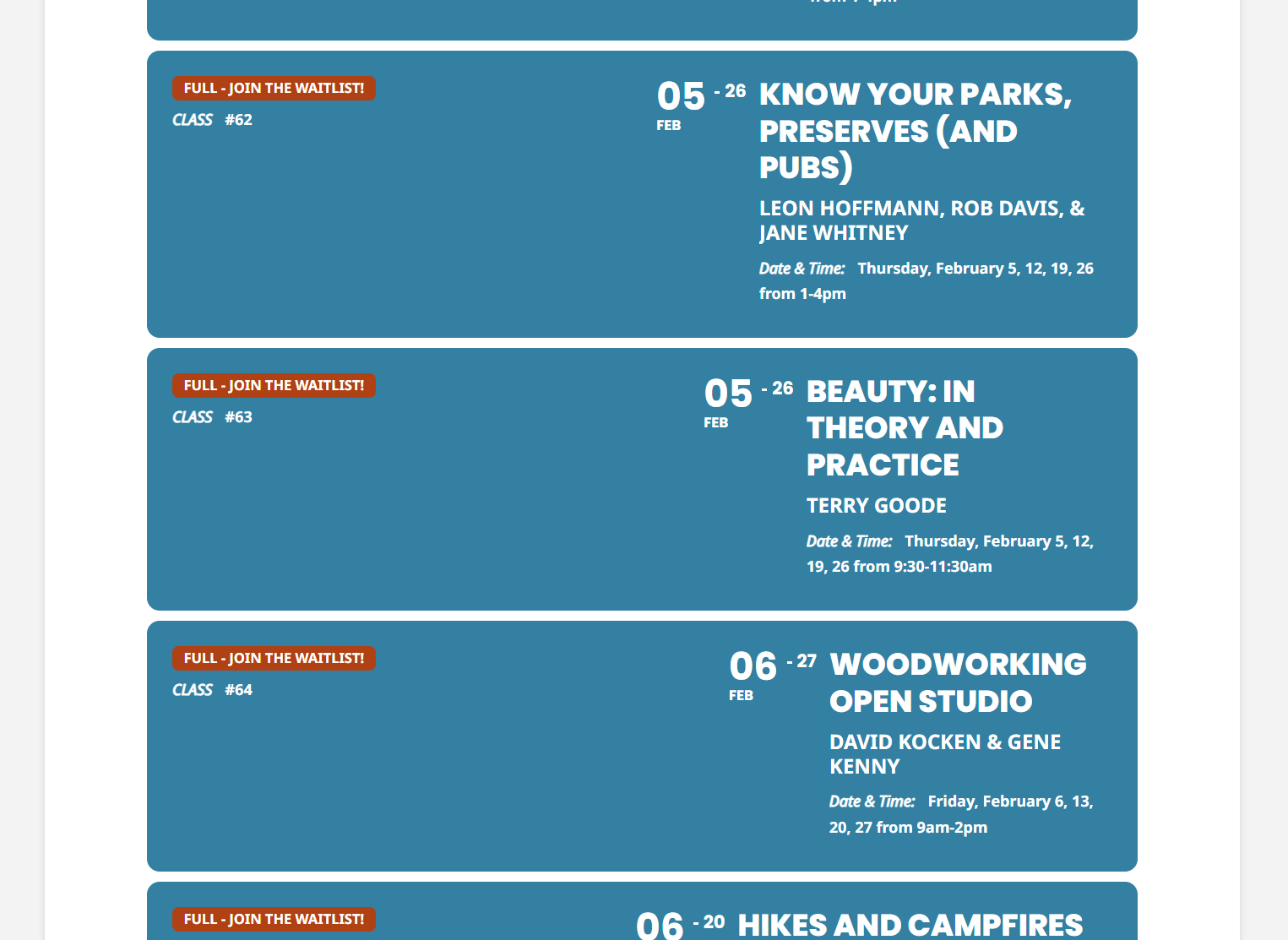
About the lists activation issue.
Please try implementing this code change in your website to fix the issue.
Code:
https://dev2.myeventon.com/codeshare/7QEBJf3jeRpA
You don’t need Search add-on as it’s functionality is integrated into the main plugin. Please use Search Box shortcode. Also go to EventON Settings > Search to find more options available.
Hello,
Could you update RSVP add-on?
After the update please check if the same issue is still happening.
And if it continues, please follow the instructions in this documentation to activate debug in your site to see any PHP errors recorded that can provide insight on to whats going on. Please reply with a link to debug.log file. If you are not able to do this please send us FTP access to your site so we can do this for you.
To update eventon addons: You can download latest eventon addons from myeventon > my account. Then you can go to your website, deactivate old addon and install new one and activate then delete the old addon. This link will further explain the process. Also you can follow us on twitter to get real-time announcements on updates!
Hello, it is not great still.
Do you have some better solution in to the future?
I think that makes problem out TICKETS addon plugin, with your new system, should we redo this? Will it better?
Let me know.
Thank you.
Lukas
Yes, this would be great. But I need your IP address so I can whitelist it through Sucuri. Would you be able to give me this?
Would you mind sharing the wp-admin access via RIght side bar? so we can apply the code changes for you and get this working?
Hello Lukas, thank you for bringing this to our attention.
Since the wp-admin access was not shared, kindly add these CSS into eventON Settings > Styles.
Make sure to clear cache after saving changes to make sure the styles get applied to page.
https://dev2.myeventon.com/codeshare/iq7zfPi21sup
We are glad your issue is resolved, if you have any further questions or concerns please create a new ticket.
You should be OK now. Thought I gave you admin. I goofed
Kindly update to the latest versionof tickets addon 2.5.1 —
Changelog Event Tickets
should resolve this issue.