https://carsoncarclub.com/submit-an-event/
Archives: Replies
Replies for tickets on suppota
Reply to: tickets(406940)
The screenshot is correct. I will try your suggestion—will this resolve the issue with the State and City fields? I am currently experiencing the same problem there.
Reply to: tickets(406892)
Thanks Artem for the explanation.. makes sense, glad to here that actually.
Reply to: tickets(406958)
Hello,
Please update EventON to the latest version.
To update eventon to latest version: (If auto update works, please try that from with your website plugins page)
1. If you purchased eventON from codecanyon > Go to EventON Full page and verify your purchase to get a free copy of eventON latest version and move your purchase over to myeventon.com.
2. If you already purchased eventON from myeventon.com go to My Account > Downloads and get the latest version copy.
Once you have the latest version zip file. Then you can go to your website > make sure ”Delete eventon settings & data when EventON is uninstalled” is De-slected from eventon settings, delete old eventon, install new one and activate. This link will further explain the process it. Follow us on X to get real-time announcements on updates!
Reply to: tickets(405322)
On my side:
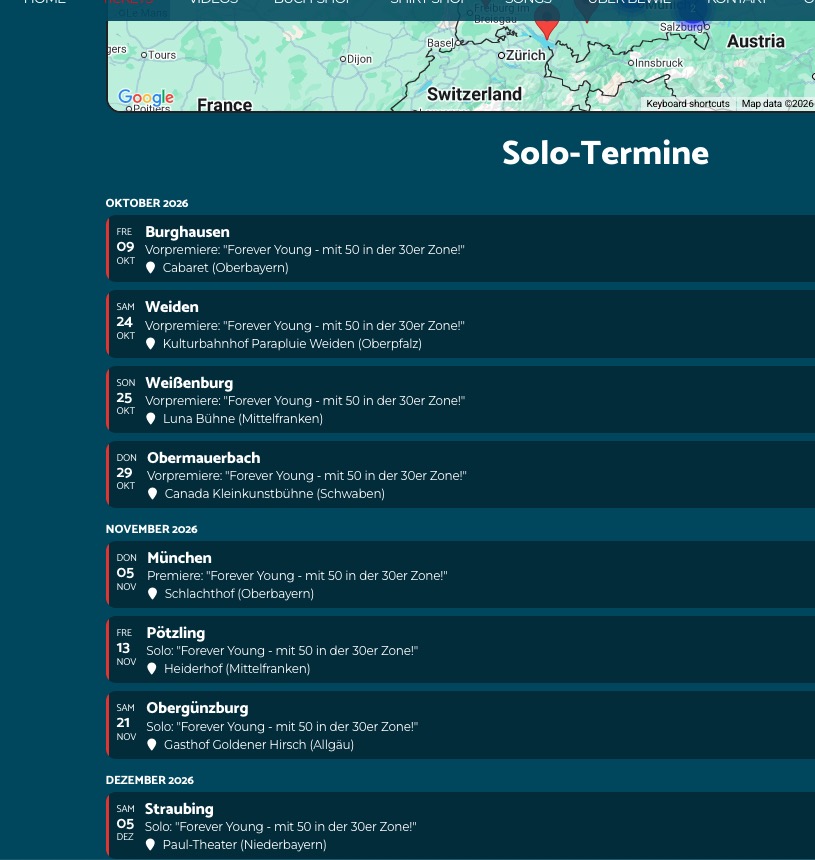
Could you try checking it with a different browser or try clearing your browser cache?
Reply to: tickets(405454)
We’ve released EventON 5.0.9. Could you update once more?
Reply to: tickets(406784)
Perfect! We are glad your issue is resolved, if you have any further questions or concerns please create a new ticket.
If you have a moment, we would greatly appreciate if you could kindly leave us a review at EventON WordPress Page OR EventON > My Account > Downloads. Your review helps us a lot in continuing EventON improvements!
Reply to: tickets(406933)
Hi Artem, you are right that show_et_ft_img=”yes” was present in my shortcode. I removed it & cleared cache, but the erratic behavior persists.
This is the original shortcode:
[add_eventon_list number_of_months=”24” event_past_future=”future” hide_past_by=”ee” show_et_ft_img=”yes” tiles=”yes” tile_count=”3” tile_style=”1” hide_month_headers=”yes” show_year=”yes” tile_height=”300” tile_bg=”1” hide_mult_occur=”yes”]
Reply to: tickets(405322)
My website is now live. You can see the white border at the top and right of the Eventon box here:
https://bewie-bauer.de/live-on-tour/
Reply to: tickets(405454)
Ok, I’m on EventON 5.0.8