On the WordPress end, I’m receiving an error message when I have tried to update the plugin:
An error occurred while updating EventON: The package could not be installed. PCLZIP_ERR_BAD_FORMAT (-10) : Unable to find End of Central Dir Record signature
I’ve also tried going through Envato and CodeCanyon and I can’t find any account that’s linked to any emails from this organization that has this purchase listed, but we clearly bought the license at some point because we have the plugin running on our site and have for years.
Without access to the License Key or the .zip file containing the updated version of the plugin, I can’t update my plugin files. Is there any recovery process I can try to go through?
I’d prefer to not have to switch to a different plugin or purchase this plugin again, but we’re experiencing significant performance issues that are almost certainly coming from running this older version.
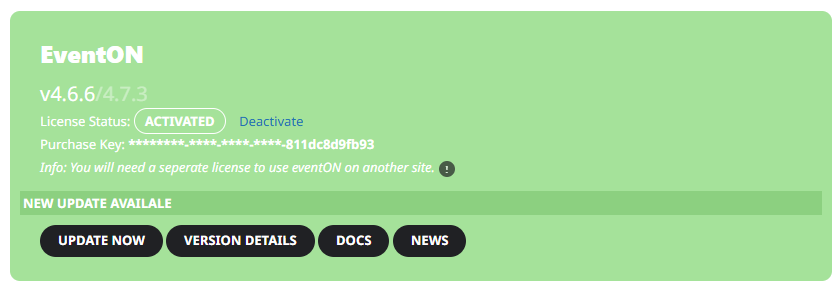
I attached an image here that shows our plugin is active and the last digits of our license key.
Hello,
Please take a look at this guide on how to deactivate licenses:
https://docs.myeventon.com/documentations/how-to-deactivate-eventon-addon-licenses/
Hello,
Please add this CSS code to EventON > Styles (If you don’t see any change, EventON > Scripts & Styling > turn off Write dynamic styles to header > save settings > turn on Write dynamic styles to header):
p.evo_filter_val.all.select.select { display: none !important; }
Hello,
Is it possible to have more than two names on Full Cal view?
Thank you for your great suggestion, at the moment it is not supported. However please create a new ticket and select Feature Request as category so others can vote on your idea and get it moved into development faster.
I’d also like to make the font larger so it’s easier to read, having the names wrapped would also help.
Please use this code:
.evofc_months_strip.names .eventon_fc_days .evo_fc_day.has_events span i { font-size: 15px; height: 25px; }
…when I scroll to December the calendar does not show…
Could you disable the minimizing functionality?
I click thought to Jan 25 when I click on a date it only shows 30th Nov.
This is because the event goes from 2024 to 2025.
I’d also like to know how to change the font on the hover to my default proxima nova font.
Please take a look at:
.eventon_fullcal ul.evofc_ttle_events li {font-family: nova;}
Make sure to change nova to your font name.
Hello,
Please take a look at RSS Feed add-on:
https://www.myeventon.com/addons/rss-feed/
You should be able to add events from RSS Feed automatically.
Try on https://dev.myeventon.com/wp-admin/
Could you try manually clear the browser cache on your mobile?
Hello,
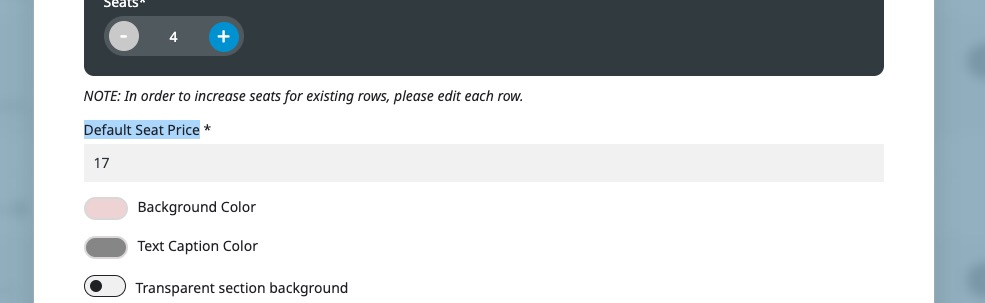
Since your seats all have variations assigned, please change “Default Seat Price” to 0.00:
Ashan,
Please take a look at
Reply to: 370848
In Troubleshooting Mode with enabled “Enable separate photo gallery for all events, from additional event images” it doesn’t show additional images at all:
https://windingcypress.org/staging/events/encore-holiday-lights-trolley/
Enabling EventON > Photos > Enable separate photo gallery for all events, from additional event images should put images into a separate section.
But there is an issue with this particular event:
https://windingcypress.org/staging/events/encore-holiday-lights-trolley/
I am going to assign this ticket to Ashan and he will be able to take it from here and find you a solution. Please allow some time for him to get back to you, we greatly appreciate your patience and thank you for being a eventon customer! Also please disable any IP blocking on your site if there are any.
Please try purchasing this test event:
https://www.baav.be/events/test/