As for the other questions,
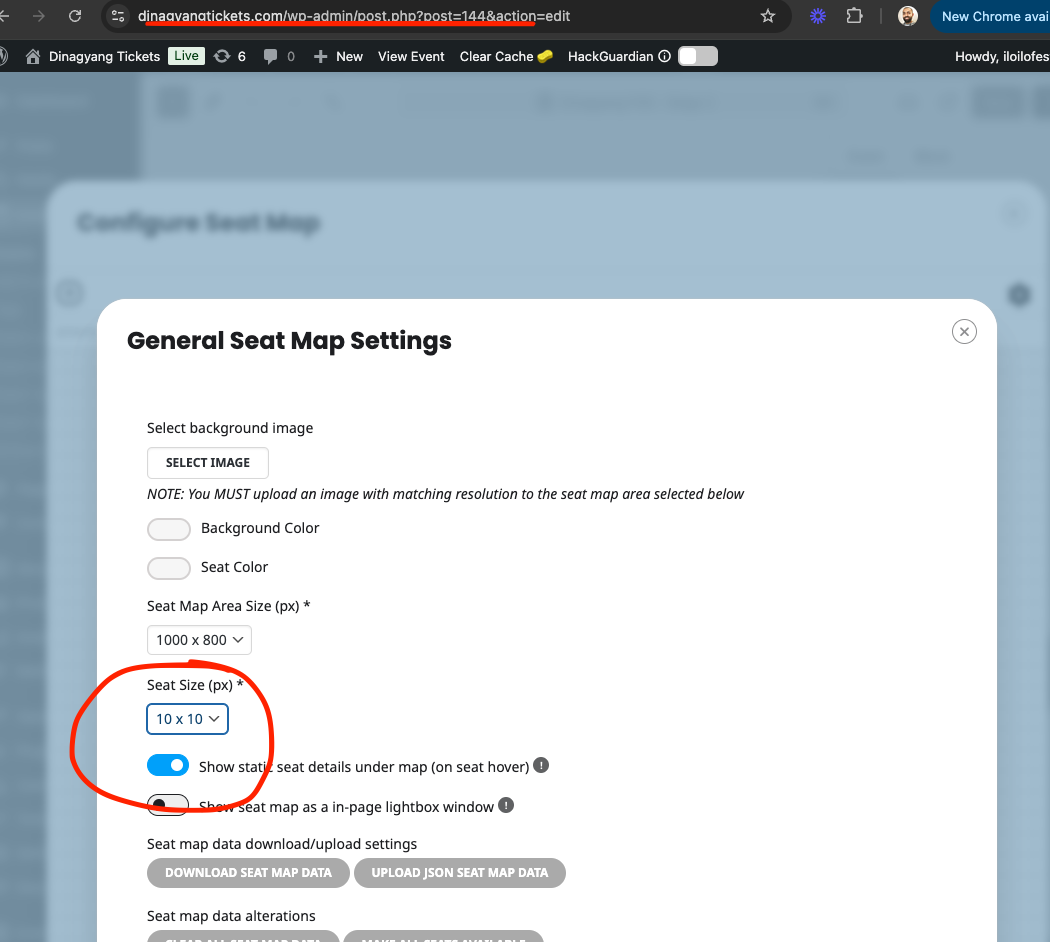
You can try increasing the seat size in the seat map editor settings on top right.
For duplicate issue, please try saving changing interim and see if that make sure values are indeed passed on correctly.
Replies for tickets on suppota
As for the other questions,
You can try increasing the seat size in the seat map editor settings on top right.
For duplicate issue, please try saving changing interim and see if that make sure values are indeed passed on correctly.
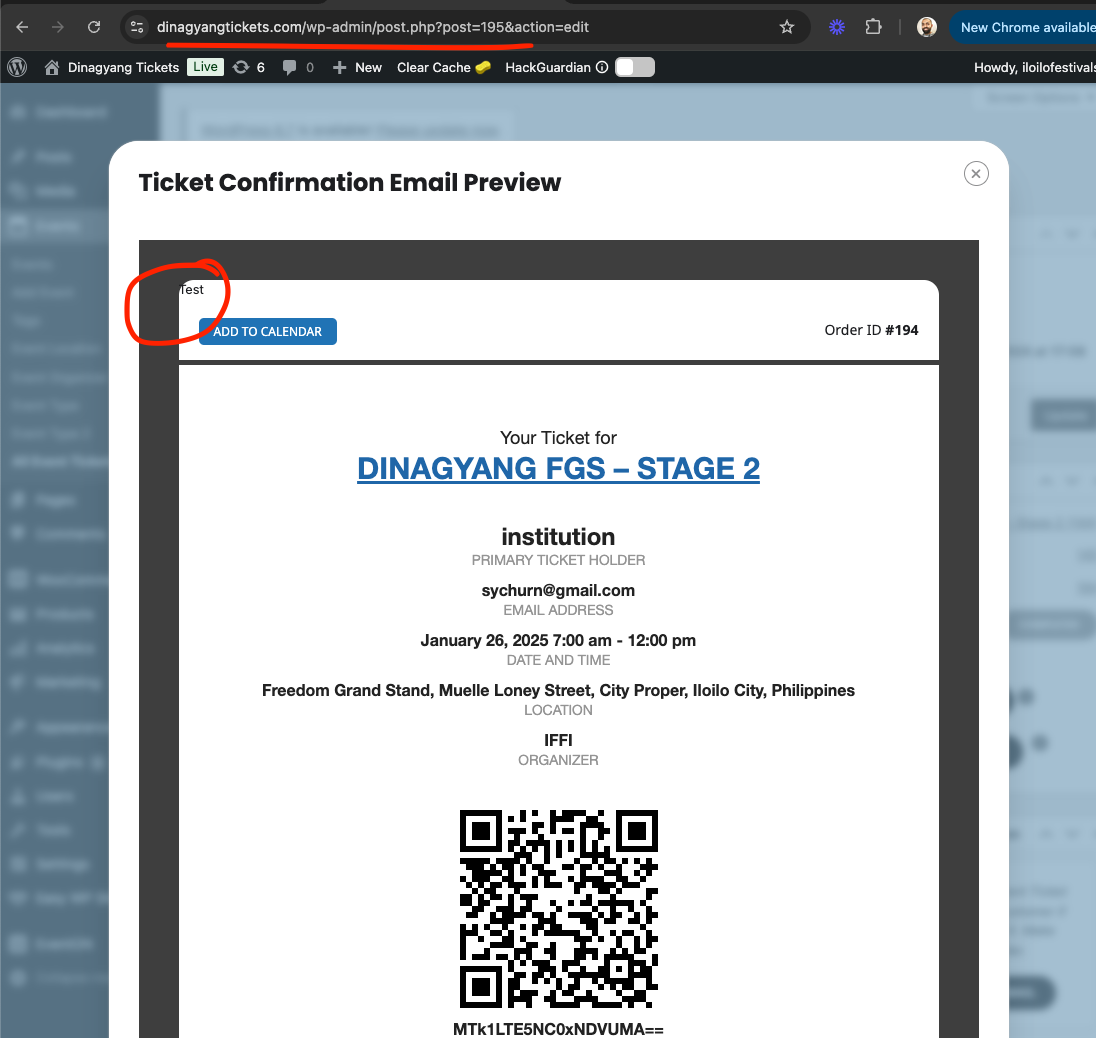
Jefferey, Check your custom confirmation email template, you must have typed this text. It is not part of the template.
You can check this from event ticket page > preview email
Kindly update to the latest version of tickets addon 2.4.3 should resolve this issue
https://docs.myeventon.com/documentations/changelog-event-tickets/
Hi there, so in the last version we changed the algorithm that auto set the text color to be either white or black based on event color, so the text is more visible.
I would recommend changing the event color until the text color is what you want — at the moment.
We will add an option in the future to disable auto text color. 🙂
Found the issue and got it fixed for you my friend 🙂
Will include this code fix in the next version update to eventON 4.7.3
Thank you very much for letting us know of this small bug and glad it was an easy fix 🙂
I would just be happy with the ability to show how many tickets have been sold. With that alone, you could indicate somewhere what the threshold is.
In my use case, my client buses patrons to the mountains, but if he doesnt get a certain amount of people to sign up, the bus doesnt leave. So knowing how many have to sell in order for the bus to leave would be helpful.
Currently there is the ability to show how many are LEFT if there is a limit, but there is no limit here, it is a min of 25 to go, but he has unlimited buses, so if 1,500 people sign up, then 30 buses go. But there has to be at least 25 people.
I have considered setting the stock to 25, allowing backorders and explaining it on the front end, but that definitely over complicates it.
Kindly update to the latest version of reminders addon 0.8
should resolve this issue.
Thanks, I understand your point.
Have a nice day
Andrea
The issue:
Used the ICS Importer add-on. The description is missing in every event.
Used the ICS Importer to import events, but the description is missing on the frontend even though they show up in each event on the backend.
Ashan,
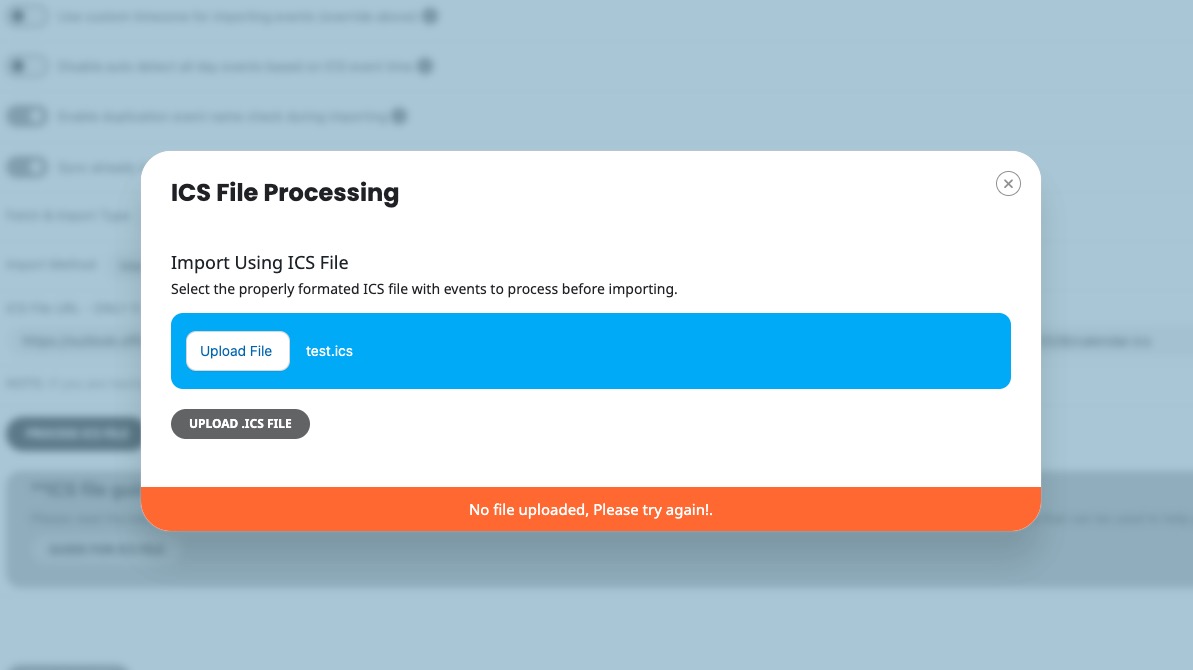
I cannot import the .ics file on dev2. Receive this error (I renamed the file, because it doesn’t show it fully, but like this “OCM_oaklandcountymomstech”):