</> button will toggle the current shortcode. There is a minor bug in the code and we will fix that in the next version 4.7.3
Also the lightbox image close issue will be resolved.
Thank you very much Simon for letting us know of this. We are hoping to get the new version out this week!
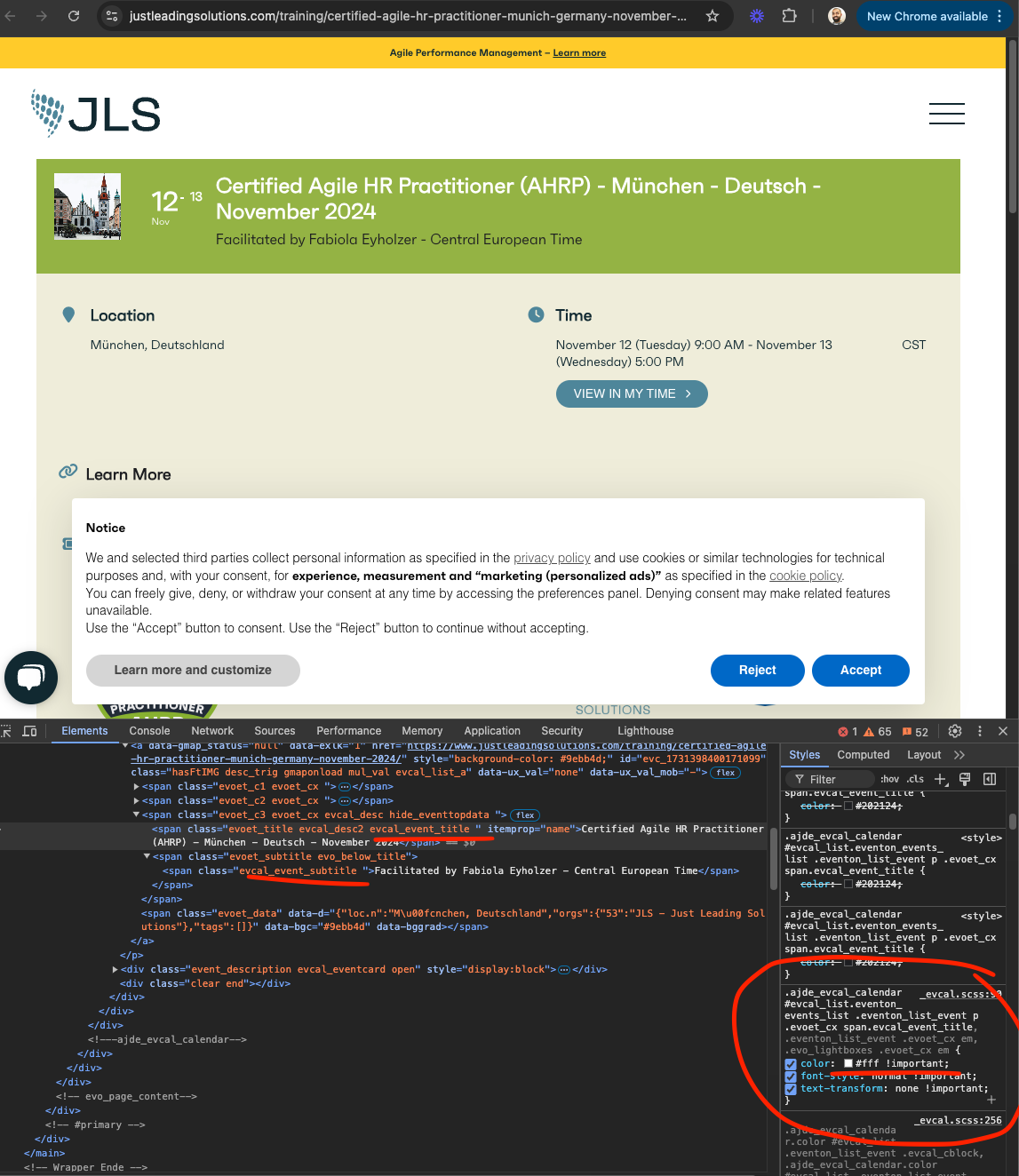
Looks like you are adding some custom CSS to force main event title to be white, You need to include subtitle as well in there to force to be white. We dd change the algorithm on when to show white vs black based on event color.
Hello there, I just tested in your website. I wonder If any of these plugins you have installed in your website is causing any issues with XSS with accessing external URLs using wp_remote_get()
Like this plugin https://discoverbuellton.com/wp-admin/admin.php?page=wpel-settings-page
Something from your website is blocking external URL call to activate license. Is it possible to deactivate other plugins and give this a try ?
I needed the latest version of EventOn – it works now.
CSV Impoter addon order is refunded now.
Thank you we are going to release a new update to resolve this soon!
Another alternative for #1 is open event URL in chrome incognito, and each person can use their own email and RSVP. Everytime the page is open it will show as the user has never RSVPed before.
But it will still make sure same email address can not RSVP more than once.
Zaw the whole RSVP system is heavily tied to the loggedin users email address, which helps in many ways to track back RSVPs.
What you can do is several things.
1. Dont tell users to login. Tell them to RSVP without login. And disable creating new account for new RSVPs. So then users can RSVP with just their email and completely unaffected by loggedin status.
2. You can use invitees addon for RSVP https://www.myeventon.com/addons/rsvp-events-invitees/ and have just the invited emails RSVP. — this is if you are worried about any random person RSVPing to events.
The pointed line is exactly as shown on your screenshot but that doesn’t do the job. Could you please advise further.
Kind regards,
Peter
Hello,
Please install this or similar plugin:
https://wordpress.org/plugins/code-snippets/
Next create a new PHP snippet. Now add the code from the guide:
https://pastebin.com/Jte1hViR
It should work right away.