Hello,
for me as well. The widget tiles now have black text on a dark image. Nothing is legible any more.
Archives: Replies
Replies for tickets on suppota
Reply to: tickets(369226)
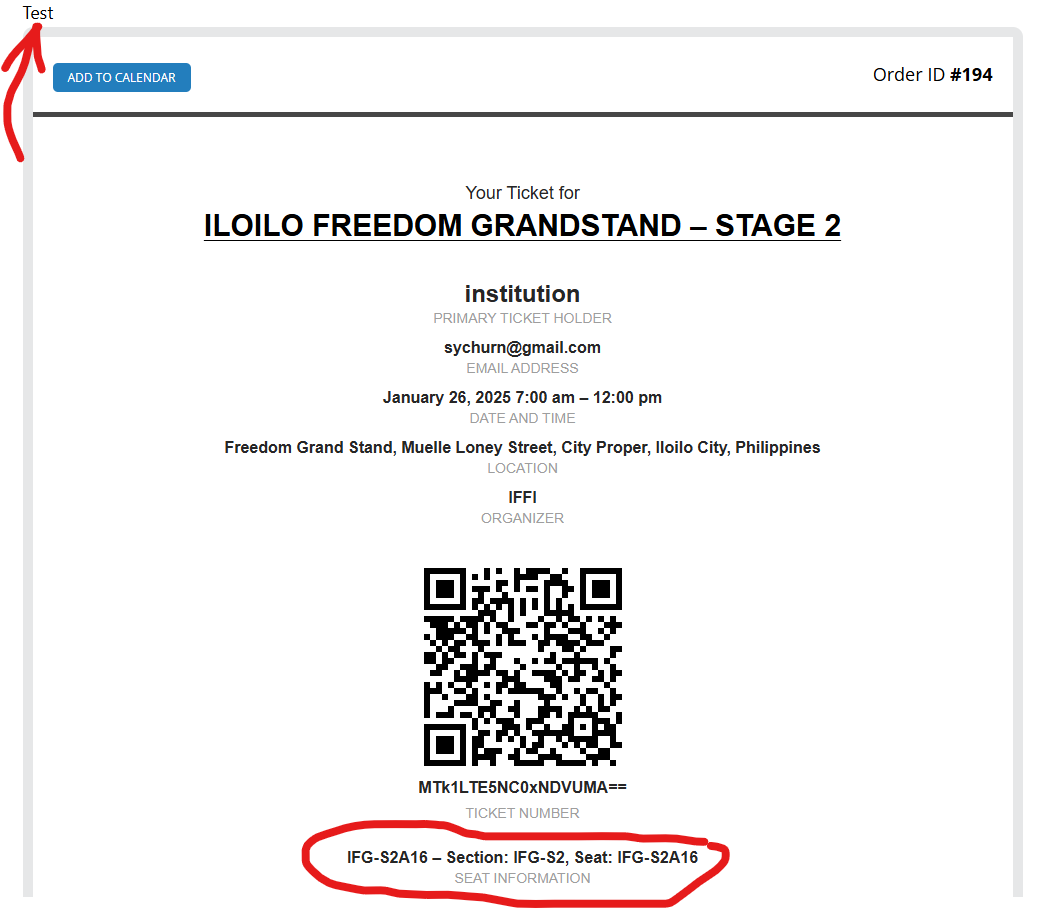
Hi Ashan,
Thank you for the help everything looks good now. The Row is gone both on the confirmation page and the confirmation email. I am just not sure why it says Test on the upper left corner. Is it because woocommerce is in sandbox mode?
Also, when I install the plugin’s updates it will not overwrite the code changes that I did right? Those lines of codes that you suggested I comment out?
Thanks and have a great weekend
Reply to: tickets(369665)
https://dev.knoleacademy.org/events/
I tried to use this format. When you click the date, and the event, the image doesn’t load. You have to click it to load the image.
But.. when that happens there seems to be no way to close the image.
Can you please help?
Reply to: tickets(367185)
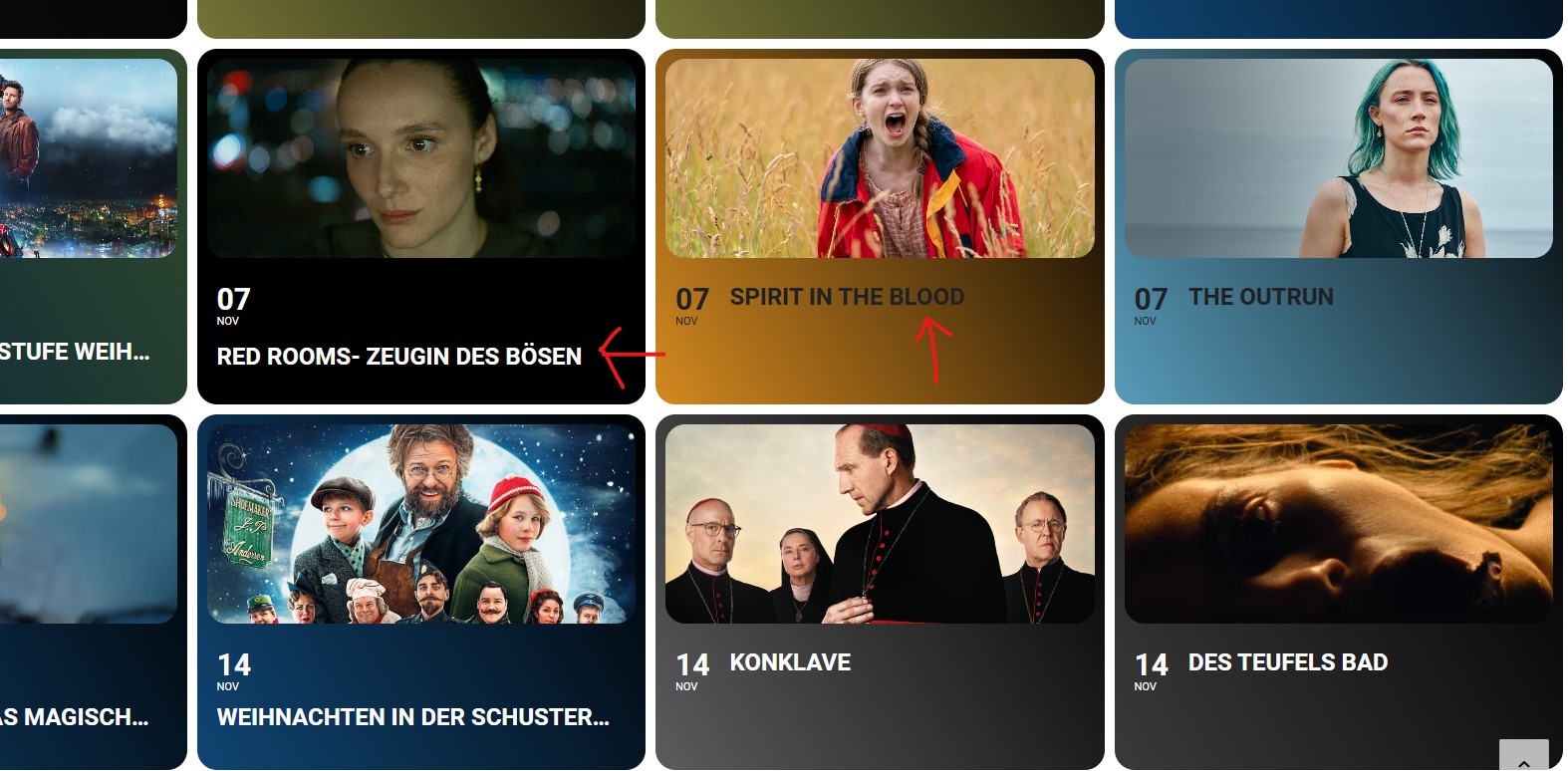
Hello, how can you adjust the font size so that it is behind the date because it is too big. Why are the fonts of the colors different? This happened after the update. Thanks!
Reply to: tickets(367185)
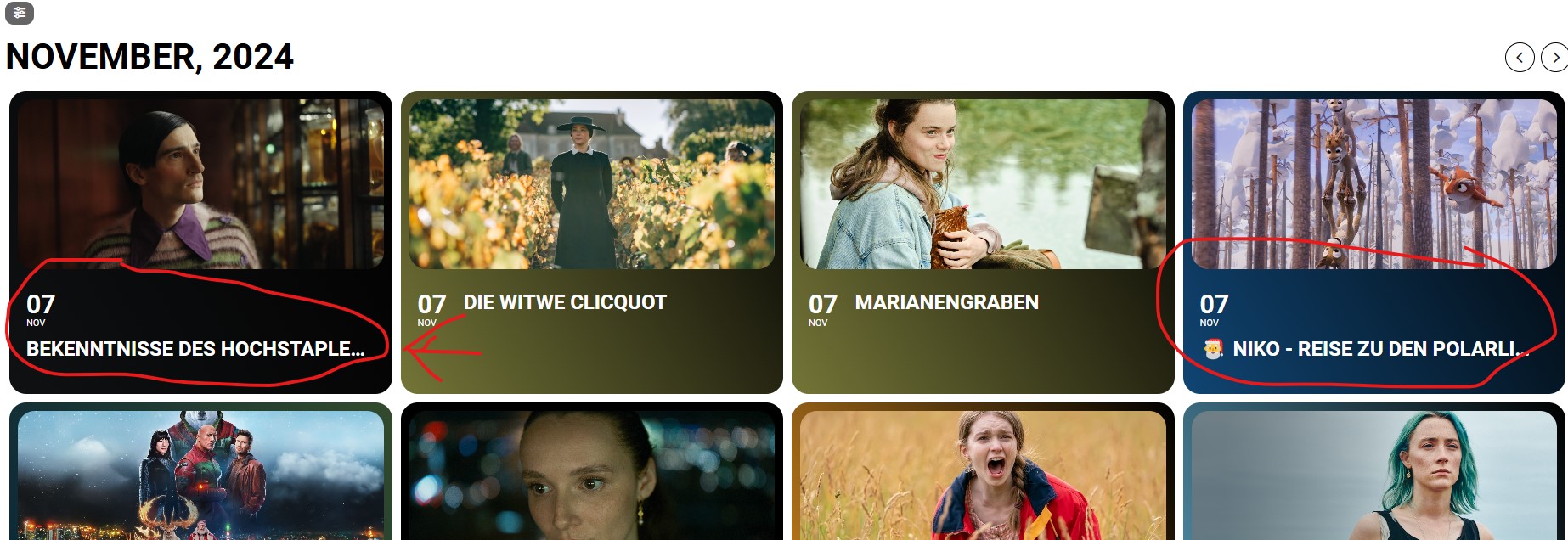
Hello, how can you adjust the font size so that it is behind the date because it is too big. Why are the fonts of the colors different? This happened after the update. Thanks!
Reply to: tickets(369665)
Ok now I see it… man is that hidden.
You do all your things, and there is a </> thing in the bottom left corner. It’s not a button. So you assume it iwll auto adjust as you select options.
Nthing changes. Click the green button, nothing changes.
Until… you click that </> icon.
PLEASE make that a BUTTON. Or when you click the forward button. There is no guidance I can see that tells you to click that button </> text.
Like (GENERATE HERE)….
Reply to: tickets(369665)
Where did that shortcode come from?
The Generator does not work. It does not generate anything.
Reply to: tickets(369698)
do you need such a huge gap on multiple day events between start and end date number? thats a huge area not being used for some of your larger event titles
you could add some @media css to have a fontsize for mobile. adding javascript is a little overkill
as the width is finite some of your event titles will have to go to a new line if they have enough letters unless you make the font size very small but then you can’t read it
Reply to: tickets(369593)
i have added
cal_init_nonajax=”yes”
to the shortcode to stop using ajax
let us know if you still have the issue
Reply to: tickets(369665)
so when I tried to edit the page in the visual builder it showed an eventon widget- when I tried to edit normally it showed the main cal shortcode
so I have added the full cal shortcode and its working right- so check now