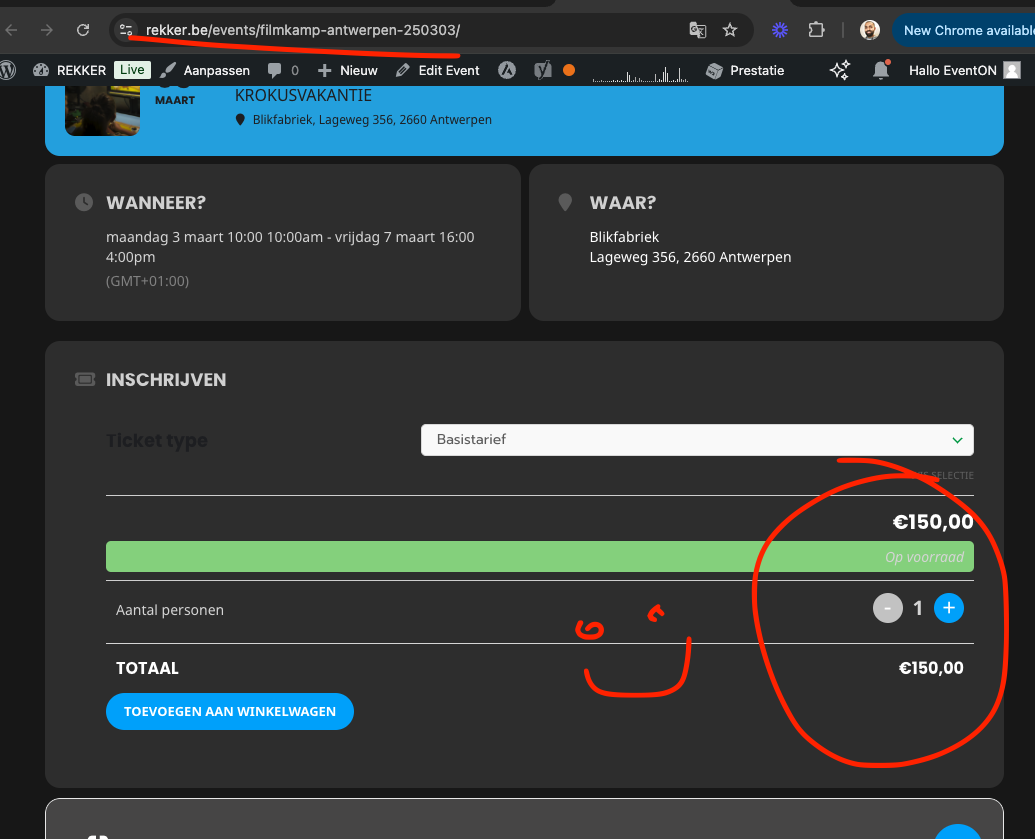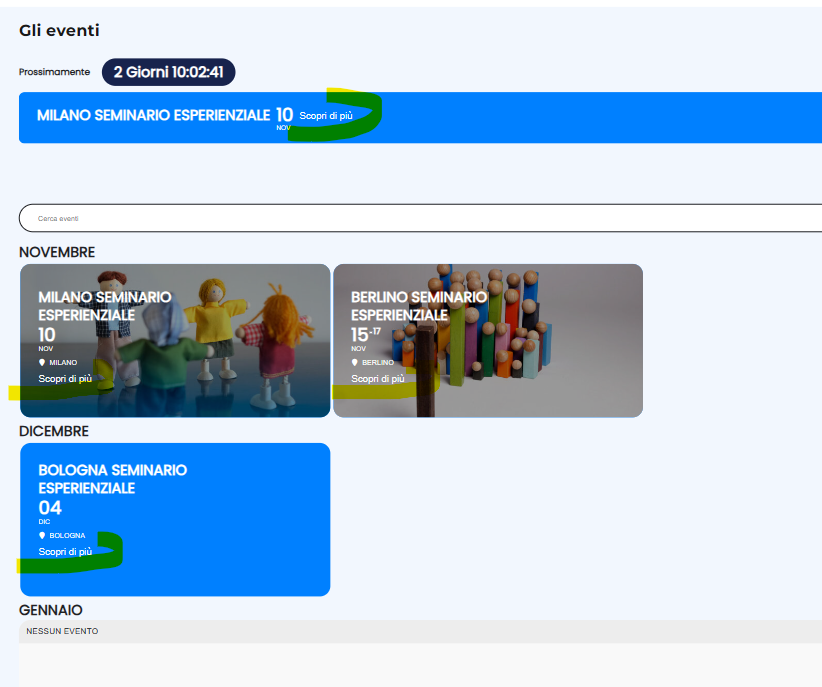
Could you please advise on how to make the button appear only for the COMINGSOON section shortcode? Currently, my test code is displaying the button globally.
// hook into event top correct place
add_filter(‘eventon_eventtop_one’, ‘eventon_insert’, 10, 3);
function eventon_insert($array, $evvals, $passval){
$array[‘custom’] = array(‘eventid’=>$passval[‘eventid’], ‘evvals’=>$evvals);
return $array;
}
// include in index as part of event top array
add_filter(‘evo_eventtop_adds’, ‘eventon_top_adds’, 10, 1);
function eventon_top_adds($array){
$array[] = ‘custom’;
return $array;
}
// throw html content for the switch statement for this index
add_filter(‘eventon_eventtop_custom’, ‘eventon_top_content’, 10, 3);
function eventon_top_content($object, $helpers, $EVENT){
$event_id = $object->eventid;
// $event_id = $EVENT->ID — event ID can also be get from this
// $event_pmv = $object->evvals; // event post meta values
// your HTML code goes in here.
$output = ‘Scopri di più ‘;
return $output;
}
// styles for the new addition
add_action(‘wp_head’, ‘eventon_additional_styles’);
function eventon_additional_styles(){
echo “
body .eventon_list_event .evcal_desc .custom_code{
background-color:#7DC1DF;
padding:3px 8px;
border-radius:5px;
display:inline-block;
font-size:12px;
text-transform:uppercase;
color:#fff;
}
“;
}
as artem pointed out please share screenshot of what is not working.
Pictures speak 1000 words 🙂
It was never done like the way you explained, because that would not work for clients with more than one variation as I mentioned before. So we would not develop features that does not work for wider audience, that is why I am saying this could not have been a feature in the past.
However, you can absolutely use the pluggable filters to save those variations per your need and get those displayed in the ticket type.
We are going to release a new version to tickets addon soon and I will include more variables in the filter for you to use.
What you need to do is use the pluggable filter “evotx_tix_save_field_meta” and save the variation value for evo-tix post. That will auto feed into ticket type value on admin side.
Please check file includes/class-evo-tix.php line 116
This would be a better way going forward.
Hello tehre, thank you for creating that request.
Role based RSVP will have to be implemented along with ActionUser addon which already have user based permissions build it. We will keep your feature request active and see what we can do to get this developed in the future 🙂
Fixed it up for you 🙂
the changed I made in the code will be in the next version of tickets addon.
I have cleared all caches multiple times. Now I have issues with incognito mode where I put items in the cart successfully but they are not in the cart when I go to the cart page. Is there a way to schedule a time to do a screen share to show you the issues or to send you a video of what is happening?
Hello! I am also trying to include my custom meta fields when exporting all events. It seems that I am now getting the fields “cmd#” appended at the end of the export file, but the data is not populating from the events. Is there anything I am missing?
Perfect! Please keep us updated.
Because of CodeCanyon’s Support Policy we provide limited support for PHP customizations.
Please take a look at Get Event’s Terms from the guide.
All the data is in $event_terms variable. Please use var_dump($event_terms); to check what’s inside so you can access term_meta[loc_phone].
Ashan,
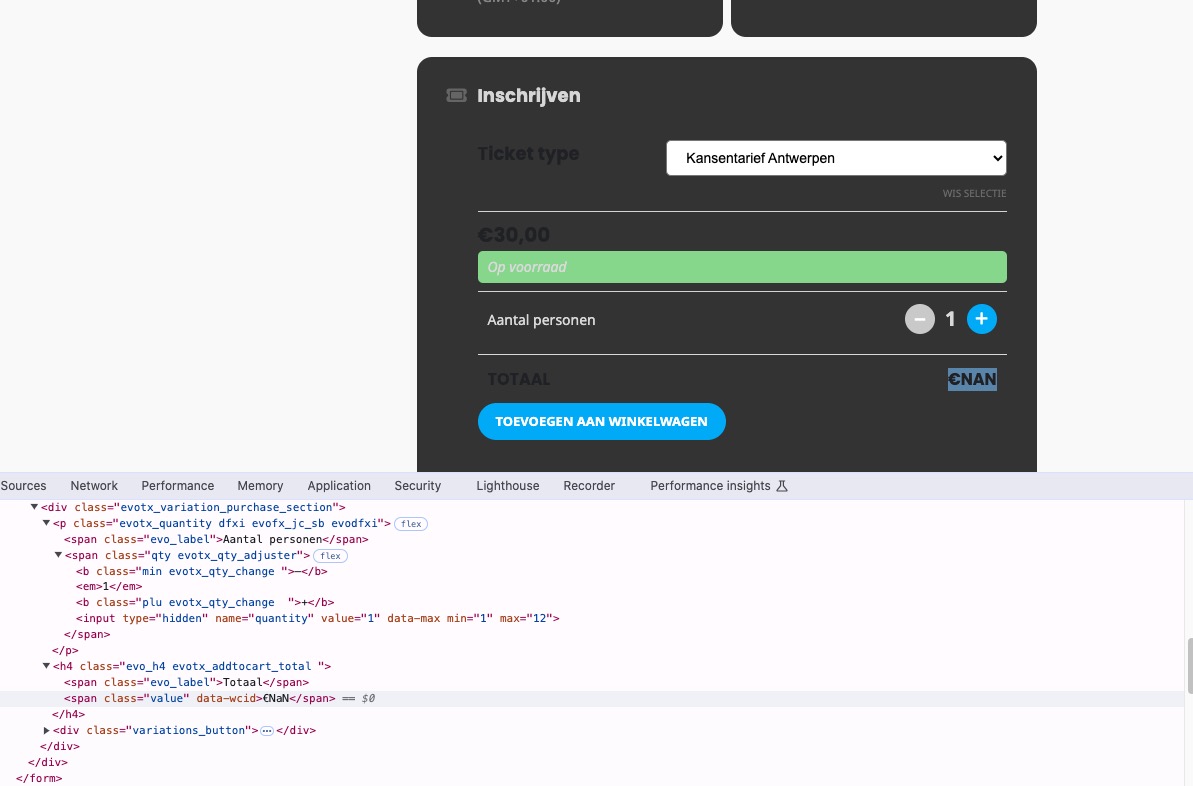
In Troubleshooting Mode on customer’s website there is evotx_addtocart_total element that shows NaN:
On dev2 such element doesn’t exist at all:
https://dev2.myeventon.com/events/var-guide-2/
Could you check?