there is css we can add to make it all white if you really want it to
if we had admin access we could diagnose the event in question as to why its not changing- is it the one on your home page?
Replies for tickets on suppota
there is css we can add to make it all white if you really want it to
if we had admin access we could diagnose the event in question as to why its not changing- is it the one on your home page?
you can iether show 1 month at a time or x amount of events-without the ability to switch
in your case you would show iether 1 month with the ability to switch months (as you have now) or you show 4 months
for home pages you tend to show say a calendar and then have a link/button to the full calendar
go into myeventon>>>settings>>>>shortcodes
and choose events list (not main cal) – then add however many months you want to show- you may wish to hide month headers as well and hide empty months
Yes exactly the same thing keeps happening which is why we couldn’t seem to do it in individual events?
Try without modifying the ICS file, edit the event in WordPress instead. Then reimport.
I have and this workflow
Thanks
Good morning Ashan
Yes it worked.
Thank you
Guido
Nice thank you. I’ll wait for the update
Hi,
thanks for getting back to me,
Im not sure why that screenshot has it that way but the format was month, date and then year on the uploads as your notes had said. Which is why the end date still comes though. I had tried it several times before reaching out and then retried again after sending my initial message. In the end I’ve had to do things manually so id like to go ahead with the refund – I deactivated the add on since messaging yesterday. Also is there a way to turn off time on the events?
Kind Regards,
Nusaiba
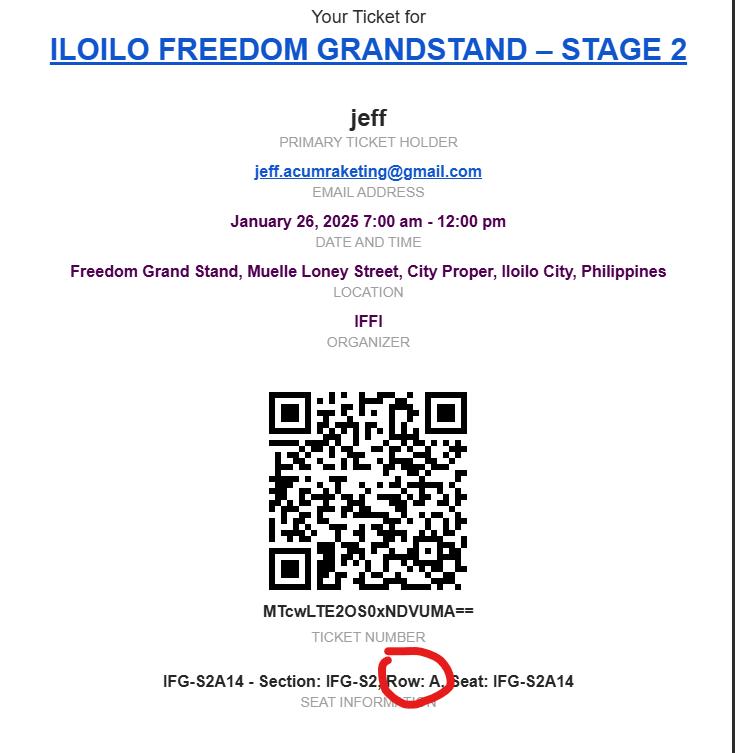
Hello Artem. I just followed the guide and commented the lines of codes that you mentioned but it still the same in the confirmation email. Also please help me in removing the Row part in the seat selection area and checkout confirmation page
Hi Artem,
thanks.. the problem has been resolved
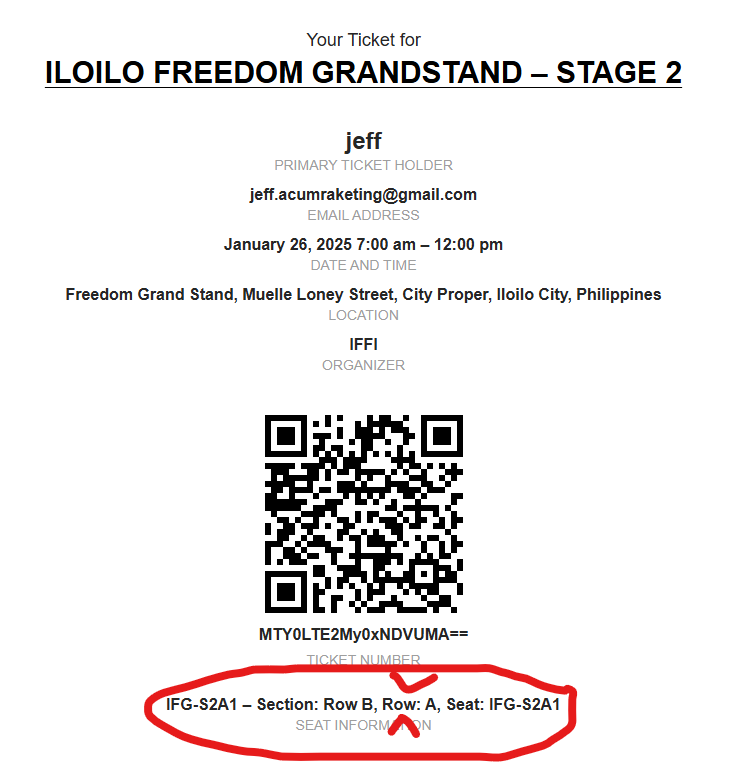
Thanks Artem. How about on the seat selection part? There is a seat detail when you click on the seat. I would like to hide the Row part also and same thing in the order confirmation page it shows the Row part. Is it possible for me to hide that too?