I am sorry to say that it is always the same with you. you always have to ask Ashan and I have to wait for a solution.
See that you don’t irritate customers with announcements in the Dashboard that are not solvable.
Thank you
Guido
Replies for tickets on suppota
I am sorry to say that it is always the same with you. you always have to ask Ashan and I have to wait for a solution.
See that you don’t irritate customers with announcements in the Dashboard that are not solvable.
Thank you
Guido
Ah, it seems that you aren’t using Tickets add-on, so please follow the second part of the previous message.
Hello,
First of all kindly apply this patch fix:
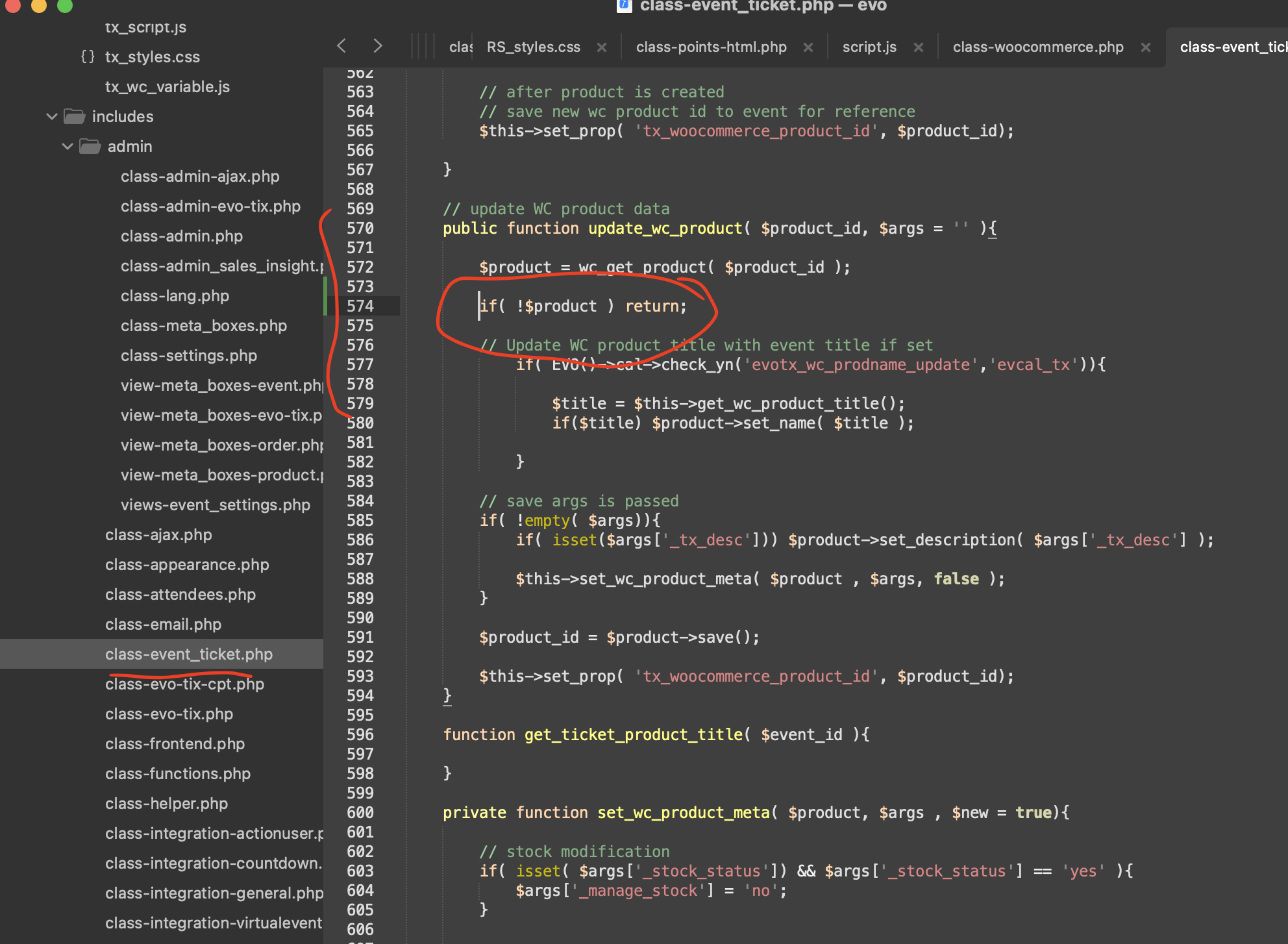
If the issue continues please follow the instructions in this documentation to activate debug in your site to see any PHP errors recorded that can provide insight on to whats going on. Please reply with a link to debug.log file. If you are not able to do this please send us FTP access to your site so we can do this for you.
You can try making a test purchase from our test server:
https://dev2.myeventon.com/events/test-copy-4/
The ticket is free, so no payment data is required.
Hello,
Could you update EventON to 4.7.1?
To update eventon to latest version: If you are unable to do autoupdate, you can go to codecanyon your account > download and get the latest eventon version as zip file. Then you can go to your website > make sure “Delete eventon settings & data when EventON is uninstalled” is Deslected from eventon settings, delete old eventon, install new one and activate. This link will further explain the process it. Also you can follow us on twitter to get real-time announcements on updates!
Hello,
Please follow the instructions in this documentation to activate debug in your site to see any PHP errors recorded that can provide insight on to whats going on. Please reply with a link to debug.log file. If you are not able to do this please send us FTP access to your site so we can do this for you.
Ashan,
I checked the applied code and fixed quotes. But the issue is still there:
https://bettfedernfabrik.at/staging1024/wp-admin/post.php?post=102370&action=edit
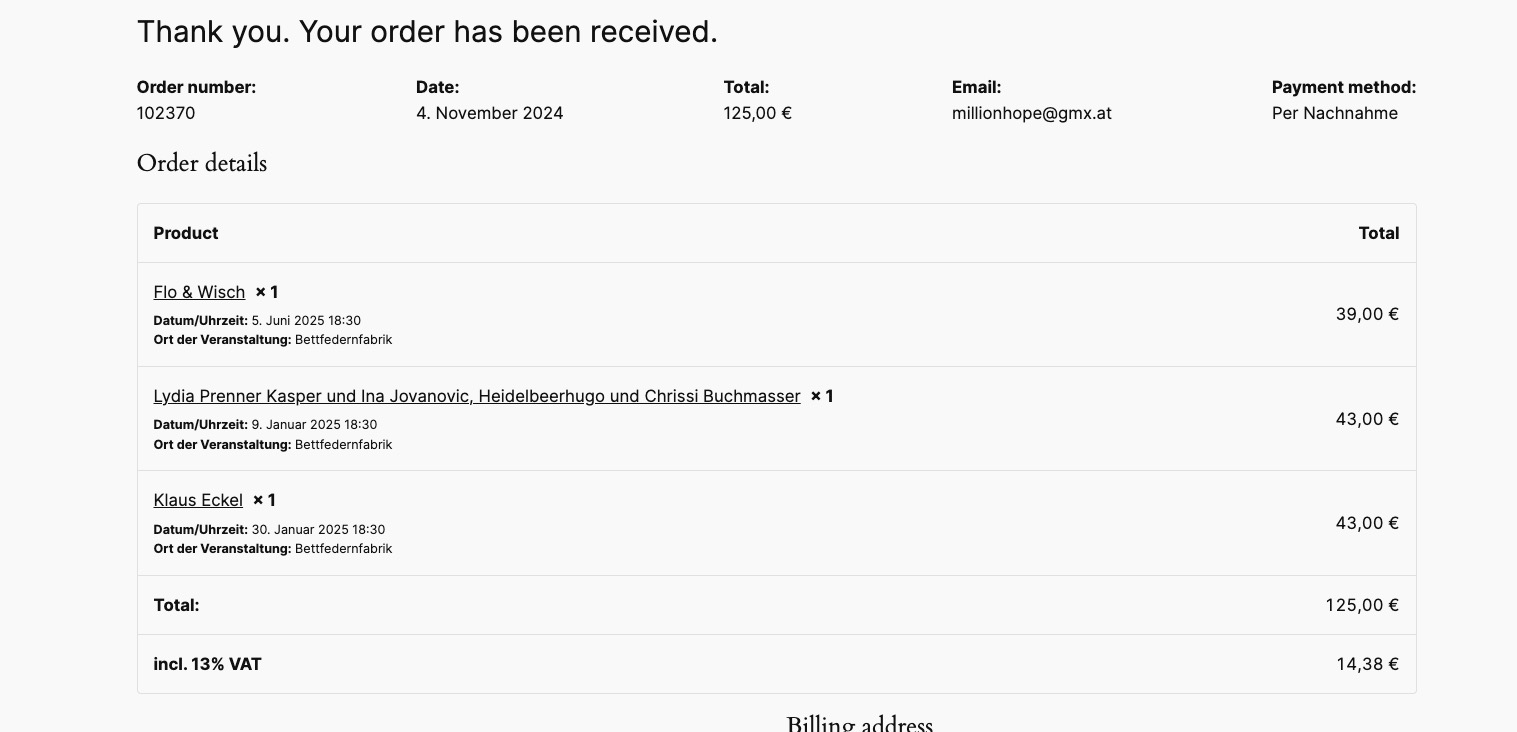
Could you check?
Thank you for the info! Ashan will check this ASAP.
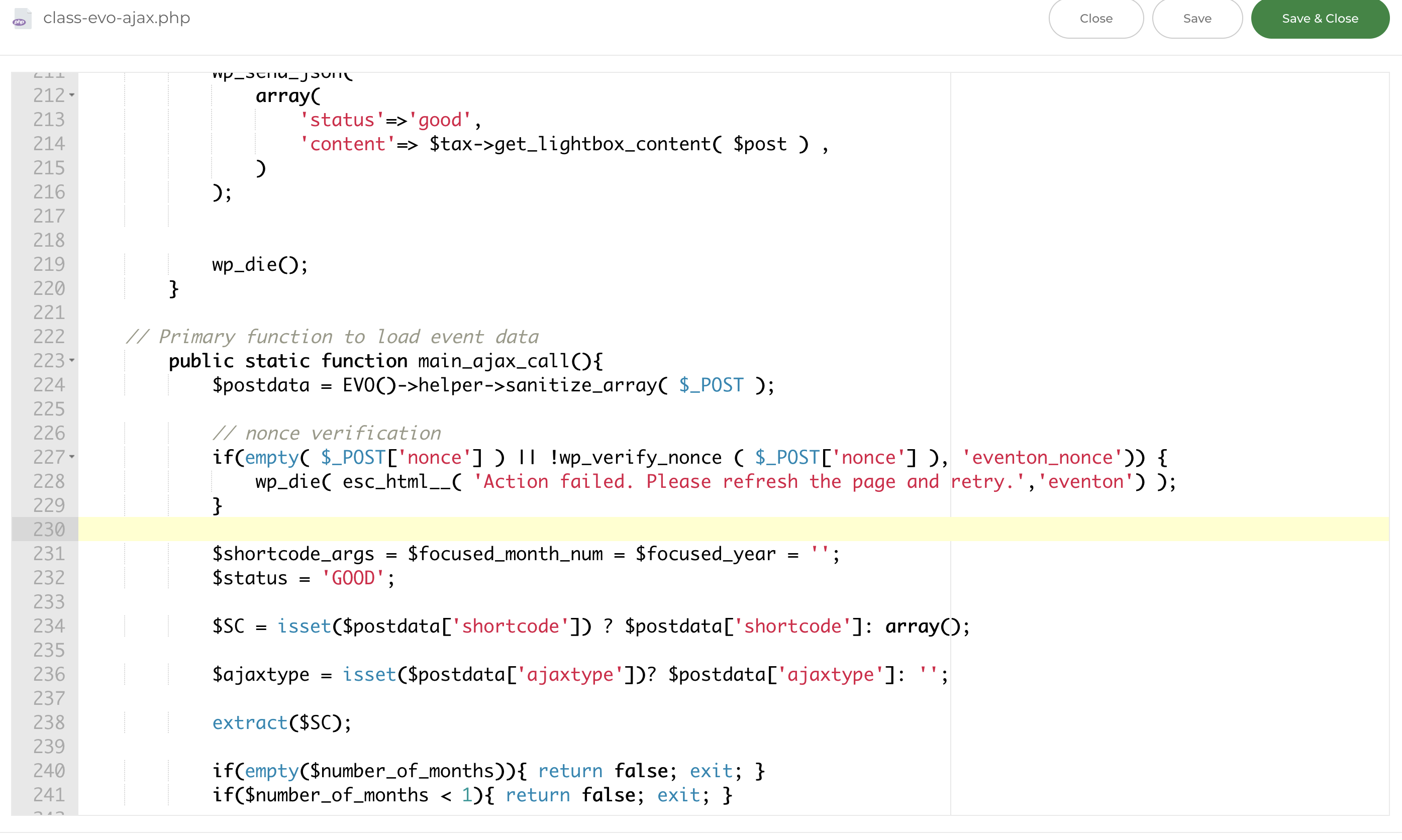
That’s been changed to the attached, but doesnt seem to have any impact…
For me works fine when I logged-in and as a guest. Did you clear your cache plugin?