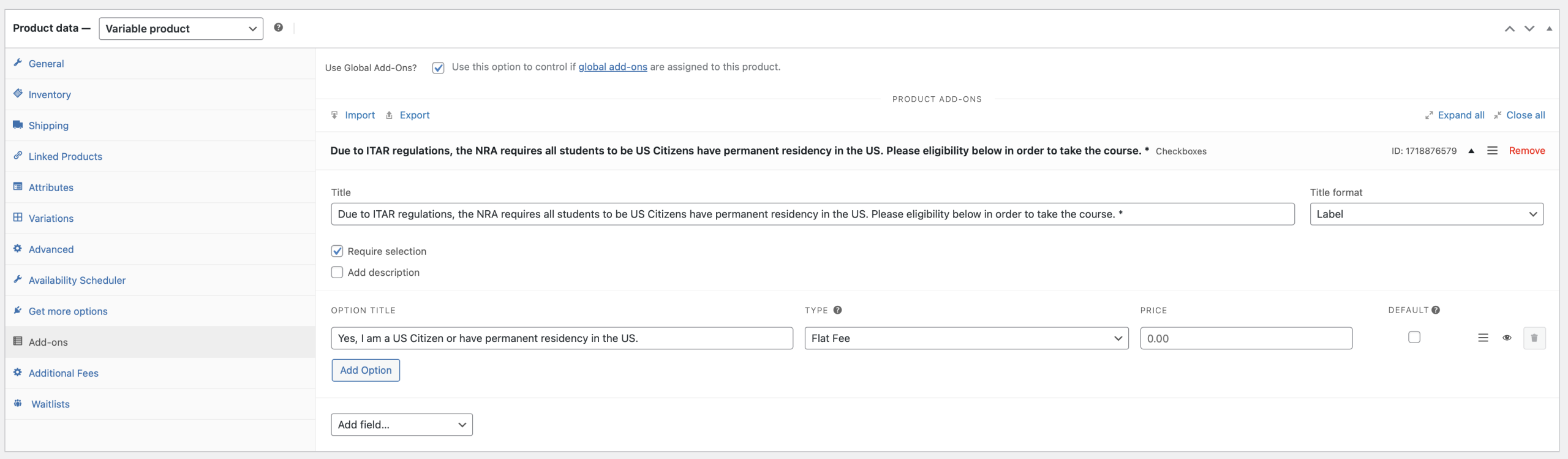
EventON Tickets information will not show under woocommerce product data, it will only show in event edit page, under separate meta box for Ticket Settings.
Archives: Replies
Replies for tickets on suppota
Reply to: tickets(406645)
Is this correct also on the EventCard I don’t see any thing that say’s Social Share Icons is added
Reply to: tickets(406626)
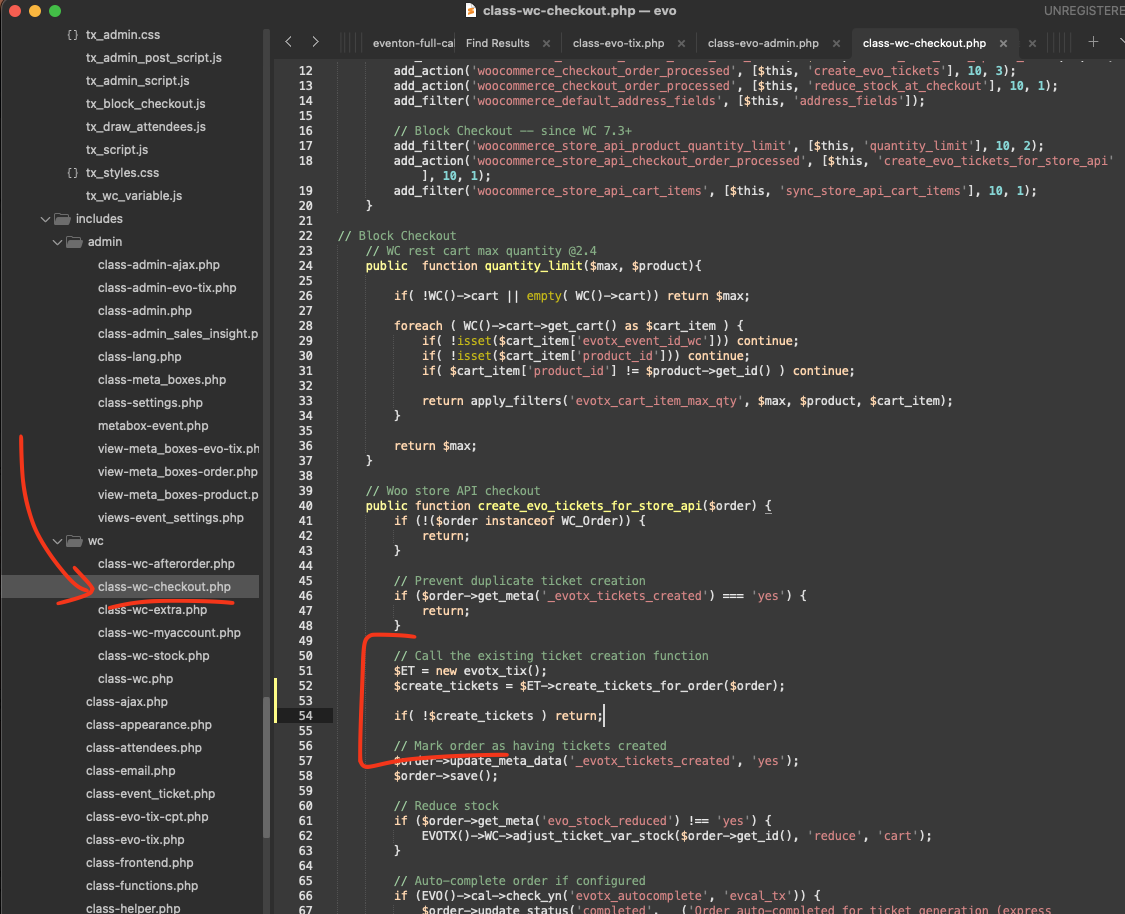
Attaching the screenshot of the code location.
I think you are correct, thank you for pointing this out, after studying the code, I can also tell the code proceed without checking if order has tickets or not.
Please apply this code fix, that will stop if there is no tickets.
code: $create_tickets = $ET->create_tickets_for_order($order);
if( !$create_tickets ) return;
Reply to: tickets(406627)
At the moment there are no plans, but in the future we are going to add the functionality for sure.
Reply to: tickets(406647)
Hello,
Could you send us Order ID of the purchase?
Please also let is know if we somehow can help with any issues encountered.
Reply to: tickets(406645)
Hello,
Please go to EventON > Appearance > EventTop > set Configure text color for colorful & Image eventtops to Auto detect white or black text color for eventtop text based on background.
Now go to Scripts & Styling > enable Write dynamic styles to header.
Social Icons section. Please go to EventON > Single Events > enable Shareable Options. Also go to EventON > EventCard > make sure that Social Share Icons is added.
Reply to: tickets(406646)
Closed as a duplicate.
Reply to: tickets(406045)
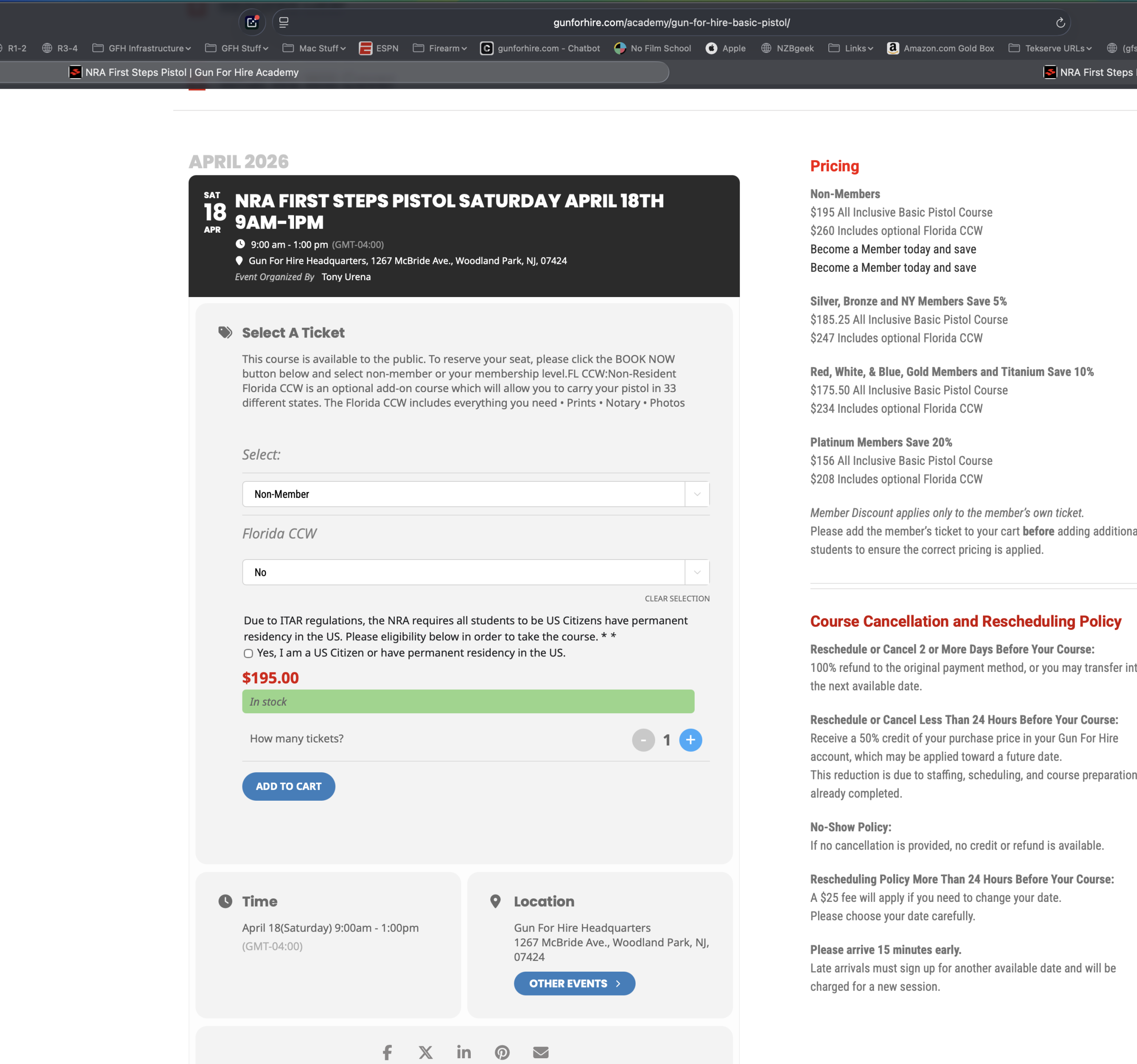
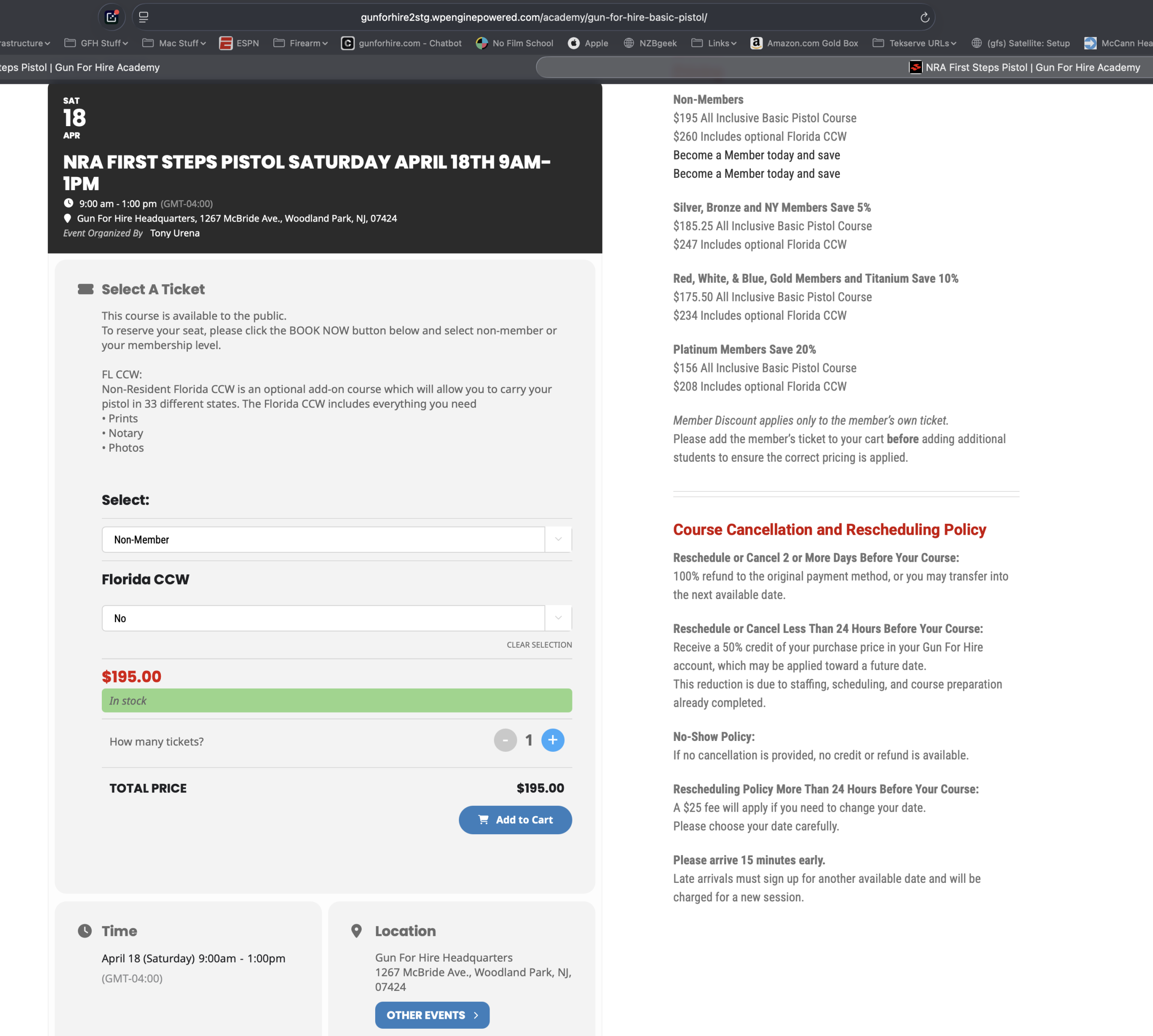
We are still missing a WooCommerce ticket Add on check box. It’s an add on in the WooCommerce product data. It shows oil the old version of EventOn but is missing on the new version. I’ve attached screenshots including the URLs.
https://gunforhire.com/academy/gun-for-hire-basic-pistol/
https://gunforhire2stg.wpenginepowered.com/academy/gun-for-hire-basic-pistol/
April 18th class
Reply to: tickets(406627)
Hi,
Okay, I’ll do that.
Regarding point 3: I don’t understand that. EventON itself says, ”NOTE: The waitlist is currently only available for simple ticket products with no recurring instances. The event ticket’s basic information must be saved first before enabling the waitlist.” But recurring events are a core feature of the plugin itself. Why weren’t they included in the new waitlist plugin from the start, and why aren’t there any plans to add them? And why does the description say “currently” if there are no plans to integrate them?
Thank You
Reply to: tickets(405774)
We are sorry for the delay. We did more tests and no issues on our side as well with Stripe payment, I am afraid.
Any new orders with the issue?