Hello,
this is the shortcode (generated by the shortcode generator and using two Daily view on specific event-type):
[add_eventon_tabs tab1=”Lezioni in sede” tab1shortcode=”add_eventon_dv event_type=”184″ show_et_ft_img=”yes”” tab2shortcode=”add_eventon_dv event_type=”273″ show_et_ft_img=”yes”” tab2=”Lezioni online”]
And this is the temp admin login:
https://jhanaloft.com/wp-admin/?temp-login-token=c51f365b6e402dca2405c58be81969f85a26121bec12e2777553bba7dbb8b5b2&tl-site=1f0ad5af2c96fa1a
Hello,
Please use this CSS code to show the previous design Time Block:
.ajde_evcal_calendar.evoDV .evoet_dayblock { display: block; } .ajde_evcal_calendar.evoDV .evoet_dayblock span.evo_start {display: inline-block !important;} .ajde_evcal_calendar.evoDV .evoet_dayblock span.evo_end.only_time {display: inline-block !important;}
Unfortunately, not possible to hide Event Tags without CSS code.
I applied the patch to your source code. Please check and let me know.
When you logged-in the event isn’t duplicating: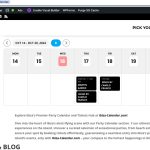
Could you try changing Timezone to +2?
https://ibiza-calendar.com/wp-admin/post.php?post=4472&action=edit
There is an issue with memory limit, which causes the loading issue:
[16-Oct-2024 11:04:56 UTC] PHP Fatal error: Out of memory (allocated 796979200) (tried to allocate 536928256 bytes) in /home/jaimezub/granjaescuela-haritzberri.ncencomunicacion.com/wp-includes/functions.php on line 4497
Could you follow and increase it to 1024MB+?
https://docs.myeventon.com/documentations/increasing-wordpress-memory-limit/
Hello,
Please send us wp-admin access to your site as a private message for us to further assist your situation.
Do you edit events from wp-admin > Event > Quick Edit? Could you go to Edit Event page and then edit it from there?
Ashan,
The same on dev2:
https://dev2.myeventon.com/events/seats-18/
All new orders are Non-Ticket Order:
https://dev2.myeventon.com/wp-admin/edit.php?post_type=shop_order
Thank you for your messages, I am going to assign this ticket to Ashan and he will be able to take it from here and find you a solution. Please allow some time for him to get back to you, we greatly appreciate your patience and thank you for being a eventon customer! Also please disable any IP blocking on your site if there are any.
Hello,
Do you have this issue with Edge browser only? Could you try Chrome or Firefox?
Please also check if the same issue happens with our test site:
https://dev2.myeventon.com/test-700/
Hello,
Could you send us your shortcodes?
Please also send us wp-admin access to your site as a private message for us to further assist your situation.