ux_val=”4a”
will open in a new window
make sure you redo each ” as they should be a ” and not a ‘
Replies for tickets on suppota
ux_val=”4a”
will open in a new window
make sure you redo each ” as they should be a ” and not a ‘
try adding the following to
appearance>>>>customize>>>>additional css
.ajde_evcal_calendar.boxy.list_cal .eventon_events_list, .ajde_evcal_calendar.boxy.list_cal .eventon_events_list.sep_months .sep_month_events {
flex-direction: row;
}
When I checked your website on Oct 8,2024 you were using EventON Lite, so I asked you to create a new ticket on Lite’s support forum.
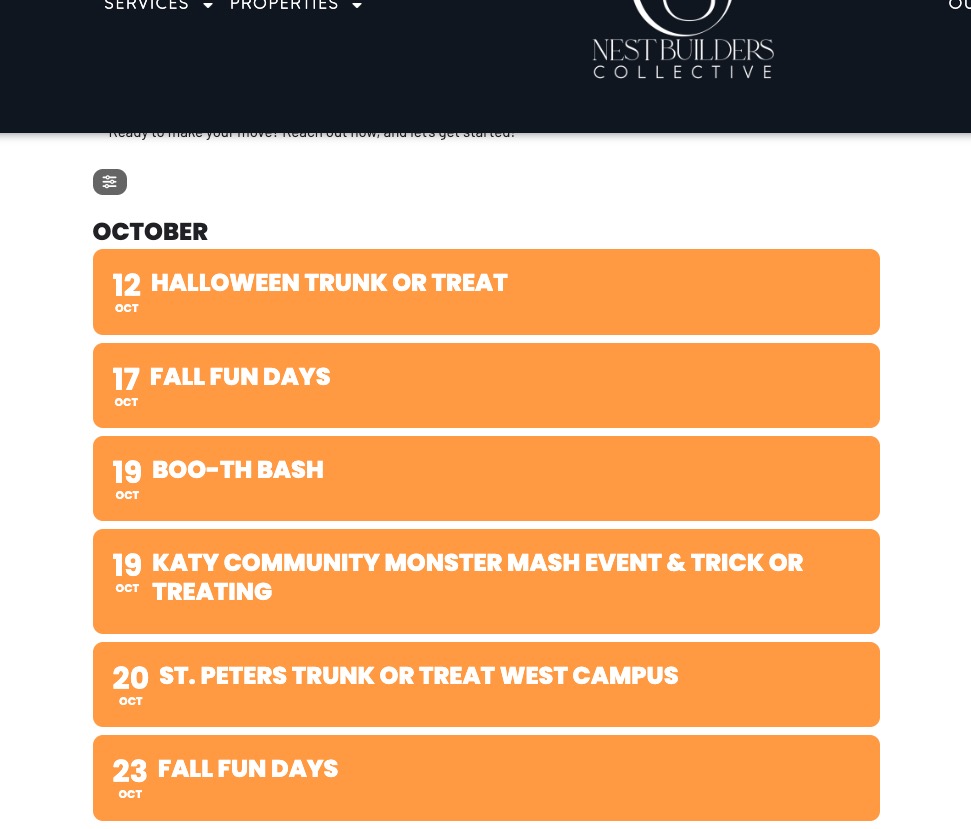
About the main issue. Could you please let us know more about which events aren’t visible? There are 10 events assigned to 201 Event Type:
https://thenbco.com/wp-admin/edit.php?event_type=halloween-events-katy&post_type=ajde_events&orderby=evcal_start_date&order=asc
All of them are visible on my side:
Hi,
your solution doesn’t work. I removed tiles and set popup window but I cannot see the seats section (as you can see in the attached image). Also if you click on the event “Evento test ‘event page'” the seats work correctly but the PDF and QR code doesn’t work
I think I will have to contact Beaver Builder as I have not applied anything of the styling.
It is automatically generated by the BB plugin.
Hi everyone,
Same problem on my site.
After the 4.7.1 update, the events are no longer aligned.
Should I wait for the next update? Or do you have some lines of code to share?
https://festival-besancon.com/programme/
Thanks!
Now it work thanks!
https://docs.myeventon.com/documentations/increasing-wordpress-memory-limit/
Done, nothing has changed 🙁
Ok, so…
https://docs.myeventon.com/documentations/why-my-site-and-eventon-page-loading-slow/
nothing has changed 🙁
Hello,
Please take a look, I fixed the issue by going to EventON > EventCard > Designer > Save.