Ohhh bummer 🙁
I thought / expected such basic function to be included. Does not feel right to pay 40/year as i just for ASC and DESC sorting only after i just paid for the calendar. You dont have a dirty fix where this could be achieved?
Many thanks for your help and consideration.
Tim
Please send us wp-admin access to your site as a private message for us to further assist your situation.
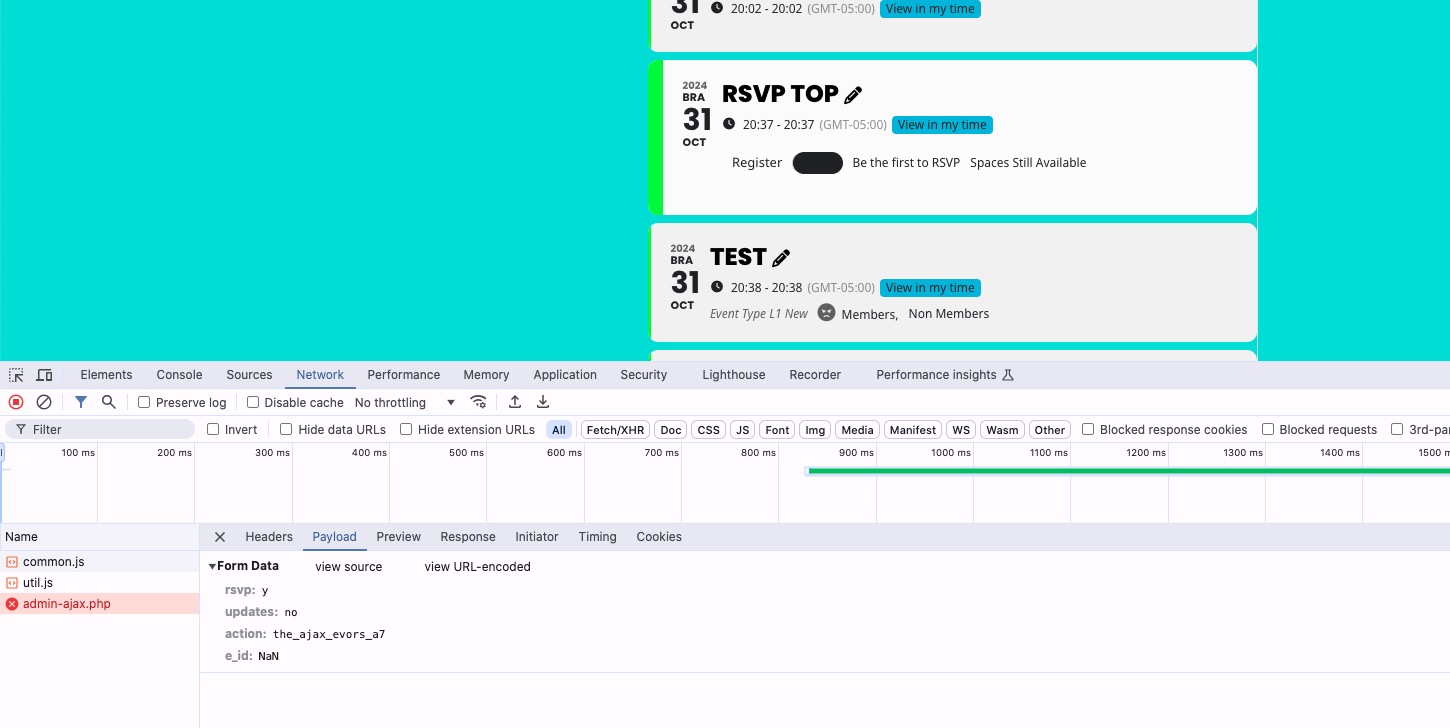
at least show us the website if you can’t give wp-admin access- a simple consol check might show why the api isn’t working for you
it works on our dev site
can’t tell alot from the front end it appears to be loading
what eventon version are you running?
Please send us wp-admin access to your site as a private message for us to further assist your situation.
Just installed 4.7.1 and everything is running fine again. Thank you very much
Ashan,
The same on dev2:
https://dev2.myeventon.com/test-681/
Try RSVPing by clicking on “RSVP Top” event:
Thank you for your messages, I am going to assign this ticket to Ashan and he will be able to take it from here and find you a solution. Please allow some time for him to get back to you, we greatly appreciate your patience and thank you for being a eventon customer! Also please disable any IP blocking on your site if there are any.
Ashan,
the clear filters is still not working/active.
The same on dev2:
https://dev2.myeventon.com/test-683/
Thank you for your messages, I am going to assign this ticket to Ashan and he will be able to take it from here and find you a solution. Please allow some time for him to get back to you, we greatly appreciate your patience and thank you for being a eventon customer! Also please disable any IP blocking on your site if there are any.
4.7.1 fixes the time issue. Could you please update and check again?
To update eventon to latest version: If you are unable to do autoupdate, you can go to codecanyon your account > download and get the latest eventon version as zip file. Then you can go to your website > make sure “Delete eventon settings & data when EventON is uninstalled” is Deslected from eventon settings, delete old eventon, install new one and activate. This link will further explain the process it. Also you can follow us on twitter to get real-time announcements on updates!