I would re-save the event. now that the toggle is on it “should” change the woocomerce product name
essentially you cloned an event- and that cloned the ticket- as you didn’t have that update woocomerce name toggle- it simply kept the old woocommerce product name
simply re-saving the event should fix it for future sales
login didn’t work for us can you please check
I think I might have a solution for you
see long and boring and long video below
using this plugin will allow you to tweak the admin css
https://wordpress.org/plugins/admin-site-enhancements/
and then add this to the admin css (not the frontend css)
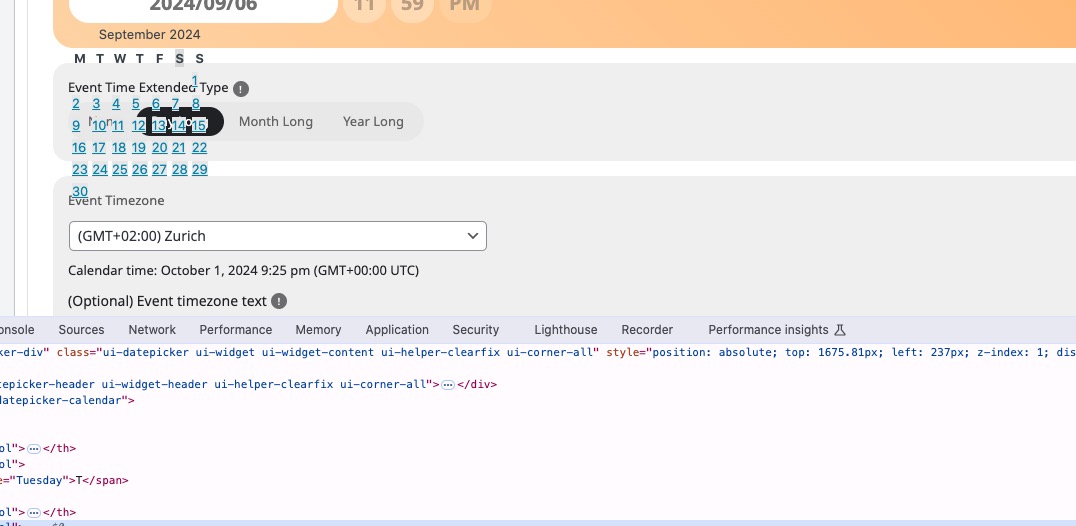
#ui-datepicker-div {
background-color: #ffffff;
}
or use this one instead
#ui-datepicker-div {
background-color: #ffffff !important;
}
and that will make it more visible- and once that plugin is running I’ll have a look to see if we can get the icons visible
the next and previous month do work (see video above) but the buttons are not visible you’ll have to approximate click where the buttons should be
It is not possible to customize the css code for example to tell it not to display anything in text?
Yeiks ok – i thought because ACF is quite popular your plugin would have compatibility here.
I can try to contact them… but most likely they just pass back the ball asking other developer 😀
If you can think of a dirty fix i would be greatly appriciated.
Thanks
Tim
Hi Ashan,
could you already find the issue so we can fix it?
greetings
Rudi
Hey! Yes, sorry, we have that double authenticator for signins. I should have turned that off!
I followed your path and that tab was not selected, so I just clicked it on. Will that change new purchases from here on out, or is that just if I create a whole new event? Meaning, if someone buys this event ticket that was showing up incorrectly, will it automatically fix it on future purchases on this product?
Thanks so much!
Hello,
1. Please go to https://dev.myeventon.com/wp-admin/ and test the add-on.
Here’s how you can receive event’s list as JSON:
https://dev2.myeventon.com/wp-json/eventon/events
2. Will this work for you:
https://docs.myeventon.com/documentations/change-events-slug/
Please check and let me know.
Do you still have the version of the plugin where everything was working before? Could you try downgrading?
I tried disabling all custom styling, but it still doesn’t look right:
Could you try contacting the plugin developers and ask if it’s possible to fix this from their side?