3. Please take a look at Action User Plus:
https://www.myeventon.com/addons/action-user-plus/
Replies for tickets on suppota
3. Please take a look at Action User Plus:
https://www.myeventon.com/addons/action-user-plus/
Hello,
Could you please follow this instruction?
To update eventon to latest version: If you are unable to do autoupdate, you can go to codecanyon your account > download and get the latest eventon version as zip file. Then you can go to your website > make sure “Delete eventon settings & data when EventON is uninstalled” is Deslected from eventon settings, delete old eventon, install new one and activate. This link will further explain the process it. Also you can follow us on twitter to get real-time announcements on updates!
If it displays the image, it’s great but I would like to make sure that all the information does not come over the image…
Not possible, I am afraid.
Hello,
Could you try following this instruction:
To update eventon to latest version: If you are unable to do autoupdate, you can go to codecanyon your account > download and get the latest eventon version as zip file. Then you can go to your website > make sure “Delete eventon settings & data when EventON is uninstalled” is Deslected from eventon settings, delete old eventon, install new one and activate. This link will further explain the process it. Also you can follow us on twitter to get real-time announcements on updates!
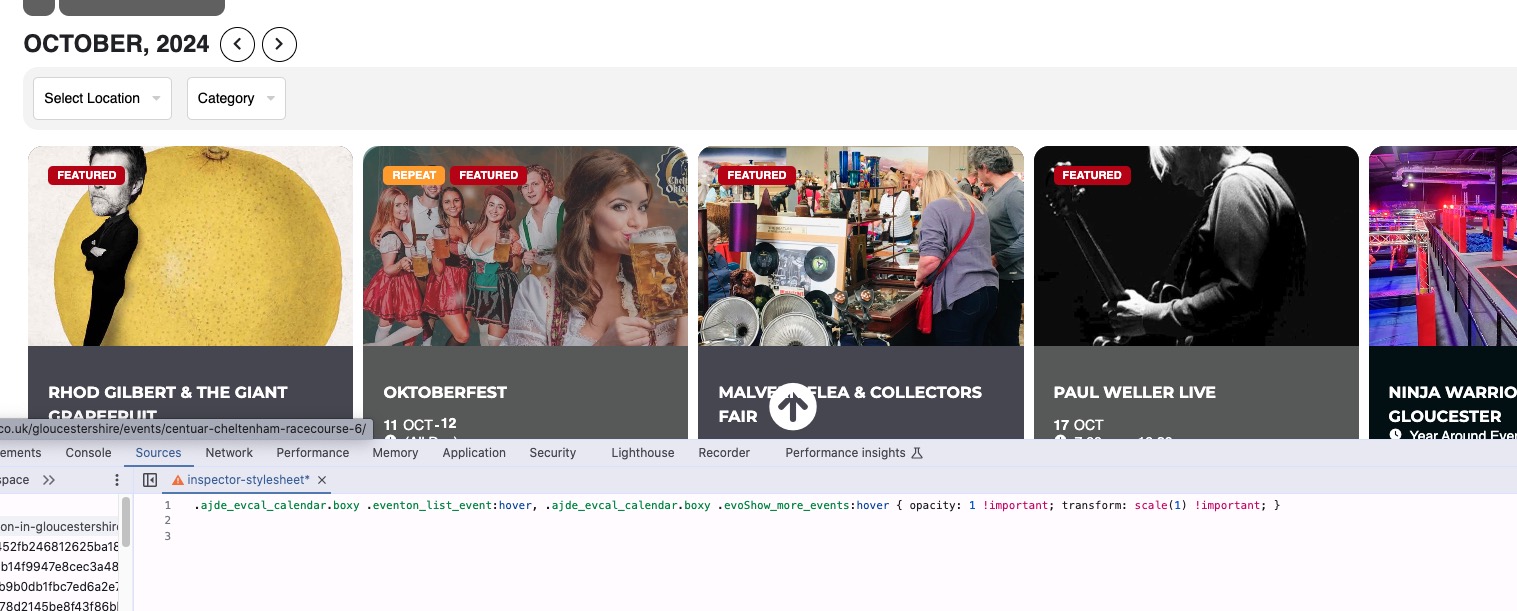
Could you try adding the code to wp-admin > Appearance > Customize > Additional CSS?
Seems to be working on my side:
Hi is anything able to be done about my not being to update either of my sites?
Sorry that qr code thing I have to do to log in isn’t working for me
so in myeventon>>>tickets
scroll down a bit to
Update WC ticket product name upon event update from now on
is that turned on?
As a suggestion, you can add an option to choose whether you want to capture the entire link (in case it is captured in the browser field) or just the ticket # (in case it is captured in the check-in field)
Thank you
sorry im still getting movement
I have deactivated the mentioned plugin.