Hello,
I don’t understand the process to follow for adding these pieces of code.
Let me show you, for example, what I’m missing to generate the dates of my sessions in my CSV file, so I can import them all at once into EventON and WordPress. Each session imported into EventON needs to be linked with WooCommerce.
Please take a look at the attached CSV file, which was generated by the EventON plugin. You can also access the Google Sheet through this link: lien clic here
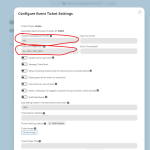
The first important missing element is the price and the SKU, which are not present in the file… I don’t know why, since they are part of EventON.
Another major missing element is the session tag that links it to WooCommerce. How can I incorporate it?
-
- You wrote to me saying that you were going to update the import csv addon so that all the fields could be exported and imported. Has this been done? In the meantime, what can I do if it hasn’t been done, as I need to import course dates en masse on my site… With fields not taken into account when exporting
I disabled the scripts as you suggested
No changes visible so far
Regarding your screenshots:
The bug affects the text inside, after you click on a specific event
Thank you,
DM
we are here to help you- its never a bother for you to ask a question, well until you get to 100 tickets thats when we start to think “oh gees”
we are happy you got your solution
It seems that it’s working on our test site when you click Sync Count a couple of times and then update the page.
Please send us wp-admin access to your site as a private message for us to further assist your situation.
https://helpdeskx.s3.amazonaws.com/wp-content/uploads/2024/09/13091050/EventOn-Renewal-License.png
This page shows latest updates for add-ons and not the main plugin.
IMPORTANT! Before doing this: We highly recommend you backup phpmyadmin database and your website files in wp-content folder.
Also I am unable to locate – Go into your FTP Client and navigate to ../wp-content/plugins/
I tried these both are not able to open to FTP link
wp-content/plugins/eventon/
https://icsglobal.org/wp-admin/plugins/eventon/
You need to connect to your server using FTP access to be able to access wp-content/plugins/eventon/.
Are you having any issue with the current installed version of EventON?
Hello,
Please try following this instruction on how to fix one error from the screenshot:
https://docs.gravitykit.com/article/626-google-maps-error-referernotallowedmaperror
Next try going to EventON > Google Map > enable Disable Google Maps API > Google maps javascript file only (If the API js file is already loaded with another gmaps program).
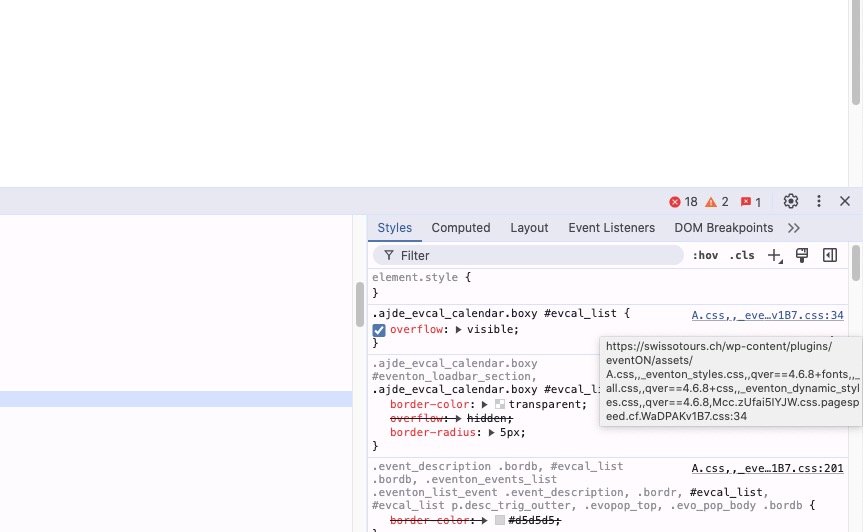
It seems that you are using some kind of css minifying functionality:
Could you disable it so we can check the styles?
Hello,
Thank you for your great suggestion, at the moment it is not supported. However please create a new ticket and select Feature Request as category so others can vote on your idea and get it moved into development faster.
Hello,
Please go to EventON > EventCard > open Designer and save > now save EventON Settings.
Hello,
Custom Meta fields cannot be used as a checkbox. But you can try using the default WooCommerce functionality that allows you to add the checkbox to Checkbox page:
https://www.cloudways.com/blog/create-checkbox-field-in-woocommerce-checkout-page/