I will also get the updates done, but that is by our tech guy. I don’t know how to back up the site.
Archives: Replies
Replies for tickets on suppota
Reply to: tickets(364487)
Yes, we changed the RSVP from teh wp-admin>Events… (as mentioned above)
This is related to the waitlist plug in. What version should that be at?
Reply to: tickets(364488)
I believe I fixed it its appears to be loading now for me
you might want to add this to your custom css
.eventon_fullcal .evo_fc_day {
min-height: 50px;
}
or
.eventon_fullcal .evo_fc_day {
min-height: 50px !important;
}
if you want the day boxes to be taller
Reply to: tickets(364488)
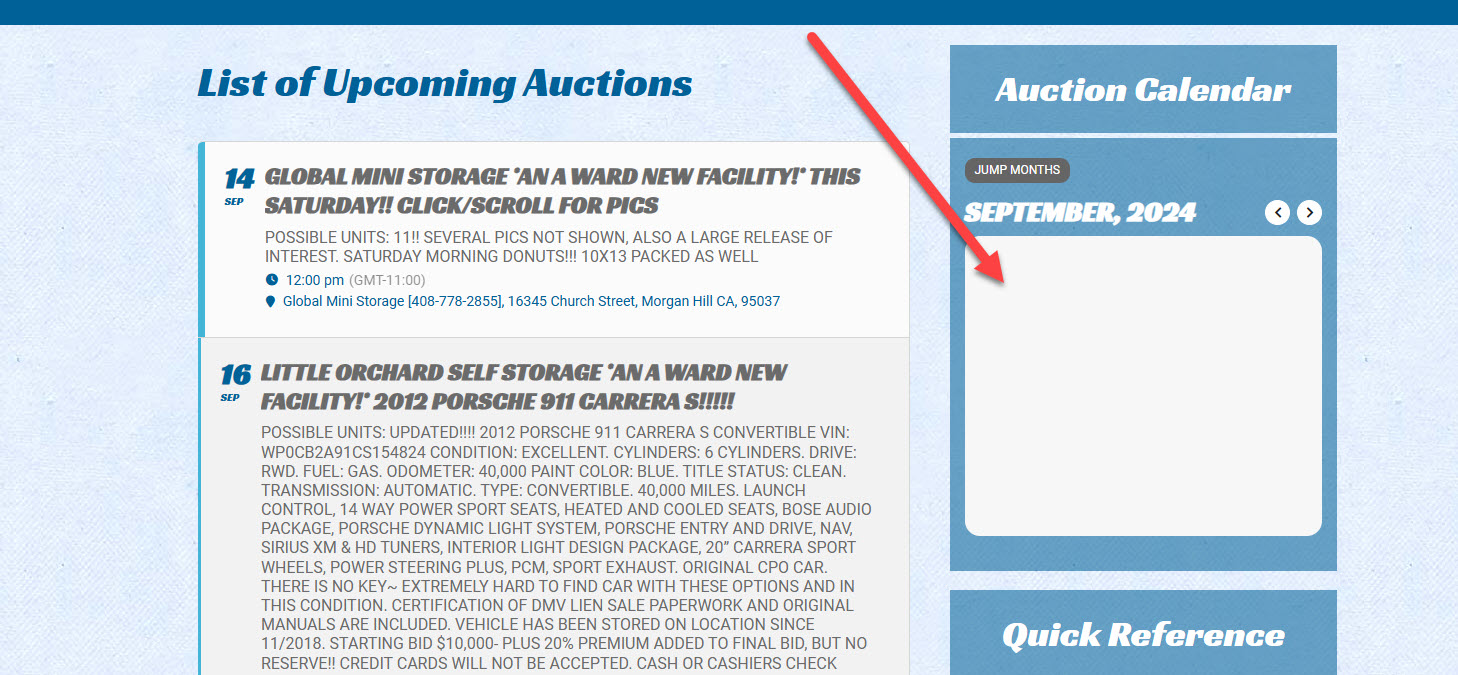
After applying all available EventOn updates, the large event list on the home page is now displaying, but the small event calendar is still showing a gray “loading” box:
Reply to: tickets(364488)
Admin credentials to WordPress:
Username: support@myeventon.com
Password: zigSD)lW2*ku0e*lPZ$@d39L
Reply to: tickets(364488)
Thanks for responding. I will send the login details in a new message here. Here is the URL to the log file:
https://awardauction.net/wp_dev_site/wp-content/uploads/2024/09/debug.log_.txt
Reply to: tickets(364495)
Do you have a gmail account?
Reply to: tickets(364520)
Hello,
Please add to the shortcode:
hide_mult_occur=”yes”
Reply to: tickets(364486)
I enabled filters from https://lubbockculturaldistrict.org/wp-admin/admin.php?page=eventon#evcal_001a so filtering is working now.
Could you update EventON to 4.6.8?
To update eventon to latest version: If you are unable to do autoupdate, you can go to codecanyon your account > download and get the latest eventon version as zip file. Then you can go to your website > make sure “Delete eventon settings & data when EventON is uninstalled” is Deslected from eventon settings, delete old eventon, install new one and activate. This link will further explain the process it. Also you can follow us on twitter to get real-time announcements on updates!
Reply to: tickets(364486)
Thank you, please see below.
user: support
password: AbO1re2yw1Hl$Q#rHa$R0BJ5