We made some changes to EventON Update. Could you try updating again? Also try going to wp-admin > Plugins and try updating from there.
Archives: Replies
Replies for tickets on suppota
Reply to: tickets(364441)
Ashan,
The same on dev2:
https://dev2.myeventon.com/wp-admin/post.php?post=55175&action=edit
Reply to: tickets(364441)
Hello,
Thank you for your messages, I am going to assign this ticket to Ashan and he will be able to take it from here and find you a solution. Please allow some time for him to get back to you, we greatly appreciate your patience and thank you for being a eventon customer! Also please disable any IP blocking on your site if there are any.
Reply to: tickets(364334)
We are glad your issue is resolved, if you have any further questions or concerns please create a new ticket.
Reply to: tickets(364368)
Ashan,
The same on dev2:
I refunded this order the same way as the customer describing:
https://dev2.myeventon.com/wp-admin/post.php?post=55272&action=edit
“#1 – 2024-10-07 13:07” repeat’s capacity got back to 2, but “Total Tickets in Stock” is still 9 (should be 10):
https://dev2.myeventon.com/wp-admin/post.php?post=55260&action=edit
Reply to: tickets(364368)
Thank you for your messages, I am going to assign this ticket to Ashan and he will be able to take it from here and find you a solution. Please allow some time for him to get back to you, we greatly appreciate your patience and thank you for being a eventon customer! Also please disable any IP blocking on your site if there are any.
Reply to: tickets(364438)
Yes, perfect! Thank you!
I was looking all over the shortcode guide https://docs.myeventon.com/documentations/shortcode-guide/ but it’s not there 😉 Happy it works now
Reply to: tickets(364200)
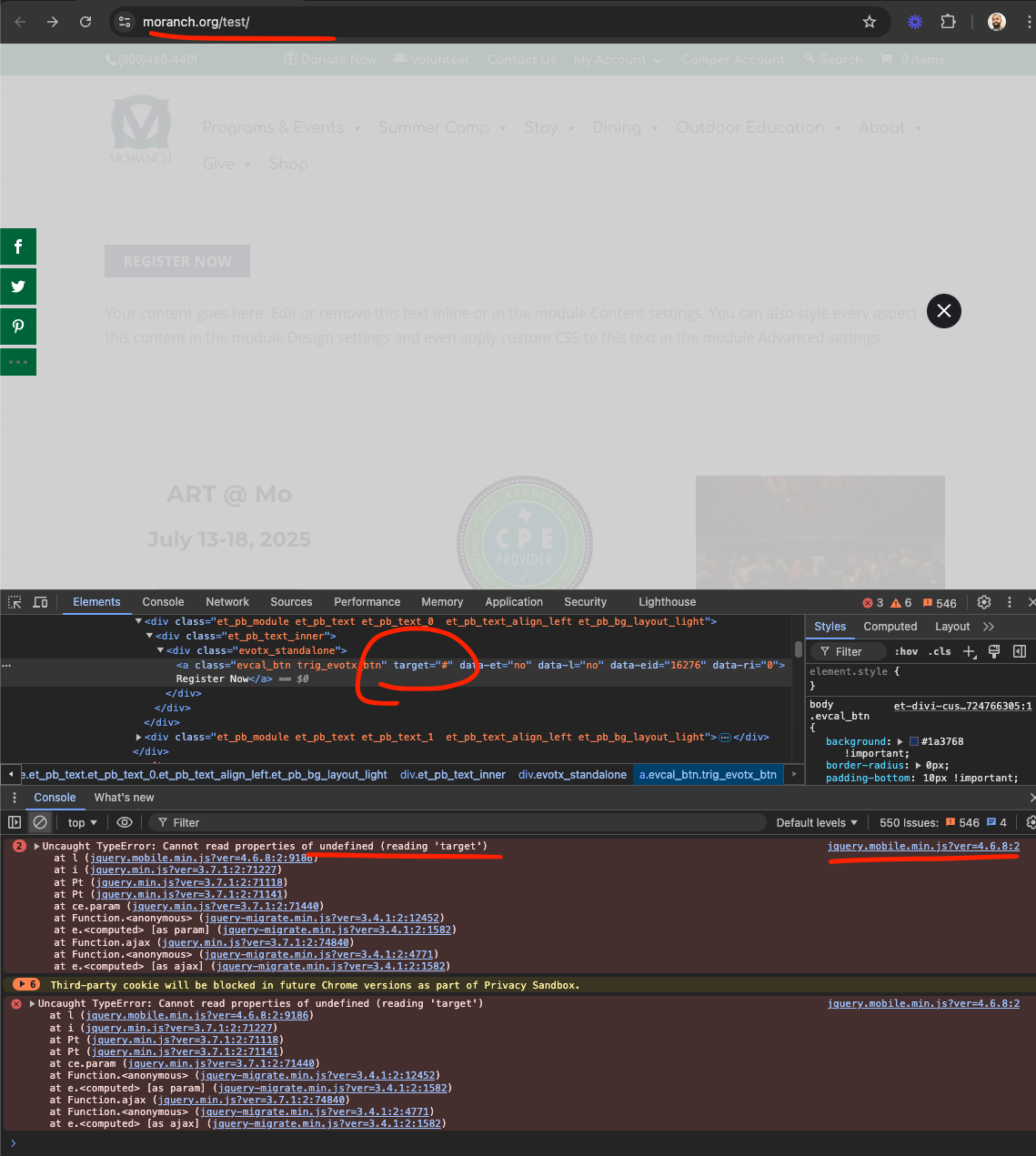
Hello there Monica, your login creds are no longer working. In this page. https://www.moranch.org/test/ there is an error about target value undefined. Even with supplied target value it is not working correctly. This is not happening in our end, so it must be something to do with the divi builder.
Is it possible for you to use this shortcode outside of the divi builder sections?
Reply to: tickets(363872)
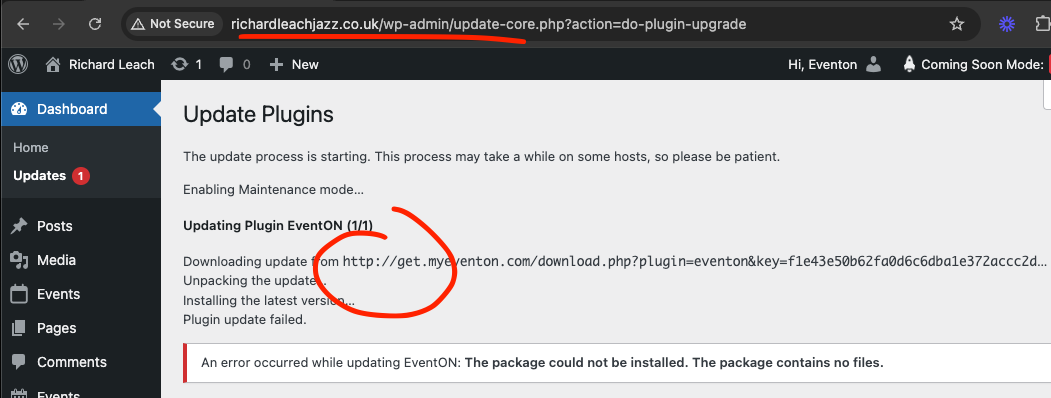
Thank you for letting us know. See the link in the image. It should be https:// with the new code changes we did. This information is coming from our server when the plugin checks for updates from our server. So this is still old code that is in the plugin details that is used to check updates.
Would you mind trying deactivate eventON and deleting the plugin files and re-installing the old version and see if that would update new update version link ?
Sorry this information is little tricky because it is saved in WordPress once it fetched from external servers and then I believe it does not update for quite some time.
Reply to: tickets(363679)
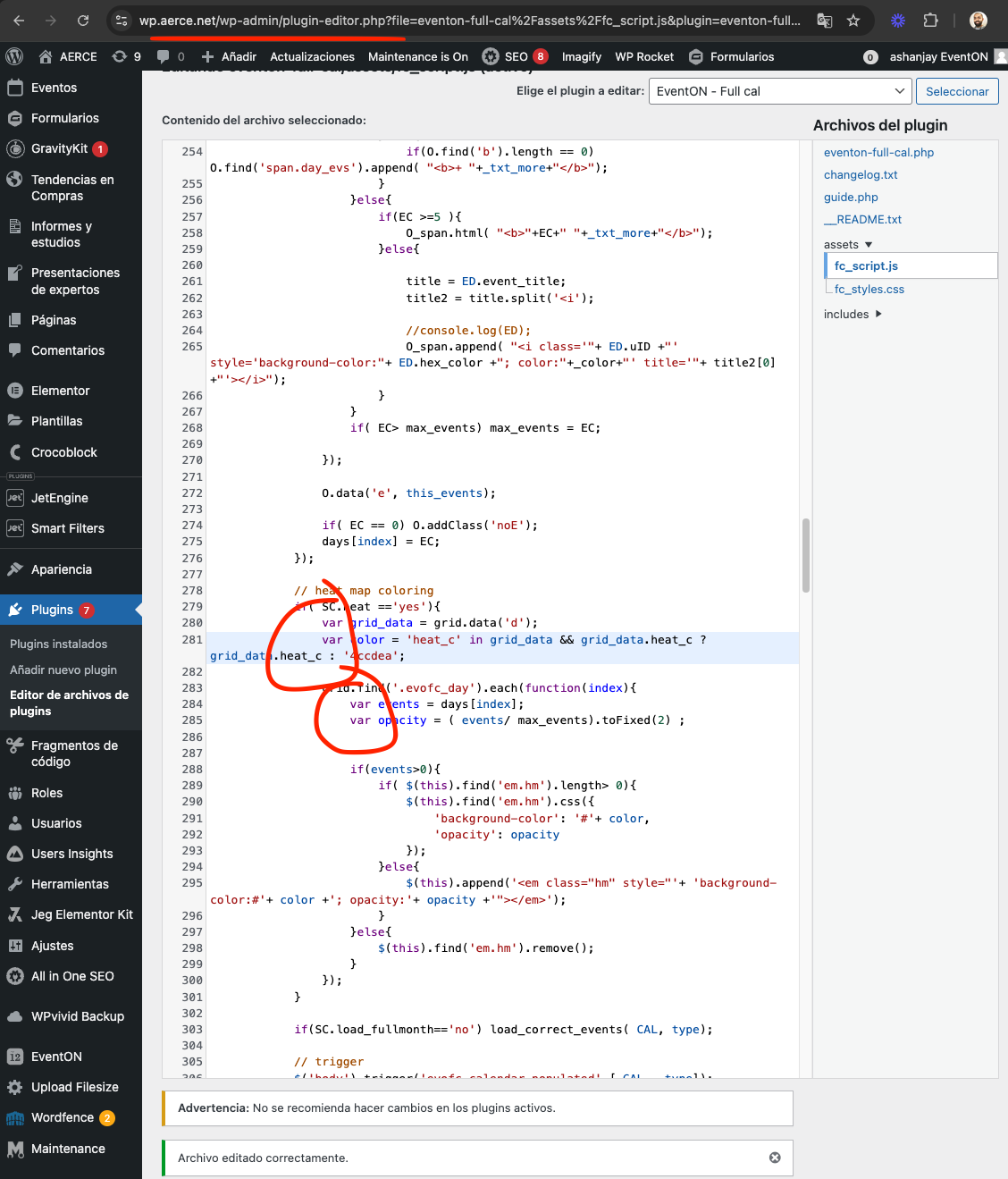
please check the dev site now. I have fixed this issue. https://wp.aerce.net/calendario/
I will release an update to fullcal with this code fix either today or early next week.
code fix is this. https://wp.aerce.net/wp-admin/plugin-editor.php?file=eventon-full-cal%2Fassets%2Ffc_script.js&plugin=eventon-full-cal%2Feventon-full-cal.php