Thanks for the links, now I understand why it is not compatible 😉
Unfortunately not an option for us, as we want to have EventOn Running in Combination with the standard WooCommerce shop, both should be similar.
Probably means for us, that we need to see if we can use more of the basic WooCommerce elements and stop using EventOn
I enabled the cache plugin back.
Seems to be working with disabled cache. Take a look at “RSVP Test” event.
You don’t need to pay for the new version. All updates for the main plugin are available for free.
Just make sure to follow this guide to not to loose any data:
http://www.myeventon.com/documentation/update-eventon/
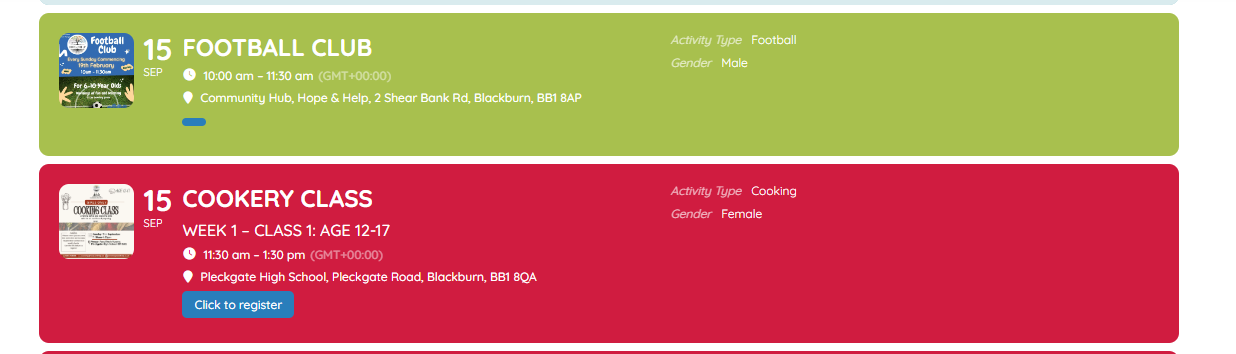
Hello one last question on when the events are shown is it possible to add the day name in as well
so where it says 15 SEP add SUN in as well?
is that doable
Hello,
1. Please go to EventON > EventCard > try a different Feature image display style.
2. Please go to EventON > EventCard > open Designer and save > now save EventON Settings.
Try completely disabling it:
https://www.wpbeginner.com/beginners-guide/how-to-limit-or-disable-automatic-empty-trash-in-wordpress/#wptrash-stopping
No, it’s available by default. You can find it in Edit Event > Tickets > “Configure Event Ticket Settings”.
But you need to choose if you want to use the add-on or Enable name your price.
Thx a lot. Is “Enable name your price” part of the dynamic price Add-On?
youcan download the latest version of eventon from your account at https://codecanyon.net/item/eventon-wordpress-event-calendar-plugin/1211017?ref=ashanjay you don’t need to pay for it we provide unlimited updates for the core eventon this is the only place you can buy it from-
before updating tho please create a backup of the entire site– as you are currently using a very very old version of eventon back when 2.6 was around there were update issues where events would delete which we have fixed in later versions but as a precaution back up the website before updating
To update eventon to latest version: If you are unable to do autoupdate, you can go to codecanyon your account > download and get the latest eventon version as zip file. Then you can go to your website > make sure “Delete eventon settings & data when EventON is uninstalled” is Deslected from eventon settings, delete old eventon, install new one and activate. This link will further explain the process it. Also you can follow us on twitter to get real-time announcements on updates!