Hello,
Please go to EventON > EventCard > try a different Feature image display style.
Replies for tickets on suppota
Hello,
Please go to EventON > EventCard > try a different Feature image display style.
Hello,
Please go to EventON > EventCard > open Designer and save > now save EventON Settings.
Please follow “#5 Open events in single event page” of the guide. Also try EventON > Advanced > try a different Select event calendar WP Query method.
Leave “#2 Optimize your wordpress database” for last.
Please follow
https://docs.myeventon.com/documentations/user-guide-to-dynamic-pricing-event-settings/
We are glad your issue is resolved, if you have any further questions or concerns please create a new ticket.
If you have a moment, we would greatly appreciate if you could kindly leave us a review at Codecanyon. By going to your account > Downloads. We are very grateful for your kind review!
Sorry for the late update, but it’s really difficult to work with the people I’m dealing with. Communication problems made this a problem, when, in facts, it wasn’t. Sorry for bothering you.
Thank you very much Jean for leaving us a review!!
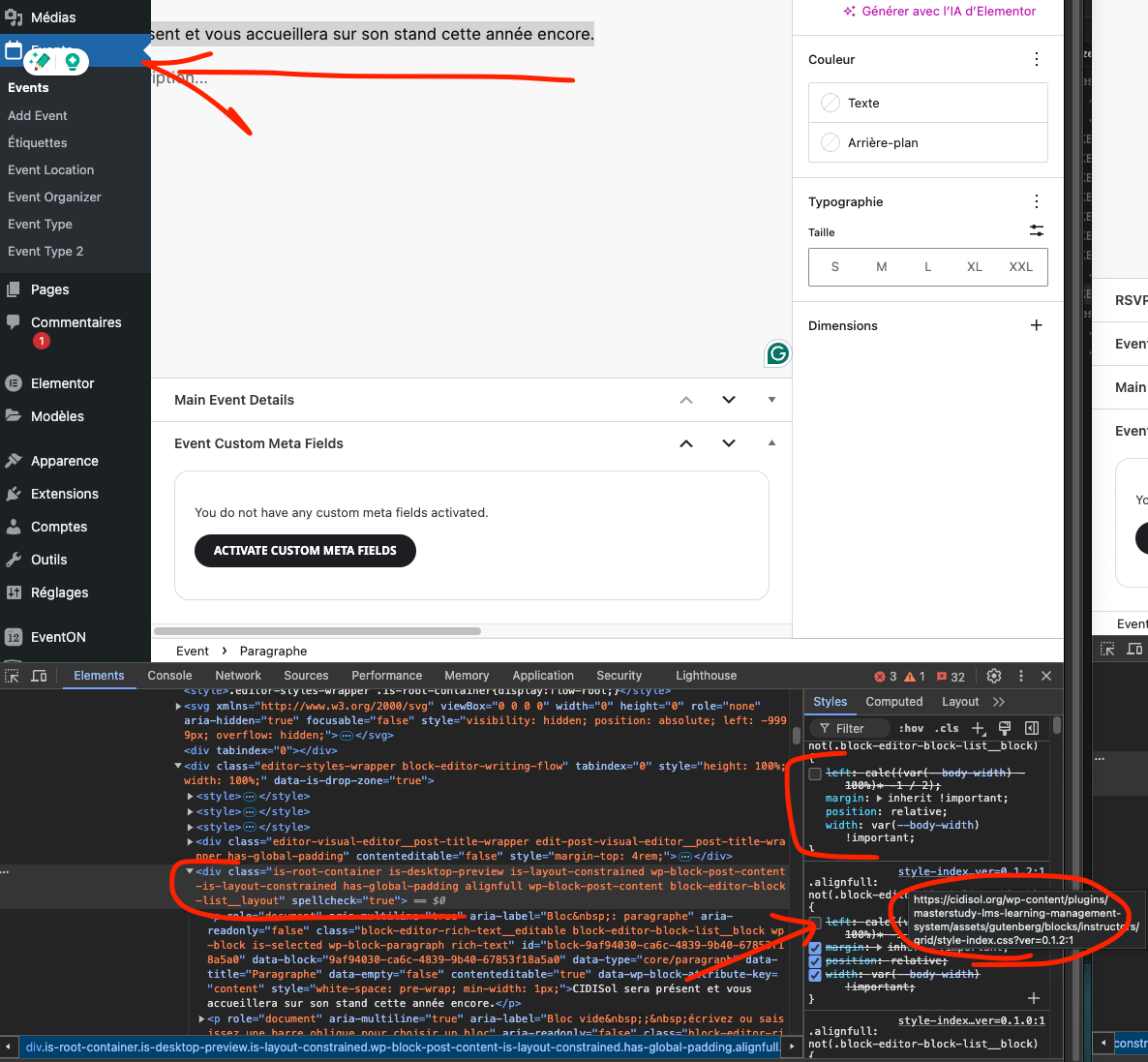
Found the issue it is the plugin you are using called master styu ims …. that is adding some styles that pushes the block editor to have negative left side margins.
Yes I think when you duplicate because the seats data is such huge amount, that may be why it causing the issue. But we will look into this as well. I am glad the import issues we could help you with. Lets follow up on the other ticket regarding this special characters.
Thank you for the update Sasha. We have also updated our servers with the latest version 4.6.8. Not sure if this has anything to do with envato plugin not pulling in the updates. But with the server version updated, you should be able to get eventON updates from WordPress plugins page after registering the license.
Our apologies, the latest version was not updated on the server. Please give it a try. the new version should be able to get from your WordPress plugins page now 🙂