Hello,
I am sorry, the access information you have provided did not work for us. Please check them and post the correct login information as a private message, thank you!
Please also make sure that EventON as well as add-ons are all up to date.
Replies for tickets on suppota
Hello,
I am sorry, the access information you have provided did not work for us. Please check them and post the correct login information as a private message, thank you!
Please also make sure that EventON as well as add-ons are all up to date.
Hello,
Please add this CSS code to EventON > Styles (If you don’t see any change, EventON > Scripts & Styling > turn off Write dynamic styles to header > save settings > turn on Write dynamic styles to header):
.evofc_months_strip { margin-left: 0 !important; }
try adding it to appearance>>>>customize>>>>additional css
and if that fails try .evosch_oneday_schedule span { padding-left: 70px !important; }
and if that fails
Please send us wp-admin access to your site as a private message for us to further assist your situation.
I have made this ticket private
could you reply with the license key, email and login details so we can attempt it
Please send us wp-admin access to your site as a private message for us to further assist your situation.
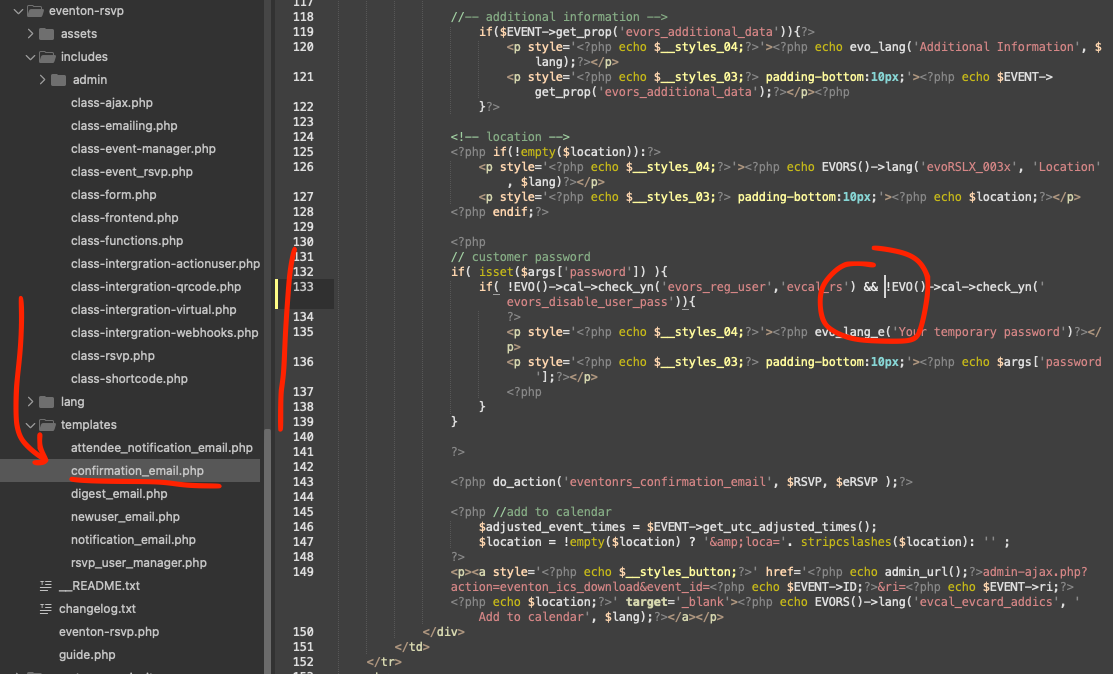
please make this code change in your version of RSVP, and that will fix this. It will be in the next versinoupdate to RSVP addon.
Change the || to &&
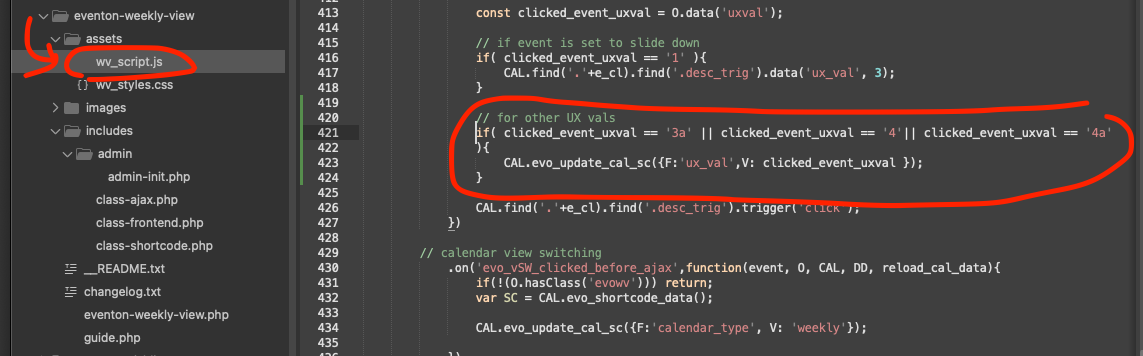
please add this code fix to get the single page events to work with weeklyview. This will be in the next version update to weeklyview calendar.
code:
// for other UX vals
if( clicked_event_uxval == ‘3a’ || clicked_event_uxval == ‘4’|| clicked_event_uxval == ‘4a’
){
CAL.evo_update_cal_sc({F:’ux_val’,V: clicked_event_uxval });
}
That booking block time information is save as order item meta data.
This information comes from event post meta data where booking block data is saved when you create those blocks. Which is then sent to cart > checkout.
I change the string, but its not changing in the front end.