I was able to get the plugin functioning by deactivating, deleting and reinstalling.
I did this on our dev environment at https://apriodev.wpengine.com. You have access to the admin area under the same credentials as before.
I’m trying to add custom meta field so I can embed a hubspot form for registration – rather than send them to0 an external hubspot registration page.
I configured the custom meta field as the Trumbowyg editor option and set up my event card layout. Then created a new event and pasted the script for the hubspot form into the register (custom meta) field
It previewed the embedded form after it was pasted but not displaying once the event is published.
When looking at this with dev tools It appears that it’s wrapping the whole script in a <p> element. – SO I edited the custom meta field to be a multi-line editor – thinking I could paste into the text tab-like you would a shortcode– but that didn’t work either.
Any suggestions?
FYI, I’m no longer managing the day-to-day of the website and was horrified at the number of plugins… but at this point not a lot I can do.
can you delete the event-directory?
I do not believe eventon has set that. by default eventon chooses Events unlesss you specifically change it
and in myeventon>>>settings>>>events paging I have set your default events page as Events (and resaved your permalinks)
its possible you had a different events calendars in the past????
Please send us wp-admin access to your site as a private message for us to further assist your situation.
we will create some test events and also provide a link to the event with the reminders you set up
Hi, I took the time to verify all settings again, and I did not see anything wrong with it. From that same image, you may see another bug. The back end says 2 people attending, but in the front end, it says “All spaces are reserved!” and below it is written “0 attending, capacity:0”.
Just released the new version 1.4.4 should resolve this issue.

I just use the update-feature on the backend of WordPress. See attached image.
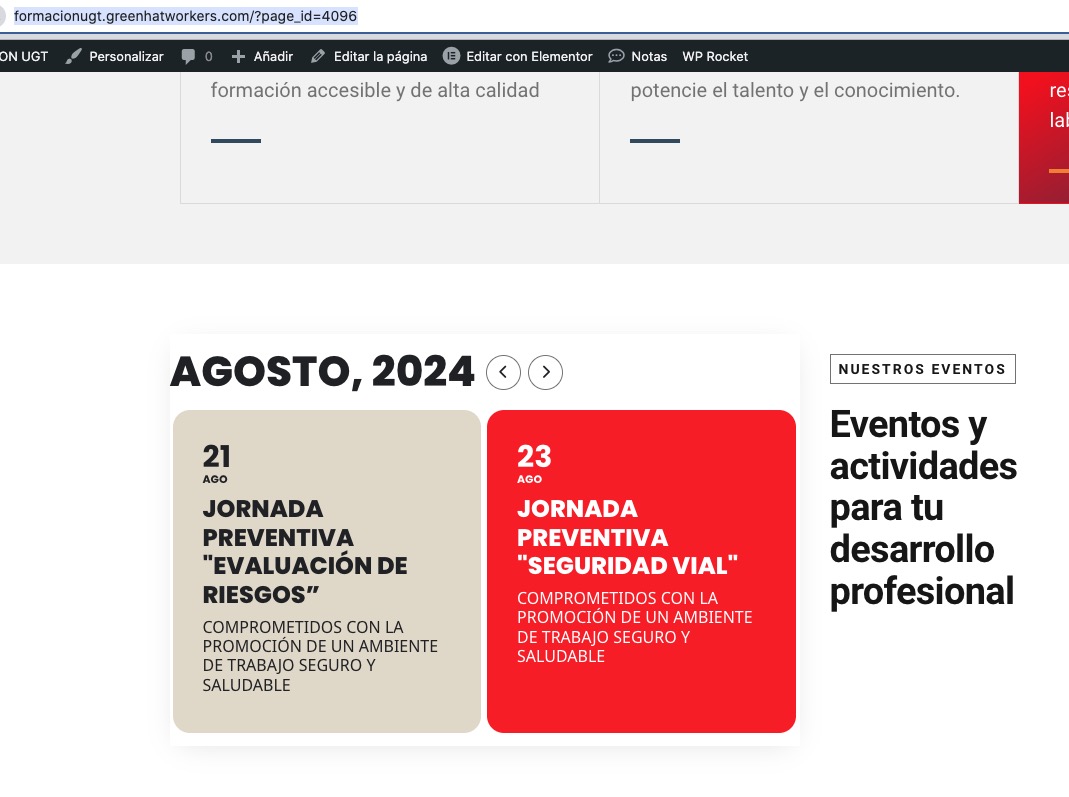
I duplicated the page and changed the structure so the calendar works now:
https://formacionugt.greenhatworkers.com/?page_id=4096
Please check and let me know.
Unfortunately, I didn’t see any PDF files attached. You can only assign images to your messages.
Since you cannot find it among your purchases on CodeCanyon, you need to contact Envato for clarification, since we don’t have any access to your Account there.
Hello,
Please follow this instruction:
To update eventon to latest version: If you are unable to do autoupdate, you can go to codecanyon your account > download and get the latest eventon version as zip file. Then you can go to your website > make sure “Delete eventon settings & data when EventON is uninstalled” is Deslected from eventon settings, delete old eventon, install new one and activate. This link will further explain the process it. Also you can follow us on twitter to get real-time announcements on updates!
You can use any email you like, simply create a new account and then send us login/pass info.
Your shortcode on our test site seems to be working:
https://dev2.myeventon.com/test-654/