Hello Goran, we can also replicate this issue and we are going to get this fixed and hopfully get the new version out tomorrow 🙂 5.0.9
It is not a small fix, otherwise I would share the code with you.
-Ashan
Replies for tickets on suppota
Hello Goran, we can also replicate this issue and we are going to get this fixed and hopfully get the new version out tomorrow 🙂 5.0.9
It is not a small fix, otherwise I would share the code with you.
-Ashan
Hello Rita, is definitely is related to the email. When you do the verification process, please use this email for both the fields. ”rita@fica-oc.pt”
please give it a try and let us know what you see.
Hello Chris, terribly sorry about the delay. Not really sure what happened. The payment for renewed order went through but the subscription never got moved to active status. We have manually updated that.
Please proceed with your move.
Ok please update to tickets v 2.5.5 —
this will fix the WC native variations not working.
Thank you for being with eventON for a long time!
Thank you for bringing this to our attention, this used to work, and of course with updated to latest woocommerce, it seems at one point it stopped working. We will get this fixed and get a new update out as soon as we can !
Kind regards!
James
Ok, it works 🙂 I must change it one by one.. 🙂 But past will be no need, i think.
And now, is possible somehow make Event by Date? Now are scattered in order. Which is weird.
Thank you.
Lukas
Hello, really i am sorry. Only few i did not found.
https://prnt.sc/Eu5q3dS_aPhO
https://prnt.sc/V2m-tzQ36Jas
I here, in email, here should by price of 1 slot Ticket. Which is 150.
450 is price of whole order. 3×150. It should be confusing.
https://prnt.sc/_mpPyCHAP76N
Thank you a lot.
L.
Hello,
I believe that all of these fields are available in EventON > Language:
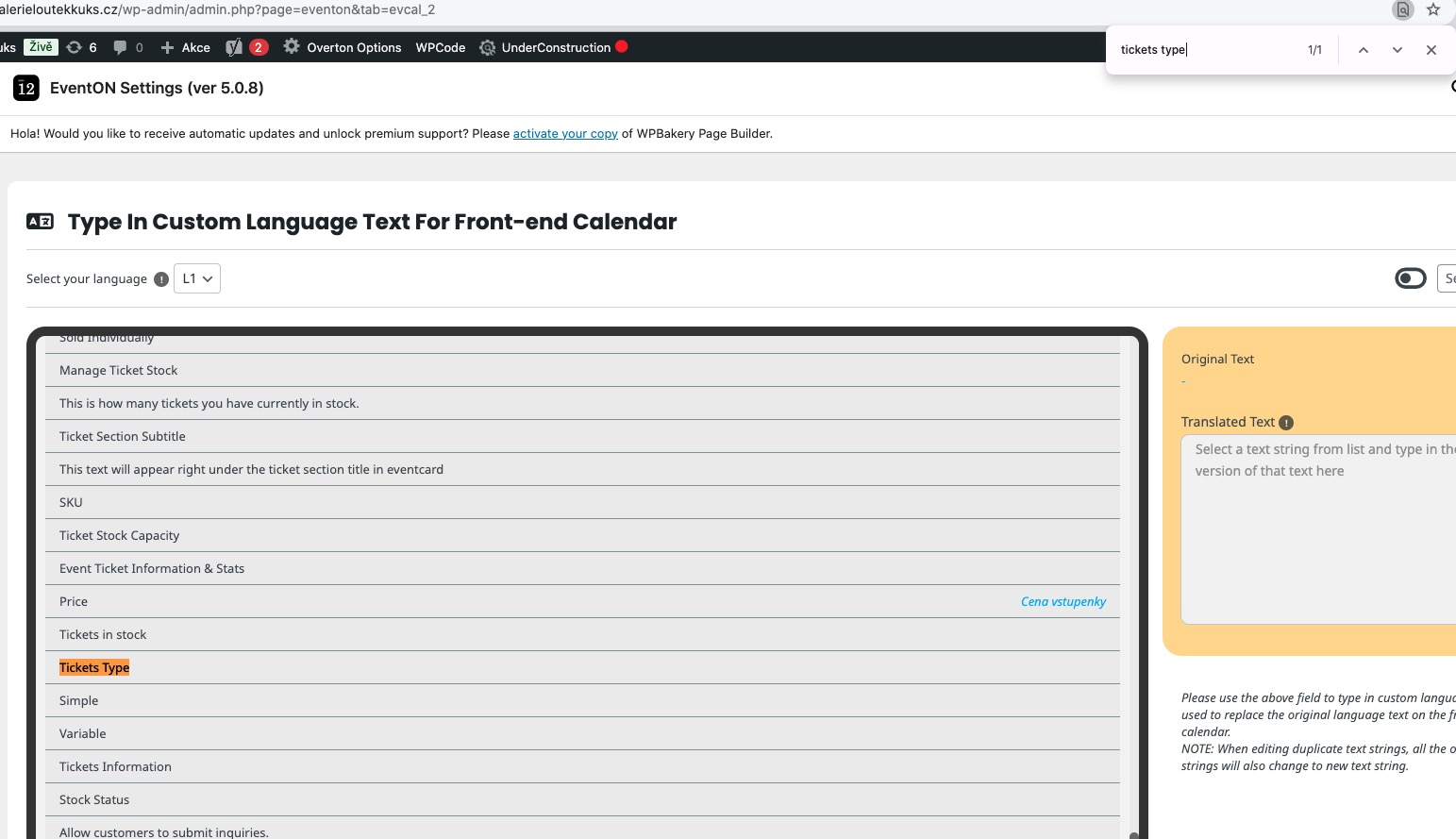
Could you tell me how do you search for them?
”EventON – Event Tickets” add-on is outdated so it doesn’t support the latest version of Dynamic add-on.
Could you update it?
To update eventon addons: You can download latest eventon addons from myeventon > my account. Then you can go to your website, deactivate old addon and install new one and activate then delete the old addon. This link will further explain the process. Also you can follow us on twitter to get real-time announcements on updates!
Terribly sorry, completely forgot about this setting that needs to be enabled:
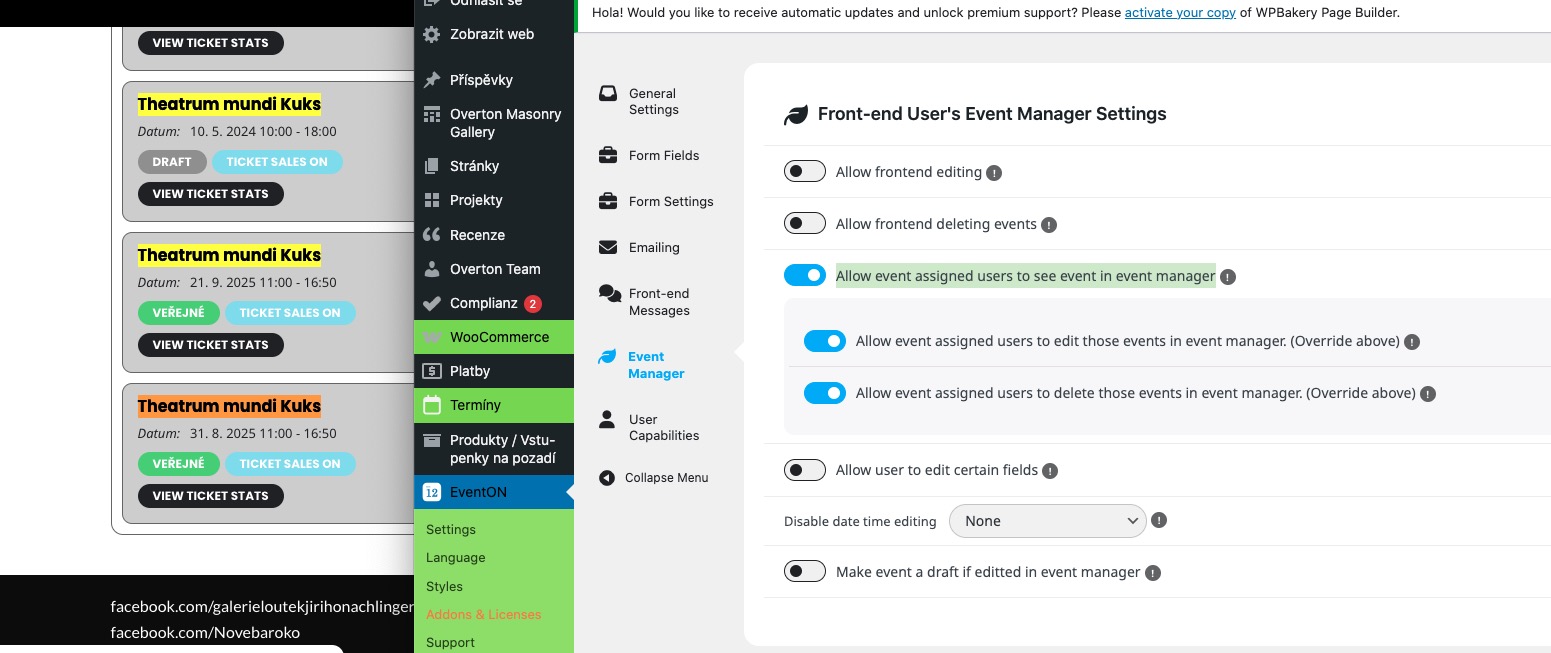
Could you check and let me know?