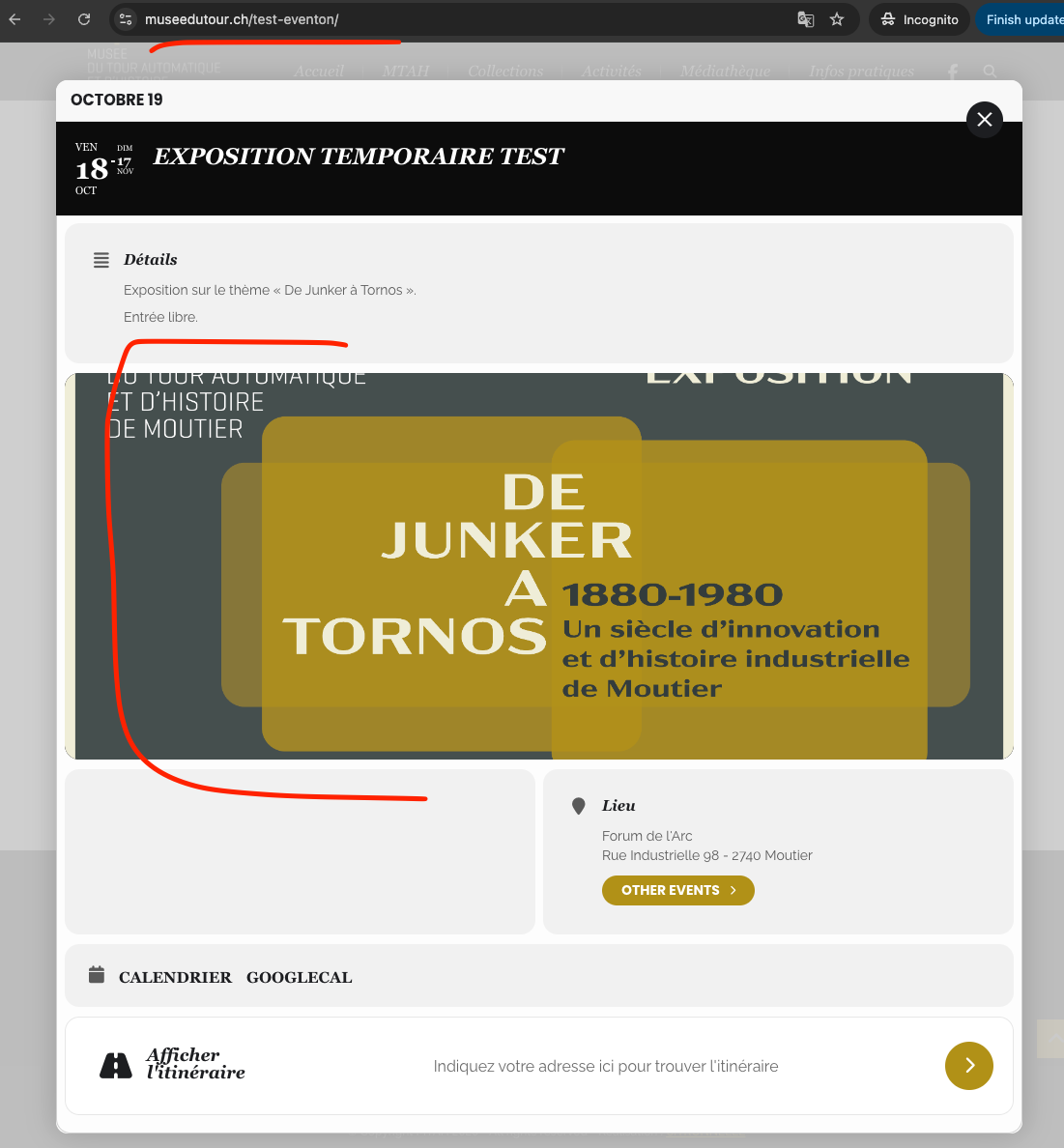
Ashan,
Even in Troubleshooting Mode it keeps enabling “Place ticket on out of stock”:
https://www.fgz-muc.de/wp-admin/post.php?post=14636&action=edit
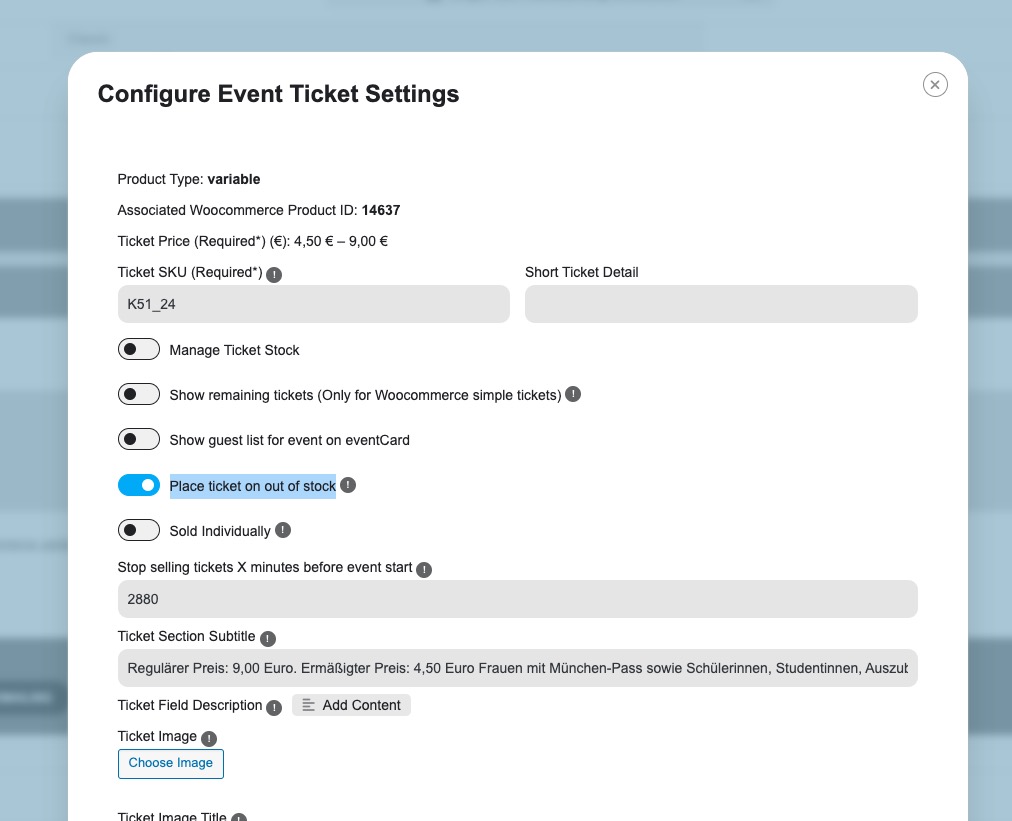
On dev2 works fine.
Replies for tickets on suppota
Ashan,
Even in Troubleshooting Mode it keeps enabling “Place ticket on out of stock”:
https://www.fgz-muc.de/wp-admin/post.php?post=14636&action=edit
On dev2 works fine.
Hello,
Thank you for your messages, I am going to assign this ticket to Ashan and he will be able to take it from here and find you a solution. Please allow some time for him to get back to you, we greatly appreciate your patience and thank you for being a eventon customer! Also please disable any IP blocking on your site if there are any.
have a look now
just needed to resave your event card
sorted
We are glad your issue is resolved, if you have any further questions or concerns please create a new ticket.
If you have a moment, we would greatly appreciate if you could kindly leave us a review at Codecanyon. By going to your account > Downloads. We are very grateful for your kind review!
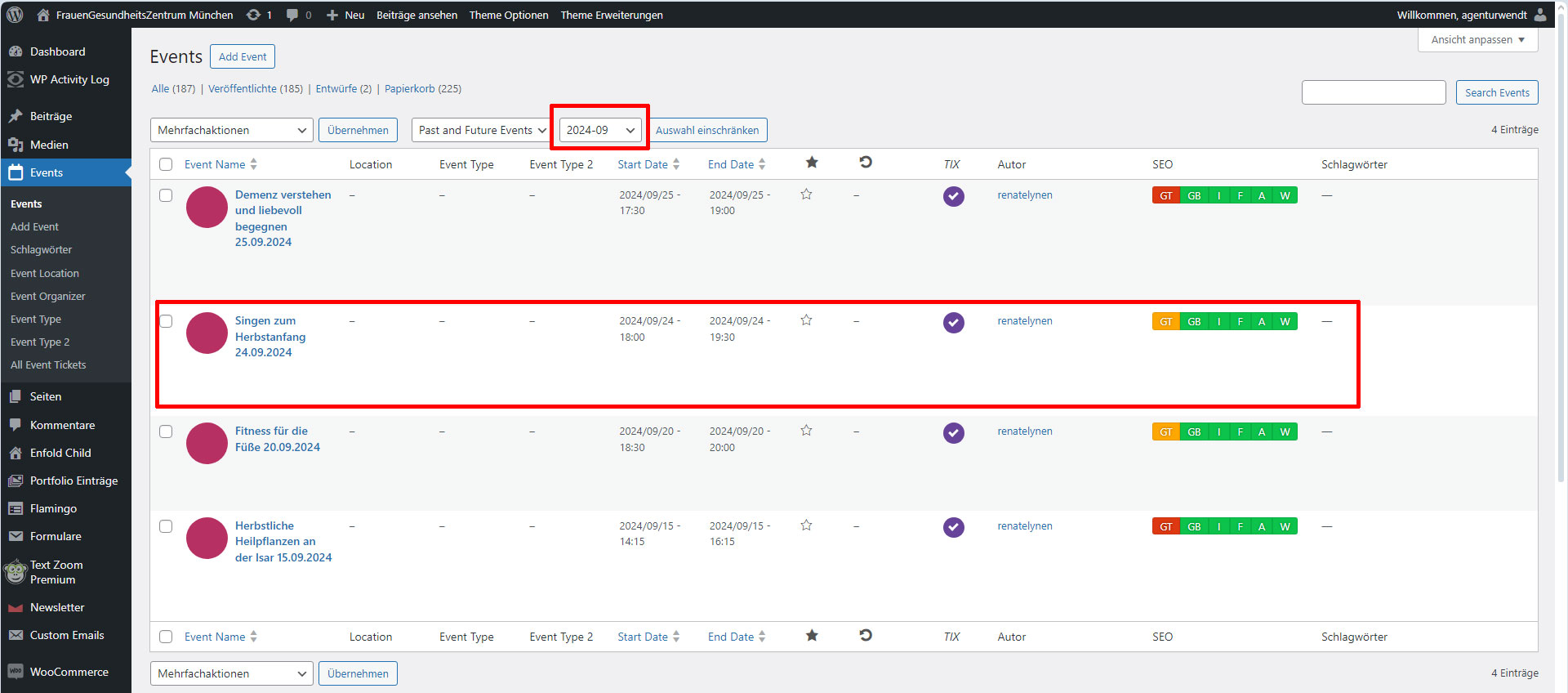
The bug doesn’t show up, when you just open an event. It comes after you open an event and safe it. Then open it again, now it shows “out of stock” even when you try to klick it away.
Try the marked event in my screenshot. We changed some text from the event after the update. Now it’s marked as “out of stock”. It cannot be clicked away.
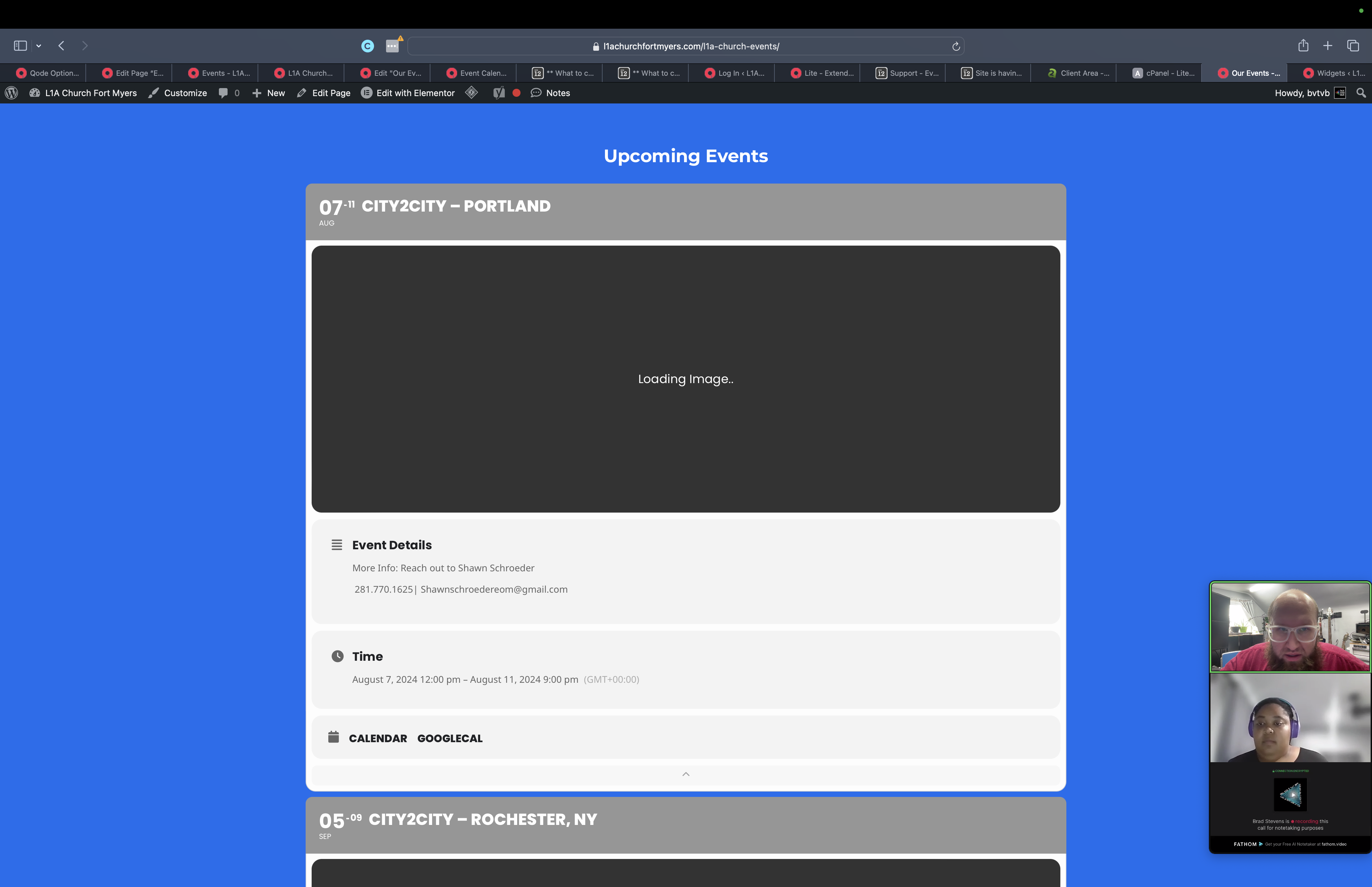
I also tried just so you guys know disabling all plugins, clearing the cache, turning off parts of a2 hosting’s caching plugin and litespeed, I tried completely disabling cache, clearing history, what is crazy when I continued to have issues on the main custom page linked to this ticket the default directory page always worked without an issue. that is https://l1achurchfortmyers.com/event-directory/ but now that one is delaying and getting stuck on the image load as well
I did want to note that we have a widget at the footer that has a short code to show the next 3 events coming up that is of course site wide but I have not had that problem using your plugin on other sites that having it on a page text content and in the footer completely broke it so kind of stumped on this pone
Thank you guys for your assistance
Also wanted to note that calendar on this page is still working correctly:
https://friendshipcenters.org/special-events/
Thanks!
I disabled the payment gateway plugin. For some reason when I disable Woo the site crashes (sorry, it is a site I inherited, it will be rebuilt from scratch soon).
I moved gateway plugin to plugins-OLD so it wouldn’t cause any kind of issue when diagnosing.
Chris, I installed wp file manager plugin in your site to easily view the debug file. You can remove the plugin once you are done.
https://friendshipcenters.org/wp-admin/admin.php?page=wp_file_manager#elf_l1_d3AtY29udGVudA
You can see the debug.log does not have the above issue any more but many issues from other plugins mainly related to woocommerce payment gateways. Any way we can get those resolved? so we can try to isolate this issue?
I moved one of the events into publish and images works fine.