Hi,
Thank you, it was very usefull.
- Is there any way to show how many tickets are left?
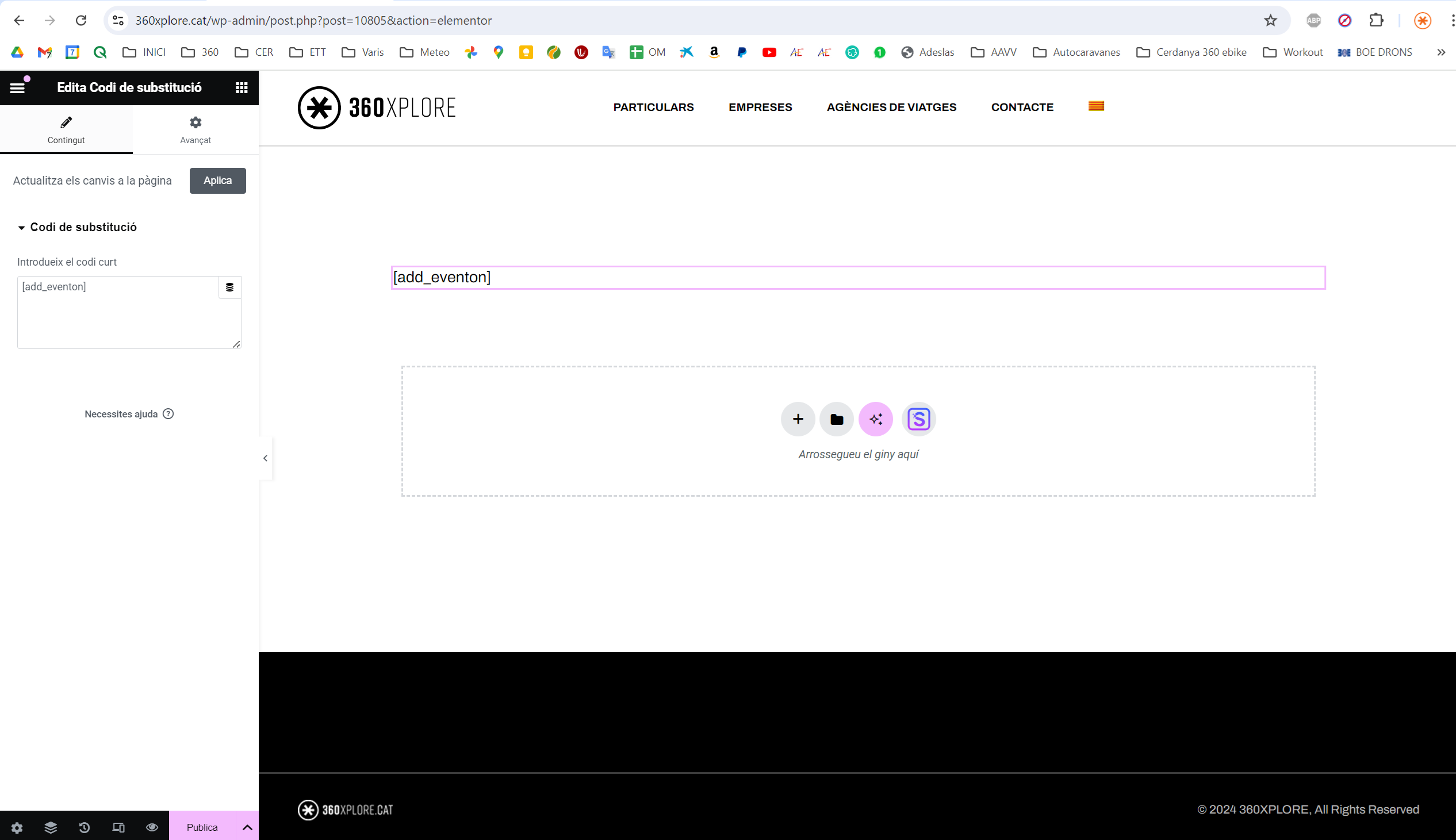
- Why when I try to show the calendar inside a page built in Elementor, it’s not showing it? See the attached screenshot.
Replies for tickets on suppota
Hi,
Thank you, it was very usefull.
http://www.moviewochenschau.de/wp-admin leads to
This site can’t be reached
www.moviewochenschau.de’s server IP address could not be found.
Could you check?
Does your shortcode have:
exp_jumper=”yes”
Ashan.
Please check “Search Button/Icon- nothing happens when you click on it (both pages from above)“.
The same on dev2:
https://dev2.myeventon.com/test-638/
Hello,
Search Button/Icon- nothing happens when you click on it (both pages from above)
Thank you for your messages, I am going to assign this ticket to Ashan and he will be able to take it from here and find you a solution. Please allow some time for him to get back to you, we greatly appreciate your patience and thank you for being a eventon customer! Also please disable any IP blocking on your site if there are any.
Filtering Icon- on this page:…
Please try adding filter_clear=”yes” to your shortcodes.
Sort- Nothing displays when you click the button https://www.adirondackfilm.org/schedule-wip/ it does work correctly on this page https://www.adirondackfilm.org/events-calendar/
Seems to be working now.
Toggle Through Buttons- missing font awesome arrows/chevrons on this page https://www.adirondackfilm.org/events-calendar/
Please add this CSS code to EventON > Styles (If you don’t see any change, EventON > Scripts & Styling > turn off Write dynamic styles to header > save settings > turn on Write dynamic styles to header):
.ajde_evcal_calendar .fa { font-family: ‘evo_FontAwesomeS’,’evo_FontAwesome’,’evo_FontAwesomeB’ !important; }
seems to be a bug- I am going to alert Ashan to this error and he will get you a fix super fast
just needed to resave the event card page
its all working now
and events will slide down if you set it to that
https://calvaryunited.org/eventon-testing/
We are glad your issue is resolved, if you have any further questions or concerns please create a new ticket.
If you have a moment, we would greatly appreciate if you could kindly leave us a review at Codecanyon. By going to your account > Downloads. We are very grateful for your kind review!
Is there a way to hide the time if the event is all day, but SHOW the time if it is not all day?
Thank you!
The time doesn’t show when its set to all day and the time only shows when its not a all day already
do you want to hide the word All day?
if so this css would work
em.evcal_alldayevent_text {
display: none;
}
I am unclear as to what you want as what you want is the default view and what I am seeing
if you want the time to appear in a larger font- then use this css
.eventon_events_list .eventon_list_event .evcal_desc .evcal_desc_info, .eventon_events_list .eventon_list_event .evoet_cx .level_3, .evo_pop_body .evcal_desc .evcal_desc_info, .evo_pop_body .evoet_cx .level_3 {
font-size: 18px;
}
.evoet_cx .evoet_time_expand .evcal_time i.fa, .evoet_cx .evoet_location .evcal_location i.fa {
font-size: 18px;
}
change the 18 in both cases to whatever size you want (the top one if for the text the bottom on is for the icon)
but I am not sure what you are after
Please send us FTP access to your site as a private message, so we can perform several tests from our end and resolve your issue fast!
I see you have styles added to eventon>>>>styles so at one point it was working but now isn’t
what changes/updates were made to the server that could have triggered this error?
and the error message: There has been a critical error on this website. Please check your site admin email inbox for instructions.
what did the admin email say?
Hello Lars,
Could you please create a new separate ticket so we can properly address your issue?
Thank you!
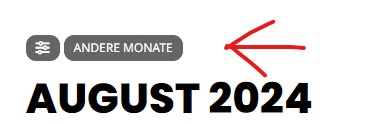
Hello, thank you for your answer. I once took two screenshots so you can see it. The point is that the months etc. are immediately visible when you come to the page and you don’t have to click on other months first.