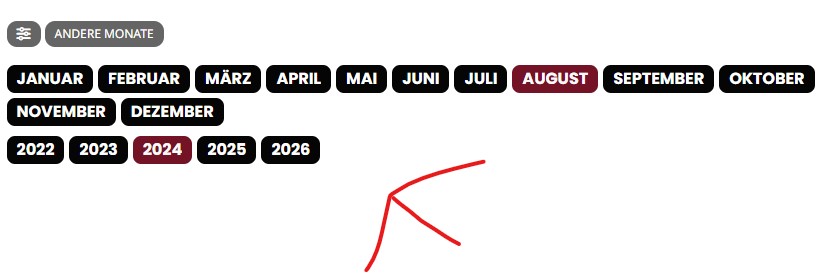
Hello, thank you for your answer. I once took two screenshots so you can see it. The point is that the months etc. are immediately visible when you come to the page and you don’t have to click on other months first.
Replies for tickets on suppota
Hello, thank you for your answer. I once took two screenshots so you can see it. The point is that the months etc. are immediately visible when you come to the page and you don’t have to click on other months first.
I am currently dealing with a same issue, has this problem been solved.. If so, It would be fine to share this so I can use this to fix this problem for our site.. Thanks..
If you are not in the USA you won’t be able to access it. We block all countries outside the USA with our firewall. We are a educational institution and there is nothing I do about this blocking 🙁
This is where I have the calendar where I was testing it:
https://www.stlucie.k12.fl.us/calendar/
see video below
and I am working with my tech team to figure out why the event details are not showing up on the event edit page
Hello,
Thank you for your message, I am going to assign this ticket to Ashan and he will be able to take it from here. Please allow some time for him to get back to you, we greatly appreciate your patience and thank you for being an eventon customer!
Please go to EventON > EventTop > change Select Default Calendar EventTop Style: Clear with left border colors and gaps. This is going to change the EventTop style.
Font families can be changed from EventON > Appearance. Font weights can only be changed through CSS modification:
https://docs.myeventon.com/documentations/change-css-calendar/
Ashan,
The only error that I can find in debug.log related to EventON is
[12-Aug-2024 09:35:12 UTC] PHP Deprecated: Creation of dynamic property EventON_full_cal::$frontend is deprecated in /home1/gyytjomy/public_html/wp-content/plugins/eventon-full-cal/eventon-full-cal.php on line 89
The same issue in Troubleshooting Mode: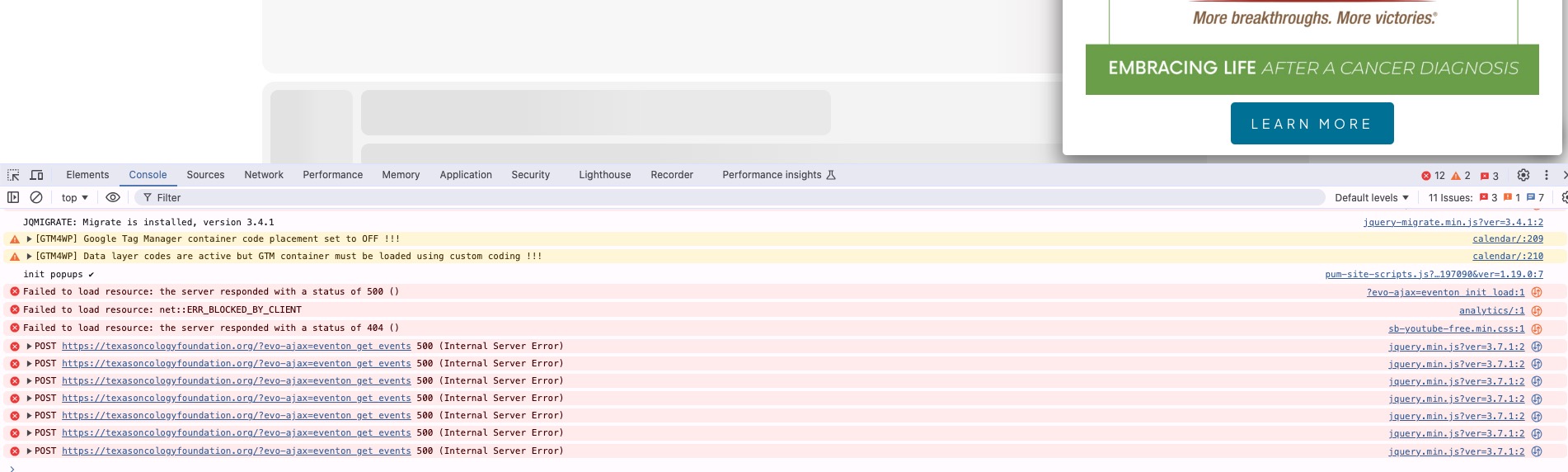
Thank you for your messages, I am going to assign this ticket to Ashan and he will be able to take it from here and find you a solution. Please allow some time for him to get back to you, we greatly appreciate your patience and thank you for being a eventon customer! Also please disable any IP blocking on your site if there are any.
You just need to add show_et_ft_img=”yes” to the first shortcode.
What’s “Moants”? Could you elaborate?
Hello,
Seems to be working on our test site:
https://dev2.myeventon.com/events/tickets-35/var/ri-1.l-L1/
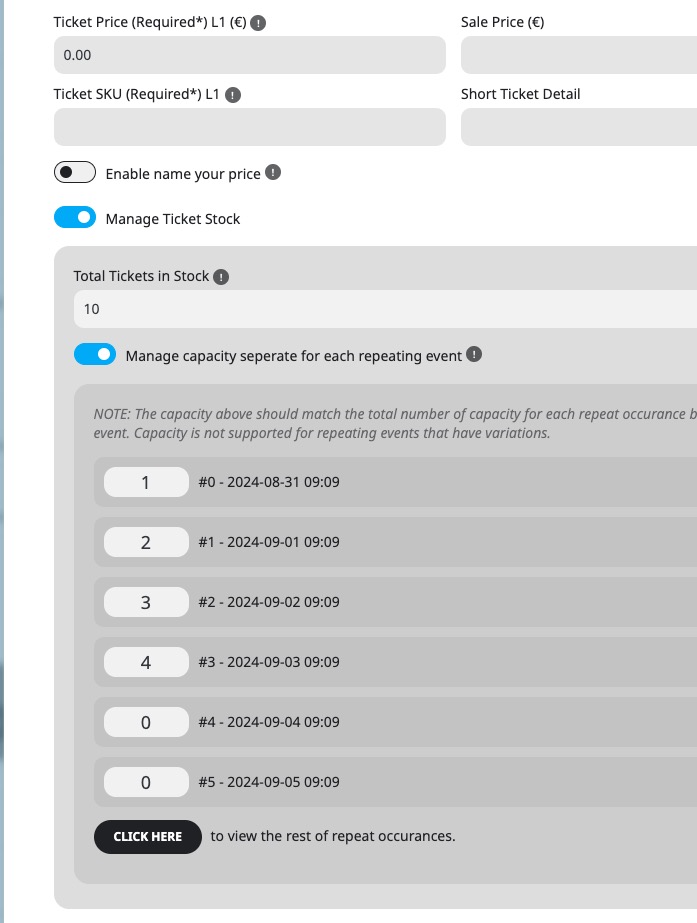
On this screenshot all visible repeats show 0:
https://helpdeskx.s3.amazonaws.com/wp-content/uploads/2024/08/11232538/stock.jpg
We need to check wp-admin.