Unfortunately, to achieve this you need to customize the plugin. We unable to help with such customizations since it’s against CodeCanyon’s Support policy.
Archives: Replies
Replies for tickets on suppota
Reply to: tickets(360660)
Hello,
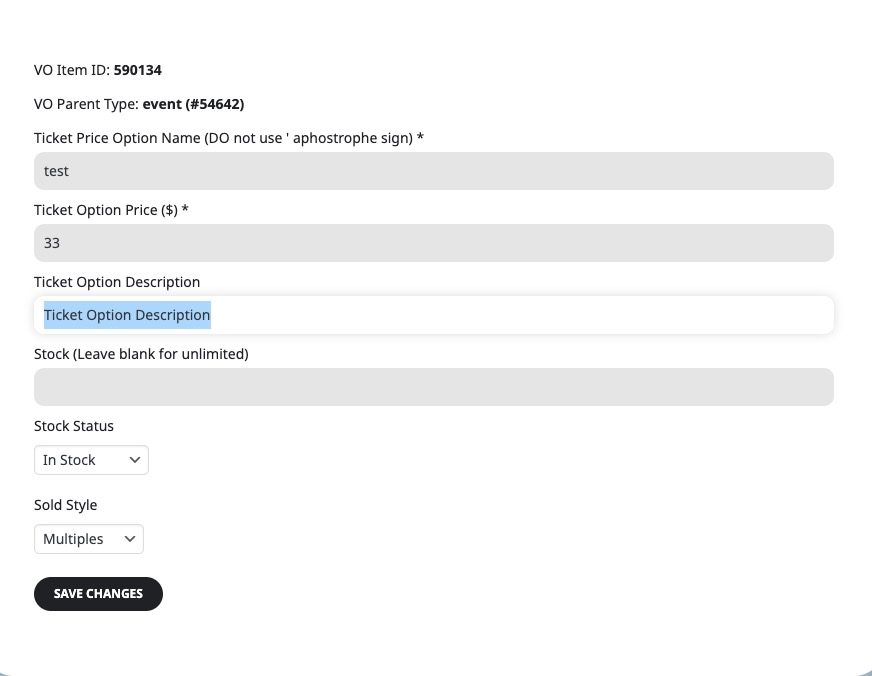
You can add descriptions for Ticket Options, but not for variations, unfortunately:
Your can create one event with all available variations/options and then duplicate it and then delete unnecessary variations/options.
Session 1: 8:00-9:00 Choose between these courses: course 1, course 2, course 3
Session 2: 9:00-10:00 Choose between these courses: course 4, course 5, course 6
It seems that to add time blocks with variations to one event you need to also use Bookings add-on:
https://www.myeventon.com/addons/bookings/
Or you can create a separate event for each time block and then add variations.
Try on
https://dev.myeventon.com/wp-admin/
Reply to: tickets(360648)
Hello,
This is because you were following this guide instead of using EventON – Ticket Variations & Options add-on:
https://docs.myeventon.com/documentations/set-variable-prices-tickets/
Please follow this guide instead:
https://docs.myeventon.com/documentations/how-to-setup-and-get-started/
Try recreating one event and make a purchase for a test.
Reply to: tickets(359818)
Search Box shortcode doesn’t show any events on load, so in order to show any events a customer needs to type in any text first.
Please go to EventON > Search > enable Enable additional search queries (may not work for all sites). Now you should be able to find events by entering locations and types.
Reply to: tickets(358548)
You need to create the same event multiple times for each language and then add the text to the field on Edit Event page without using WPML translation functionality. Please try and let me know.
Reply to: tickets(359704)
I see whats going on we are going to update the doc with next version of tickets addon. So the additional information is also included in the ticket email.
Please stay tune via our twitter @myeventon for the release of tickets addon.
Reply to: tickets(359674)
Please try following the guide in my previous message. It seems that your theme or a third-party plugin causes this issue.
Reply to: tickets(359642)
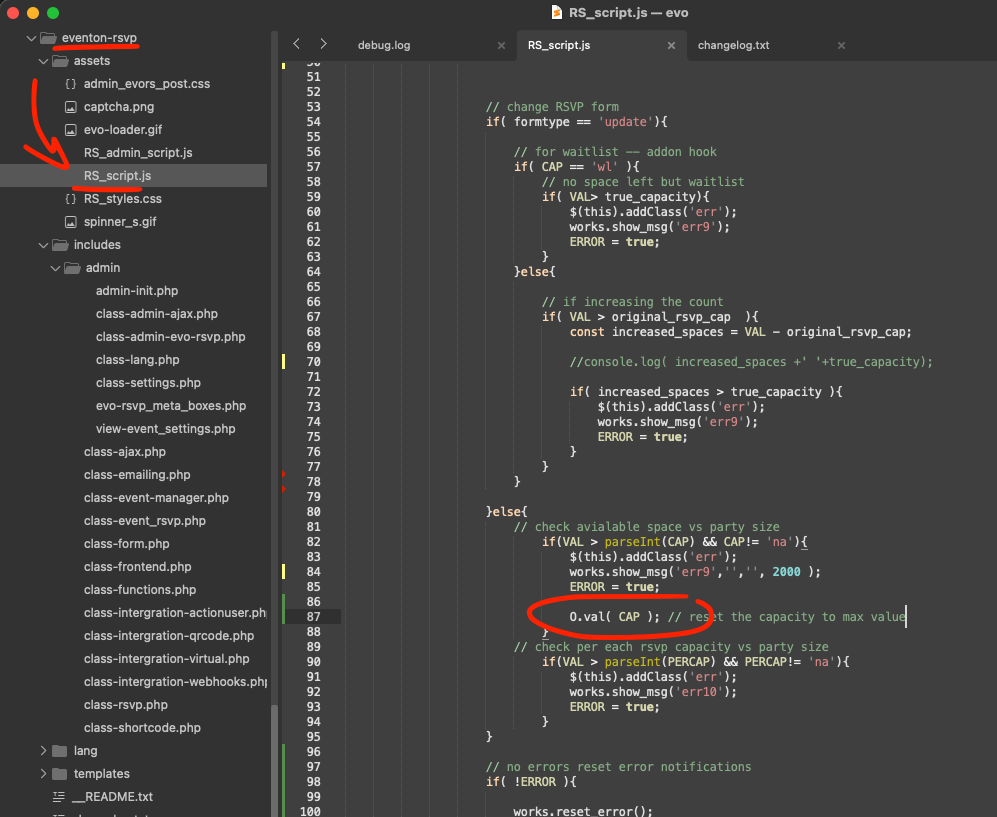
Ok here is the code. We will add more smooth interactions before the next release.
Reply to: tickets(359642)
Hello Ivan, yes you are correct it is using the Max value to fill the form. We will incorporate that to populate the size after running through the script. Will need some time from our end to implement this in the next version update to RSVP addon. If I am able to get it added quickly I will share the patch fix code in here.
Reply to: tickets(359435)
Great glad the new update resolved the issue. Also thank you for bringing this to our attention so we could speed up the new slider addon release 🙂
If you have more questions, kindly send us a new ticket and we would be more than happy to help you resolve your issues!