Can you show me the best way to import all the events without using other plugins?
Archives: Replies
Replies for tickets on suppota
Reply to: tickets(401580)
As a workaround
We use All Import to download a CSV file only for the events and upload it to EventON > CS Import
But right now it doesn’t show the images.
Reply to: tickets(401580)
Hello,
They both show 200+ events:
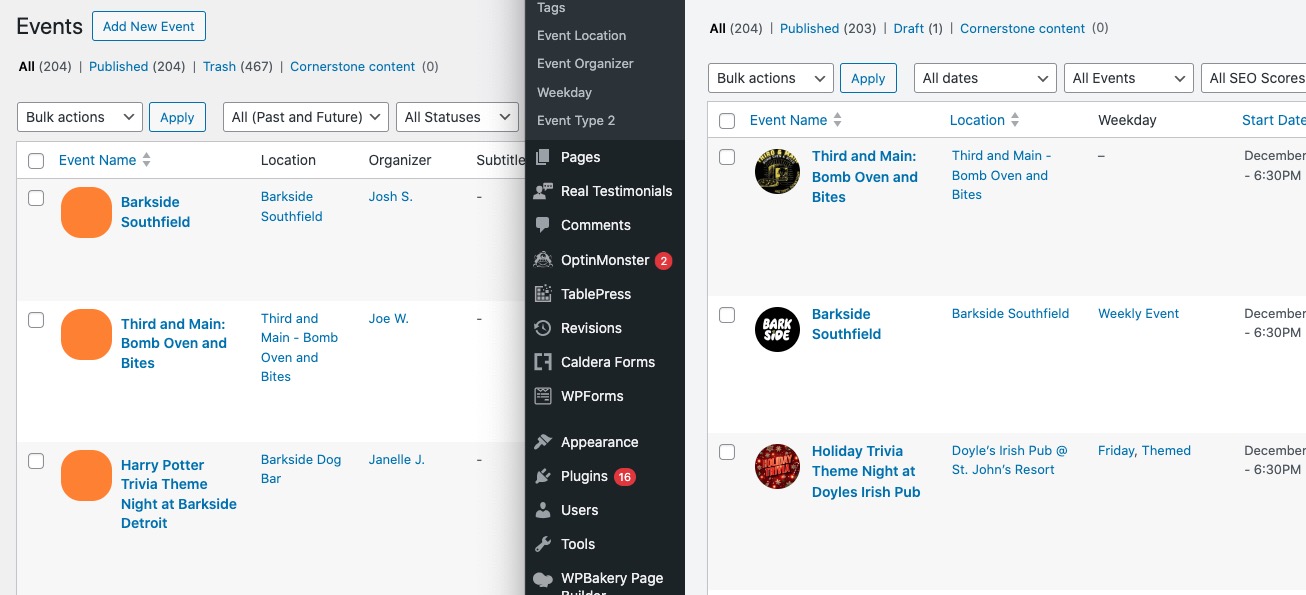
Could you show us a couple of examples of events that weren’t imported?
Reply to: tickets(401542)
I think that your RSS Feed validator also has cache on it’s side. Could you check this validator:
https://www.rssboard.org/rss-validator/check.cgi?url=https%3A%2F%2Frtvzulthe.nl%2Fzultheagendafeed
Reply to: tickets(401616)
Hello,
Please send us wp-admin access to your site from ”Access Info” box on right side menu, to further assist your situation.
Could you try going to EventON > Time Settings > make sure that Timezone is the same as wp-admin > Settings > Timezone?
Reply to: tickets(401570)
We are glad your issue is resolved, if you have any further questions or concerns please create a new ticket.
Reply to: tickets(401539)
Could you try activating the license now?
Reply to: tickets(401610)
Hello,
I don’t see EventON Settings, Events, Pages and so on:
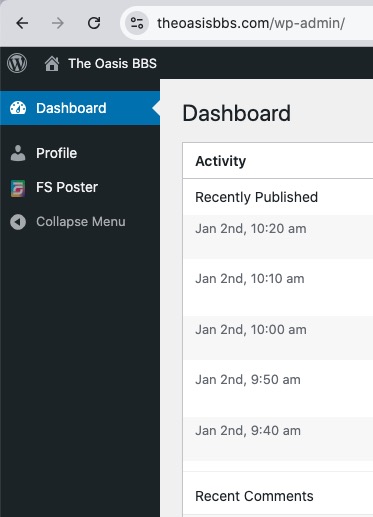
Could you allow us more access?
Please also try going to EventON > Advanced > make sure that Select event calendar WP Query method is set to Query all the event posts.
Reply to: tickets(401609)
Hello,
It seems that they just use WeeklyView add-on:
https://www.myeventon.com/addons/weekly-view/
Please take a look at
https://dev2.myeventon.com/test-132/
You can try it on our demo site:
https://dev.myeventon.com/wp-admin/
Just use this shortcode:
[add_eventon_wv]
Reply to: tickets(401537)
Hi again . I am using EventON to 5.0.6 . It seems the same problem with your other plugins . can you check on your side ? i need to use simple listing and category listing but for both of them count down doeas not work. m website hase high security and difficult to create admin account for you unless i have to do and if so, need to know exact time you connect to my website.
hope to be solve on your side …
best regards
maddahfar