Please change “Select event calendar WP Query method” to a different setting.
I went to EventON > Scripts > disabled Load eventON scripts and styles only on eventON pages, so the calendar is visible now. Please check and let me know.
Replies for tickets on suppota
Please change “Select event calendar WP Query method” to a different setting.
I went to EventON > Scripts > disabled Load eventON scripts and styles only on eventON pages, so the calendar is visible now. Please check and let me know.
Hello,
Please go to EventON > EventCard > open Designer and save > now save EventON Settings.
Seems to be working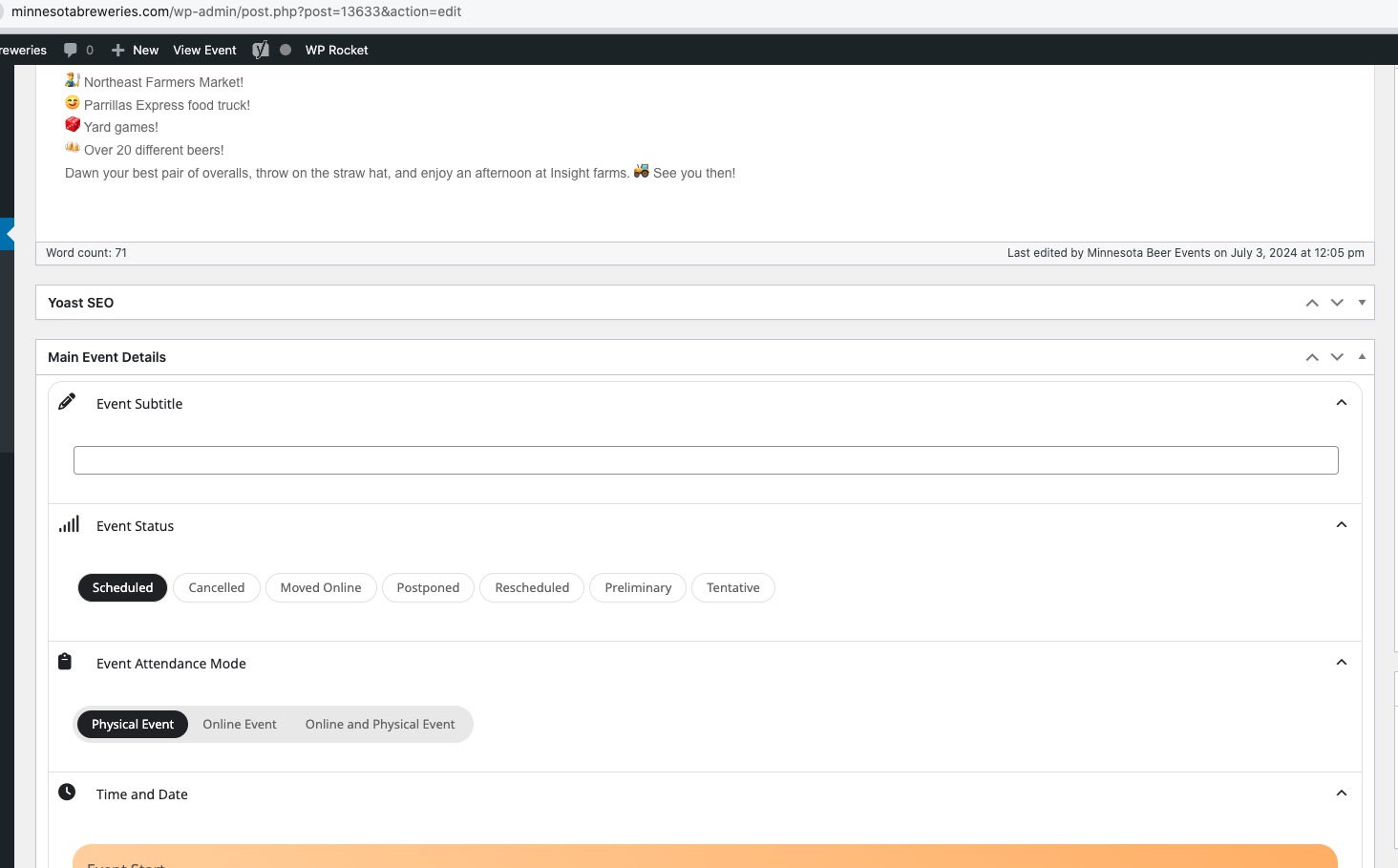
Could you try deselecting/selecting Main Event Details to fix the off-screen issue:

Hi Michael,
We are glad your issue is resolved, if you have any further questions or concerns please feel free to create a new ticket.
The EventOn core settings were already set as indicated in your screenshot, therefore, no change.
The full calendar should be presented on the home screen, as well as on the SIG & Committee Calendar page (https://steep-health.flywheelstaging.com/sig-committee-calendar/).
The code for the full calendar on the home page is in the widget called FrontPage6.
The code for the calendar on the sidebar is located in the HTML widget in Primary Sidebar.
Please advise.
Hi Ashan,
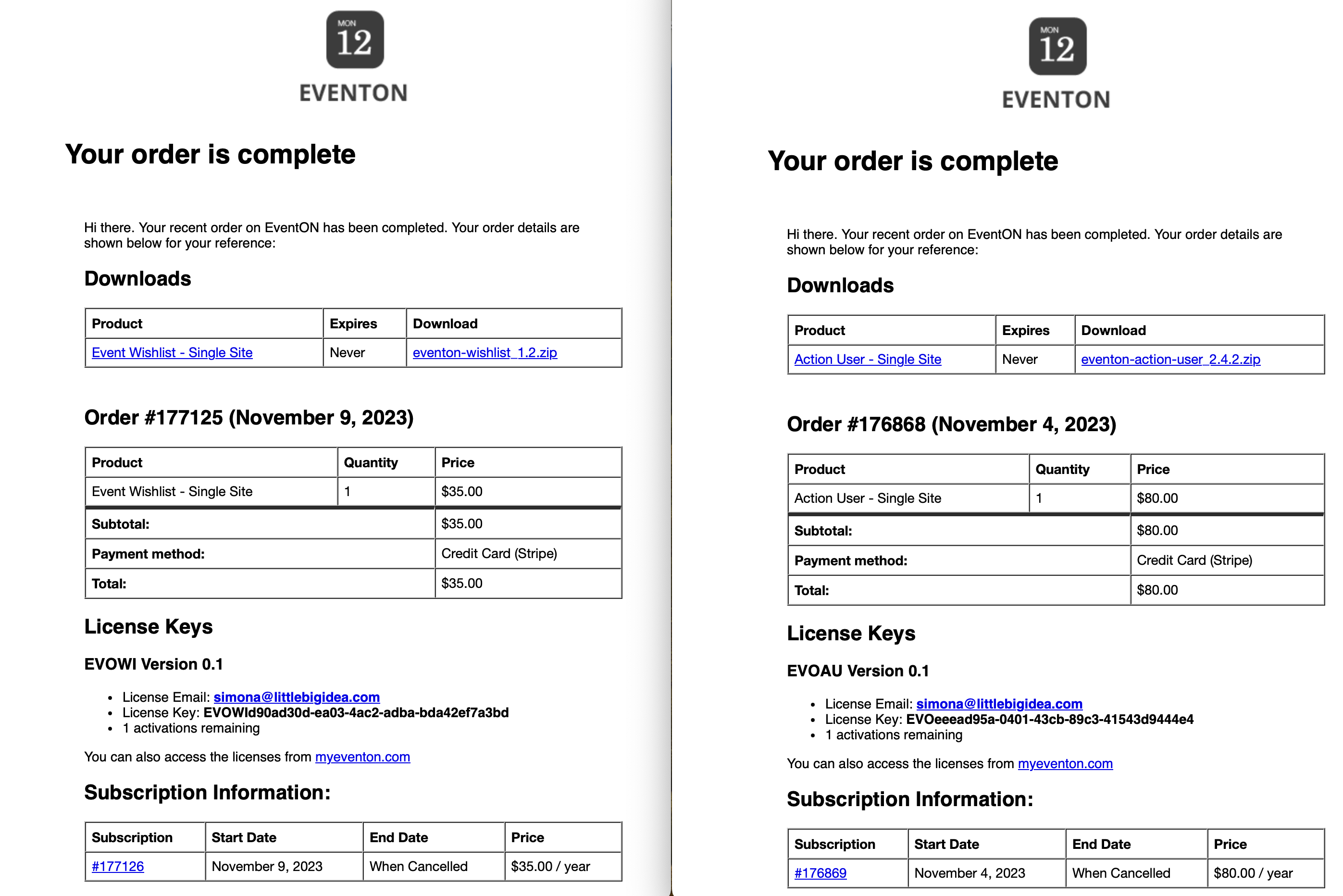
Please see attached copy of both orders. I only send the one that I can’t find in the downloads, the wishlist add on does show up. As you can see they were purchase only a few days apart and the same e-mail was used for this order.
Please advise how to further resolve this matter,
Thanks
I tried to fix our site with the patched version from before, but it was strangely throwing the same error as the new one above even after clearing the cache.
After some trial and error, I discovered that the new error was being caused by Elementor’s “Lazy Load Background Images” feature being enabled. A quick glance at its source code and the browser console suggests that it also uses its own “const events” variable in the global scope, which conflicts with the one that your plugin is using.
It’s generally a bad practice for plugins to use common unprefixed variable names like “events” in the global scope due to their heightened likeliness to conflict with other plugins that do the same thing, and I can say from experience that Elementor is unlikely to fix that on their end any time soon.
For now, I’ve disabled that feature on our site to avoid the conflict, but since there are millions of sites running Elementor I would recommend that you either change that variable’s name to something prefixed like “eventon_events” or turn it into a class variable to avoid conflicts with Elementor and probably a few other random plugins.
I checked with my hosting provider and we do not have any non-WordPress cache running on the server.
Any other thoughts?
Hi there, the patch fix worked but it doesn’t appear to have been included correctly in version 4.6.7. Our calendar broke again over the weekend when it was updated.
The error this time is closely related but a bit different:
Uncaught TypeError: Assignment to constant variable.
at HTMLSpanElement.<anonymous> (/eventon-yearly-view-0.1.3/assets/yv_script.js?ver=0.13:294:12)
at HTMLBodyElement.dispatch (jquery.min.js?ver=3.7.1:2:40035)
at v.handle (jquery.min.js?ver=3.7.1:2:38006)
Here is the line that triggers the error:
// get events from event list
events = $(this).data(‘ev’);
It worked correctly with the patched 4.6.6 version but now it doesn’t with 4.6.7.