I put your shortcode on our test site:
https://dev2.myeventon.com/test-609/
Do you see the same issue?
Also could you please try the instructions mentioned in this documentation?
Replies for tickets on suppota
I put your shortcode on our test site:
https://dev2.myeventon.com/test-609/
Do you see the same issue?
Also could you please try the instructions mentioned in this documentation?
Hello,
It tries to allocate more than 540MB of memory according to the message.
Could you try going to EventON > Advanced > try a different Select event calendar WP Query method?
Also take a look at
https://docs.myeventon.com/documentations/why-my-site-and-eventon-page-loading-slow/
Hello,
Please send us wp-admin access to your site as a private message for us to further assist your situation.
It seems that this style causes the issue: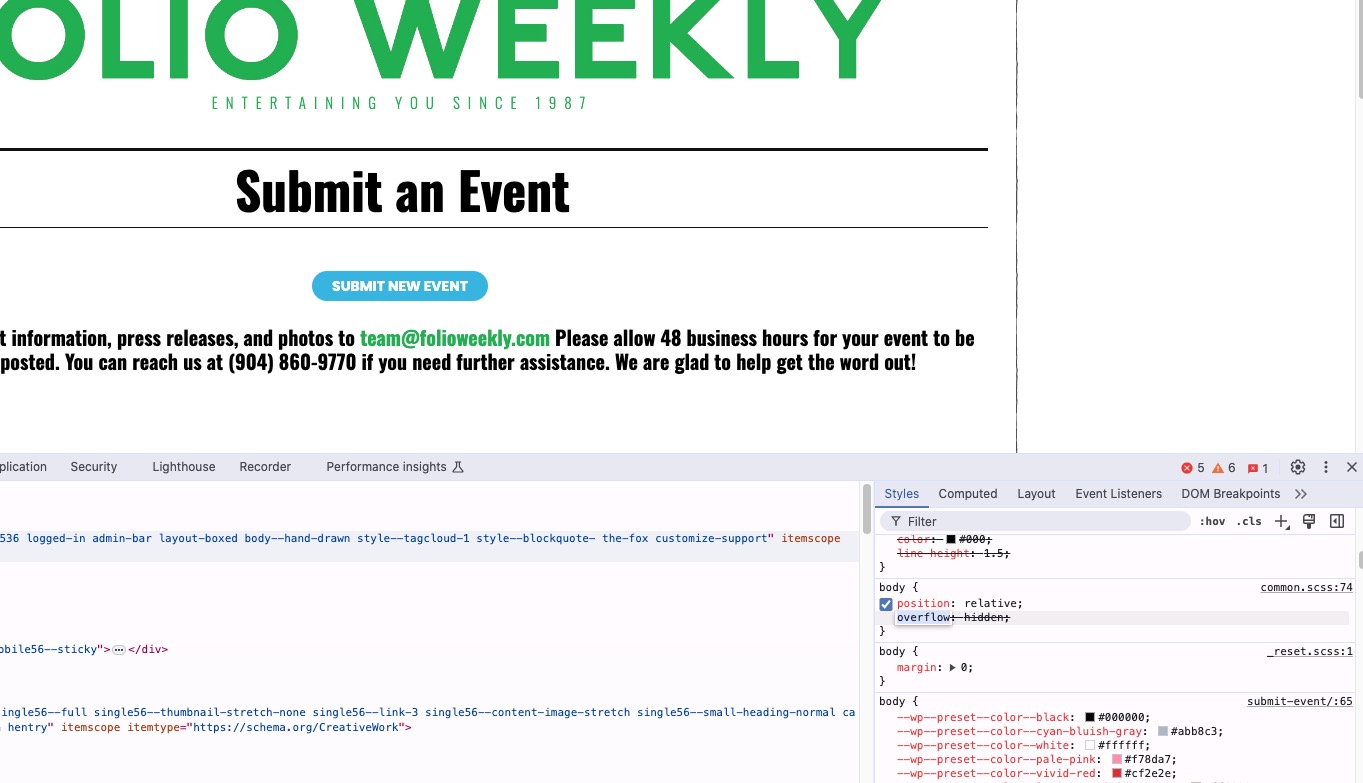
Please try adding this CSS code to EventON > Styles (If you don’t see any change, EventON > Scripts & Styling > turn off Write dynamic styles to header > save settings > turn on Write dynamic styles to header):
body { overflow: auto; }
Perfect! Please keep us updated.
Perfect! If you have any further questions or concerns please create a new ticket.
Thanks for the reply Ashan. So we did :
(1) create an event from scratch and enabled the ticket (#34920),
(2) edit the product (#34921) created for the event.
(3) created 3 variations and assigned them a price (15$, 5$, 1$).
(4) Published all.
(5) I go to https://dev.robindesbois.ca/programmation/
(6) The event show in the event list, it’s available for sale.
(7) I Purchase variation 2 as exemple,
(8) The procssus works but the ticket is not generated and so sent to the user.
(9) I took a look a the order and the purchase is there but as a None-Ticket Order. order is #34926.
You can take a look it as been done in ourdev environnement : https://dev.robindesbois.ca/wp-admin
Thank you
Wow glad dave was able to help you with this issue. Thank you for leaving us a review.
Over the years, I have realized that people’s negative reviews largely have nothing to do with the product. Still, something within them that they are not able to accept and embrace, which is output to the world as a negative review on something or some person.
However Scott, I am not able to scroll your slides with the margin-left: 0!importance. custom style, in mobile version when only 2 slides are visible.
I think this has something to do with the slider script let me take a look and see what I can do.
You are welcome. If you have more questions, kindly send us a new ticket and we would be more than happy to help you resolve your issues!
Ok so there is an error with current version when you do “Assign a different product to ticket product”
So that is why you are getting these errors because these errors are related to the manually assigned WC Product not getting the product terms assigned to them — which is where the error is.
So instead of assigning WC Products to even ticket. You should create event > enable tickets > then further edit (WC Product) and then add WC variations to that product.
As for the orders that already went through from the WC Product which does not have “Tickets” category assigned to. You can go to the edit product page and under Product Categories, assign the tickets term.
And then go to event this product is associated with and then make sure ticket settings are correct and re-save the settings.
Give this a try and see if that works. Once this is done you can re-send the ticket confirmation emails with QR Codes.