Thanks much! Appreciate it.
Archives: Replies
Replies for tickets on suppota
Reply to: tickets(358737)
Hello Melanie,
I have made this ticket private, just in case you worry the shared information is visible to public.
Let me take a deep look into this and see what I can do about it.
Reply to: tickets(359385)
Yes, we created some custom code. I will check with the designer.
Reply to: tickets(359817)
Thanks,
now it is OK and I undestrand that gradient color are not possible.
I will close the ticket.
Reply to: tickets(359691)
You should have this access now.
Reply to: tickets(354265)
This a really disappointing, I have to say.
It was your decission to use a third party product like google maps. All I am asking from your side is YOUR recommendations how to integrate this third party product. This means I am expecting from you to tell me how to do the right settings in the google API to make your tool work. I am not a developer. You are expecting me to understand your programming. Otherwise I could not define the requests sent to google to post a proper request to them.
You have done the API settings yourself. So please describe. How is this configured in the google API for your test page?
As described above, there is no general restriction for my country/server/website whatsoever. It works without applying restrictions in the API settings. Only when using the strongly recommended IP or URL restriction I get restrictions in the functionality of your tool. Dependancy what happens has been described more than ten times… So this is just a question of google API settings.
You may even admit that your tool is only working without the restrictions in the API settings. As said: Show your own configuration in your API settings and I am fine. As this is working on your end this must be my blueprint.
Reply to: tickets(359498)
I see! Thank you for the clarification. I will make these changes on the front end and keep an eye out for the next update. Thank you Ashan!
Reply to: tickets(359635)
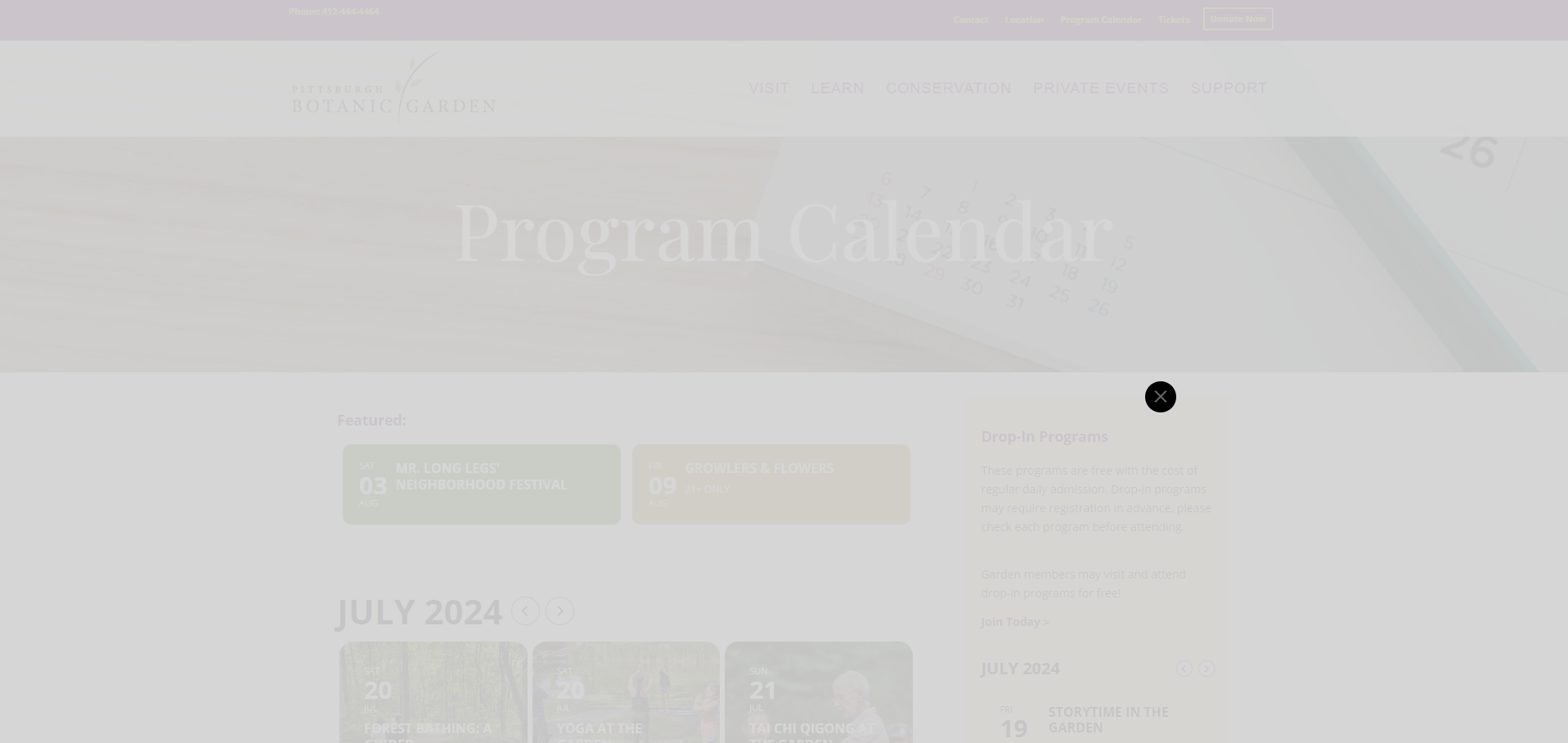
Hello,
I was having lots of trouble reproducing the issue on my end as well, but was having coworkers show me on their devices that the issue was happening reliably to them. I just encountered it this morning, though. A screenshot is attached here.
The shortcode used is:
[add_eventon hide_so=”yes” event_type=”269″ ux_val=”3a” ux_val_mob=”3a”event_past_future=”future” show_et_ft_img=”yes” tiles=”yes” tile_count=”3″ tile_bg=”1″]
I have had instances where the lightbox would not render only on my mobile device (iphone 15 ios 17.5.1 if that is relevant), but today the issue seems to be happening on desktop only and is working on mobile.
Reply to: tickets(359797)
Working perfectly!! thank you very much!! 🙂
I’ll mark the ticket as “Resolved” 🙂
Reply to: tickets(359725)
ops… and the plugin version 4.6.7 put the site offline too…