1. Thank you for your great suggestion, at the moment it is not supported. However please create a new ticket and select Feature Request as category so others can vote on your idea and get it moved into development faster.
2. Please follow
https://docs.myeventon.com/documentations/wpml-eventon-front-end/
Hello,
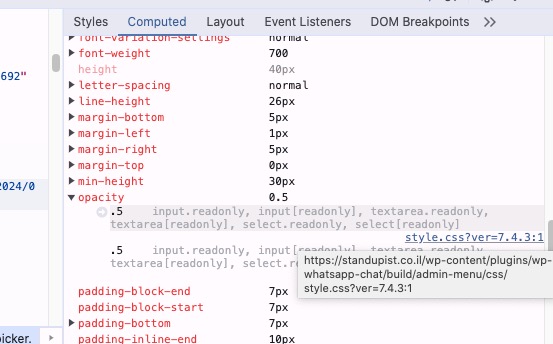
Could you try disabling whatsapp-chat plugin?
Hi
Not working ! here is the details
https://standupist.co.il/wp-admin
User: EventON
Password: FFByrAg0BVo4G9t(4HCdYcbC
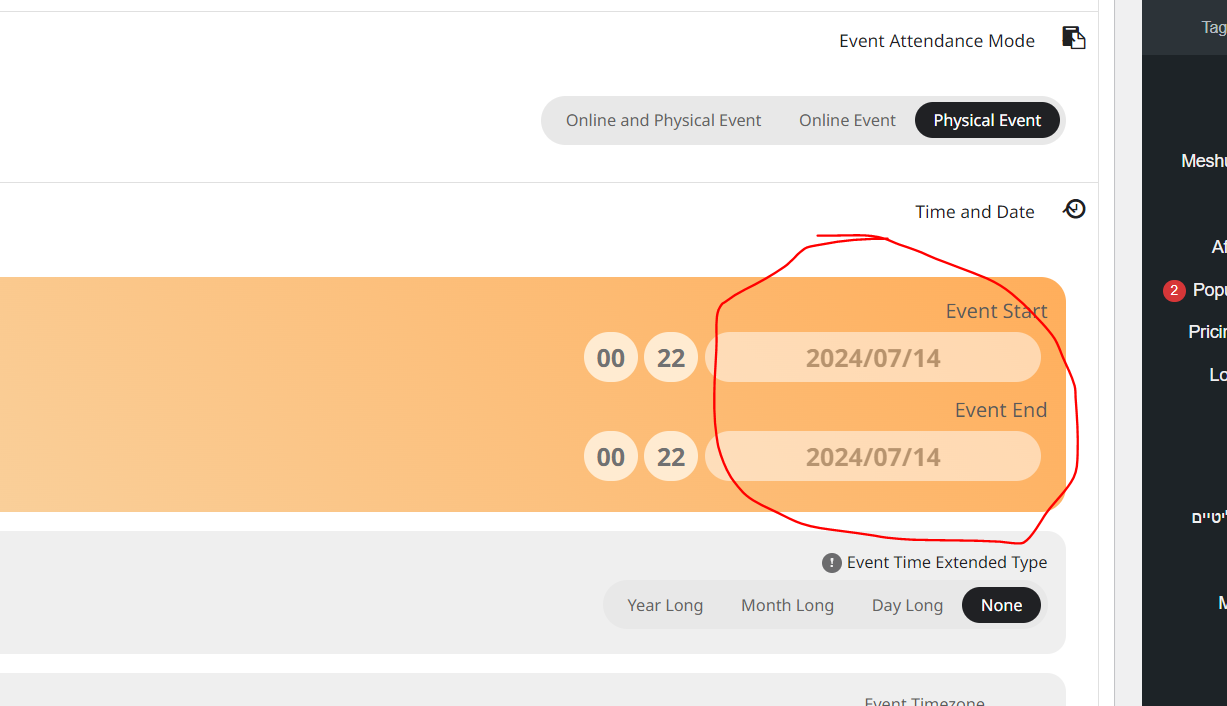
For exmple new event i created and as you can see you are unable to change the date event (Attached screenshot):
https://standupist.co.il/wp-admin/post.php?post=60949&action=edit
Please advice
Nitzan
Hi! I managed to solve that problem on my own, but I do have a different qestion, is there a way to customize the size of the minicards? I would like to have them structurally as they are but in a bigger size. Is that possible?
[add_eventon_slider slider_type=”mini” slides_visible=”3″ slide_style=”imgbg” control_style=”lr” slide_auto=”yes” slide_pause_hover=”yes” pec=”cd” event_count=”10″ only_ft=”no” hide_mult_occur=”no” number_of_months=”12″ slider_speed=”200″ slide_nav_dots=”yes” slide_hide_control=”no”]
And my last question is about how to show the translated version of my calendar and events information etc in my wpml translated pages.
clear your browser cache (and wordpress cache)
if that fails please provide wp-admin access so we can see for ourselves and run some tests
you can reply as a private message with login and also a upload the csv to your media within your wordpress so we can double check it out- perhaps theres an error somewhere or perhaps sometimes theres a stray comma that pushes everything out of a column (which would mean its uploaded as a draft if it can’t read the publish)
We are glad your issue is resolved, if you have any further questions or concerns please create a new ticket.
If you have a moment, we would greatly appreciate if you could kindly leave us a review at Codecanyon. By going to your account > Downloads. We are very grateful for your kind review!
Hi there!
Thank you so much for your thorough reply! I should have added, that we do have the “publish” column in our CSV and that the status of the uploaded events is “published” – they just do not show in the calendar unless I open each one and click “publish” again. Is there a way we could send you credentials to access our backend?
Best regards!
Thank you. Please let me know the status
This is awesome!! Thanks so much!
Please close the ticket