Not possible, I am afraid.
Archives: Replies
Replies for tickets on suppota
Reply to: tickets(358455)
Upload functionality isn’t available because it’s a security risk. For Action User, you can add the field through the code.
…to download the pdf of the event
You can simply add the link to download to Event Details or to “Content Type: Multiple lines of text (Editor)” element manually.
There is no need to use a special element to download anything.
I add some useful detail, the logic of the optimal process involves:
Action User solves all of these. Just make sure to Action User > Form Settings > Submitted event’s default post status: Draft.
Reply to: tickets(353290)
Hello Toni Gin,
Have you tried my suggestions by adding the code to EventCard through the code?
Reply to: tickets(358508)
Hello,
Thank you for your response. I understand your team would not have access to his account, I do not wish to access it either as we have already purchased a new plugin/key because that developer no longer works with the organization and he has lost the login credentials. We have also removed his email from the organization so we cannot send a reset password link either.
Our goal is to update the plugin with the new plugin/purchase key we obtained the other day.
When I try to install this new plugin to update from 2.1 (old developers plugin/key) to 4.6 (the new plugin/key we just purchased), our ‘Events’ data is erased. Is there a way to update this old plugin/key with the new plugin/key without losing that data? It is about 10 years worth of events posted to our site, it would be detrimental to lose all of that and have to rebuild them.
Reply to: tickets(358401)
Sorry for the delay.
The thing is that I am not sure that this can be fixed from EventON’s side.
Please take a look at this support thread:
https://wordpress.org/support/topic/remove-unwanted-urls/
You can restrict Google from scanning empty links with robots.txt and Disallow:
…extra directives such as Disallow: /?s= Disallow: /page/*/?s= Disallow: /search/ will be added to the virtual file.
More info from Google:
https://developers.google.com/search/docs/crawling-indexing/robots/create-robots-txt
Reply to: tickets(358399)
Is it possible to disable the page builder for Events (post_type=ajde_events)?
Here’s how you can do this with WPBakery Page Builder (Role Manager > Post types: Enable WPBakery Page Builder for pages, posts and custom post types. Note: By default WPBakery Page Builder is available for pages only;):
https://kb.wpbakery.com/docs/learning-more/wpbakery-page-builder-settings/
Does your page builder offer similar option?
Reply to: tickets(358691)
Hello,
Seems to be working (I set the event to Draft):
https://volksmusikkalender.de/wp-admin/post.php?post=6232&action=edit
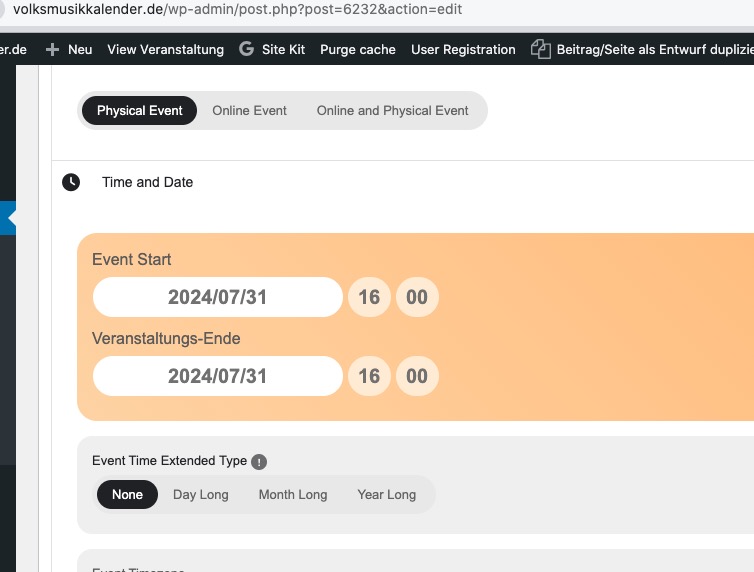
But could you send us access info as Editor, so we can check as well?
Reply to: tickets(358664)
I went to EventON > Scripts & Styling > disabled Write dynamic styles to header. Seems to be working now. Please check now and let me know.
Reply to: tickets(358554)
Perfect! If you have any further questions or concerns please create a new ticket.
Reply to: tickets(358554)
Oh no! I think there was confusion when we were renewing support. We pay for probably a half dozen different calendar plugins for clients and somehow we renewed the wrong one in CodeCanyon!!!
Thank you so much for your time, as far as I know, YOUR plugin is working just fine!!!