Hello,
Have you managed to fix the issue?
Could you try following to hide all warnings from the front-end:
https://docs.myeventon.com/documentations/how-to-debug-for-php-code-errors/
Replies for tickets on suppota
Hello,
Have you managed to fix the issue?
Could you try following to hide all warnings from the front-end:
https://docs.myeventon.com/documentations/how-to-debug-for-php-code-errors/
Could you provide a code snippet or at least guide me to the file that i have to modify to solve this? 🙂
Thank you for your messages, I am going to assign this ticket to Ashan and he will be able to take it from here and find you a solution. Please allow some time for him to get back to you, we greatly appreciate your patience and thank you for being a eventon customer!
Please see here https://lourenco.blog/test-page/
Thanks
thanks for reply.
I do extacly what I see on documentation. But the filters can’t combine. Example Country Usa, Germany and City New York and Berlin.. If I set first filter USA, in second filter I see New York and Berlin. I’ d like to see when I filter USA I see only the City IN USA. It’s not possible to sett undercategory?
Exactly what I needed! Thanks Artem!
Ashan,
The customer says that because of Tickets, their backend loads slow (Edit Event and Plugins as well):
17+ seconds when only EventON + Tickets are enabled:
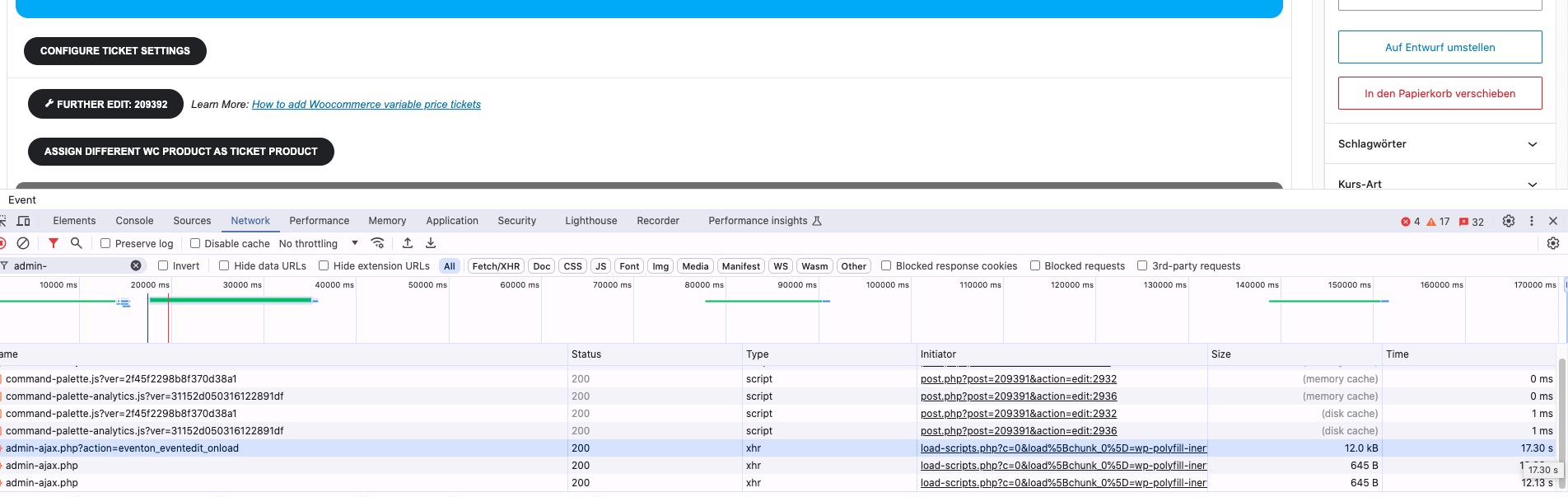
The same on their live site.
They thinks that this is because of https://helpdeskx.s3.amazonaws.com/wp-content/uploads/2024/06/18014709/Plugins-%E2%80%B9-Rock-my-Trail-Bikeschule-%E2%80%94-WordPress.png
Could you check?
Thank you for your messages, I am going to assign this ticket to Ashan and he will be able to take it from here and find you a solution. Please allow some time for him to get back to you, we greatly appreciate your patience and thank you for being a eventon customer! Also please disable any IP blocking on your site if there are any.
Hi Artem,
We’ve been trying to contact CodeCanyon with a ticket requesting the refund, but we have received NO REPLAY. In the platform it says that this ticket is sended to you, and we are waiting for your response. Anyhow it works, we need this solved ASAP.
Hello,
We use 300px image since by default the thumbnail doesn’t stretch on mobile to the full-width. Also a larger resolution will hurt the overall performance.
Unfortunately, without code customization this cannot be changed.