Hi Artem,
We don’t want to change the background to grey, but the hot pink events we would like to change to a bright blue. Is there a specific way to call that out with dynamic styles in the css header?
Replies for tickets on suppota
Hi Artem,
We don’t want to change the background to grey, but the hot pink events we would like to change to a bright blue. Is there a specific way to call that out with dynamic styles in the css header?
Hi Riccardo,
I went to EventON > EventCard > opened Designer and saved. Event Details are visible now. Please check and let me know.
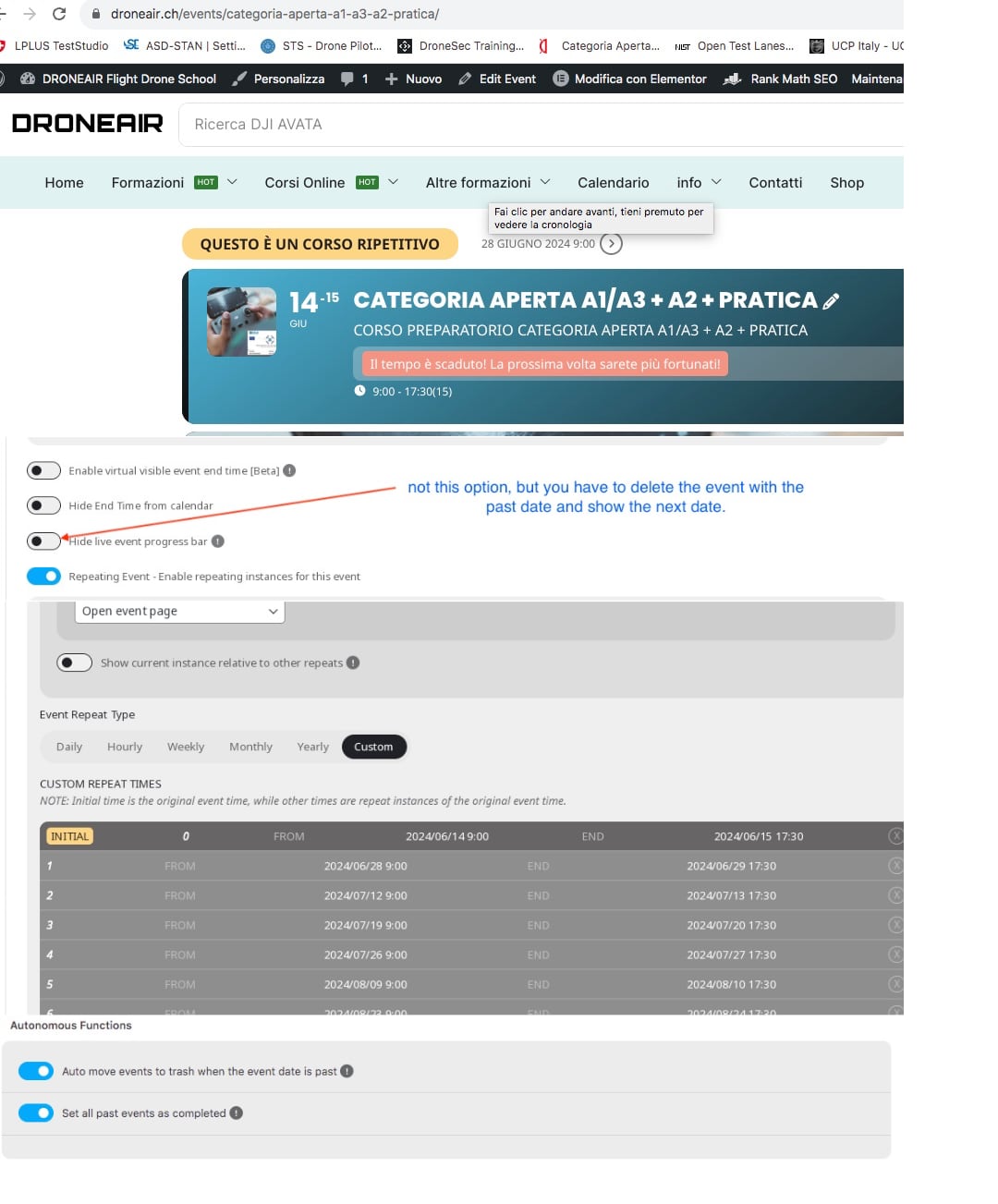
Hello, perhaps we did not understand each other.
I also sent the link to the page look at it again please.
https://droneair.ch/events/categoria-aperta-a1-a3-a2-pratica/
We have already done the custom repetition. In the description you sent you say to select the Hide live event progress bar. That is not what we asked for.
What we need is that the event once it happens is either deleted or hidden automatically.
The automatic function does not work for repeatable dates.
How do we solve this situation?
Thank you
Nicola
Still wondering how I change the font size of the event title in the calendar. About the same size as the slider would be good
Indeed, WP Rocket was active. I deactivated that and followed some more instructions from the plesk and the site seems to be running faster than ever.
Thanks for your help Dave
Hello,
I went to EventON > EventCard > opened Designer and saved. Event Details are visible now. Please check and let me know.
I installed WP Fastest Cache with the same result. Both sites with different shortcodes unchanged:
Veranstaltungen (DEV) – Kirche am Strand 2024/2025 (kirche-am-strand.de)
https://kirche-am-strand.de/veranstaltungen/
I also tried the “Show on Single Site” Shortcode vor validatition i this loading times results through preloading every event. Unfortunatly with the same performance results.
[add_eventon_list bottom_nav=”yes” ux_val=”4″ ]
Veranstaltungen (DEV) ( Cloned ) – Kirche am Strand 2024/2025 (kirche-am-strand.de)
Hello,
This seems to be working for me, could you clear your cache and let us know if it’s working.
It’s already with ‘ux_val=’4′ ‘ .
Could you please check our site for yourself?
Thank you
Sorry for the delay.
It seems that the most important is to allow Google to create Lat/Long values. So please use IP-Address restriction, generate Lat/Long and then Map should work, since the issue is “Invalid latlng: (nan, nan)”.