Hello,
Could you update RSVP add-on to the latest version?
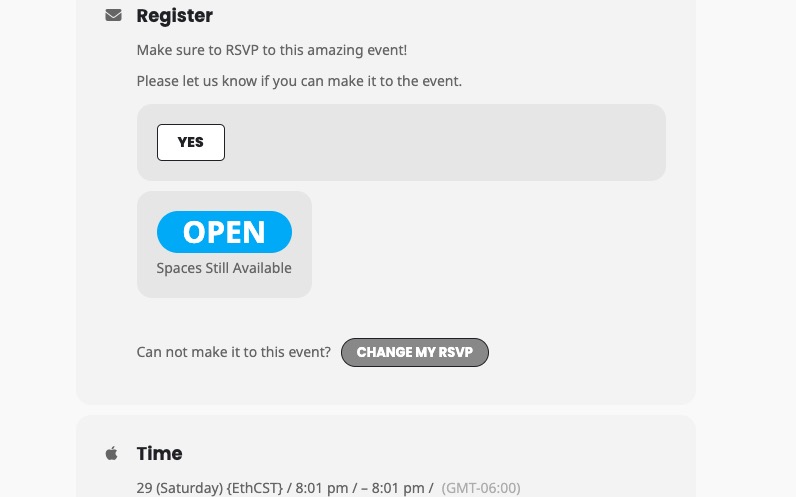
Also how do they change it? From EventCard > Change My RSVP:
Replies for tickets on suppota
Hello,
Could you update RSVP add-on to the latest version?
Also how do they change it? From EventCard > Change My RSVP:
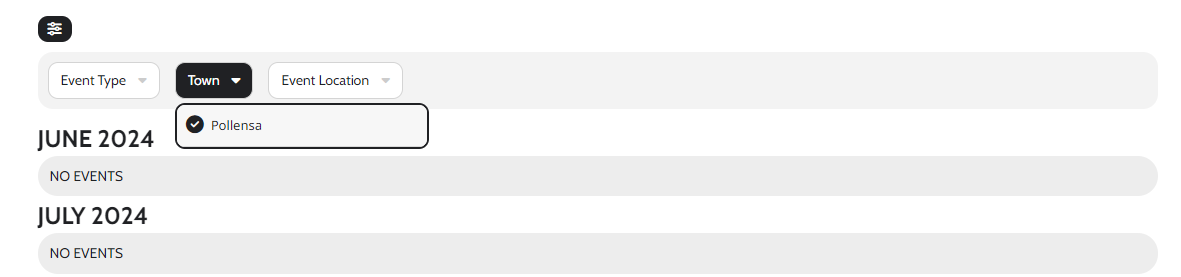
I’ve been playing around with it but how do i remove the event location as a filter? I’d like to still show the event location when a user clicks on the event to see more information but I want to remove it from the filter and have a separate category as town which we will select when we add new events. Also, all the current events we have on the site aren’t showing anymore??
Hello,
We are glad your issue is resolved, if you have any further questions or concerns please feel free to create a new ticket.
Hi Roberto,
We are glad your issue is resolved, if you have any further questions or concerns please feel free to create a new ticket.
very good! thank you very much!
you can close this ticket.. 🙂
Have a nice day
Hello, thank you very much for the support. Now it works. I didn’t do anything to the original CSS, but overwrote too much in an external CSS.
Hi Yudi,
Please send us wp-admin access to your site as a private message for us to further assist your situation.
Hi Jake,
Thank you for your message, I am going to assign this ticket to Ashan and he will be able to take it from here. Please allow some time for him to get back to you, we greatly appreciate your patience and thank you for being an eventon customer!
I would prefer it to be calendar box left side and drill down from the right. Possible?
It looks good as is on the mobile but I would like to try changing to the tiled side view calendar on the desktop.
Can?
BTW it still takes a long time to open the bali events page
Sure, you can use this plugin, thank you!