Hello,
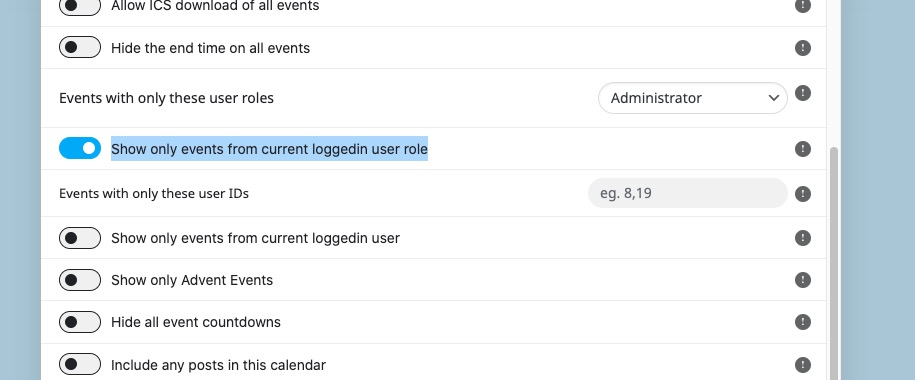
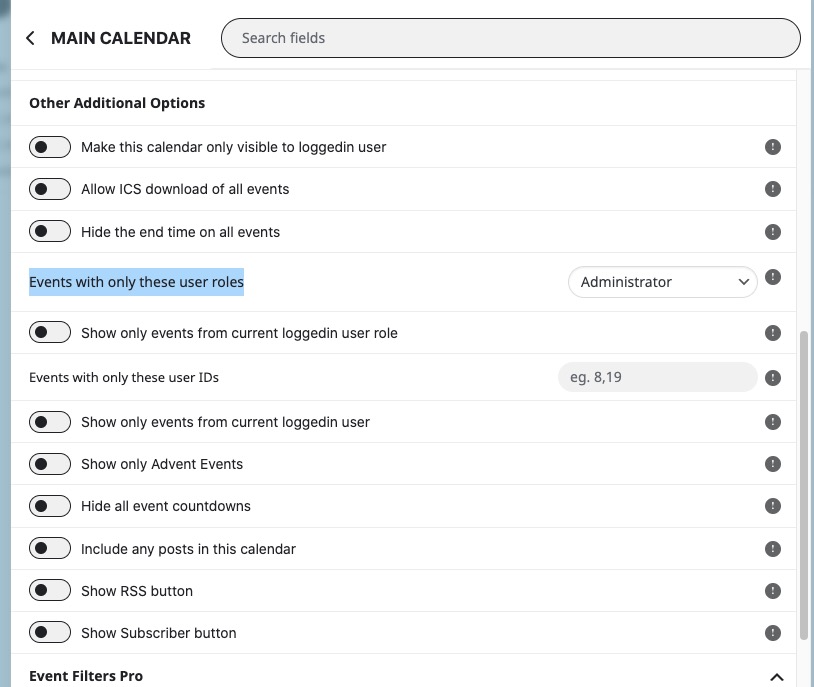
With Action User Plus you can use “Events with only these user roles“:
https://www.myeventon.com/addons/action-user-plus/
 Or “Show only events from current loggedin user role”: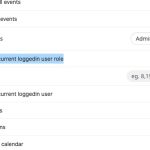
This way you can show users (members and guests) different events.
Try on https://dev.myeventon.com/wp-admin/
Hello,
We are glad your issue is resolved, if you have any further questions or concerns please feel free to create a new ticket.
Hi,
thank you for your help. Actually i create this shortcode:
[add_eventon_list tiles=”yes” tile_bg=”1″ tile_style=”1″ hide_arrows=”yes” event_past_future=”future” hide_so=”yes” show_et_ft_img=”yes” hide_empty_months=”yes” number_of_months=”12″]
It’s 99% okay but if it’s possible have on desktop the box in the same row instead a line for each month will be 110% ok for me.. 😉
Let me know if is it possible
thank you
best regards
Please add this CSS code to EventON > Styles (If you don’t see any change, EventON > Scripts & Styling > turn off Write dynamic styles to header > save settings > turn on Write dynamic styles to header):
.evcal_evdata_row .evcal_evdata_icons i, .evcal_evdata_row .evcal_evdata_custometa_icons i, .eventon_list_event .fa, .evo_lightbox .fa { font-size: 12px; }
…the date block in lightbox is above the time and not next to it…
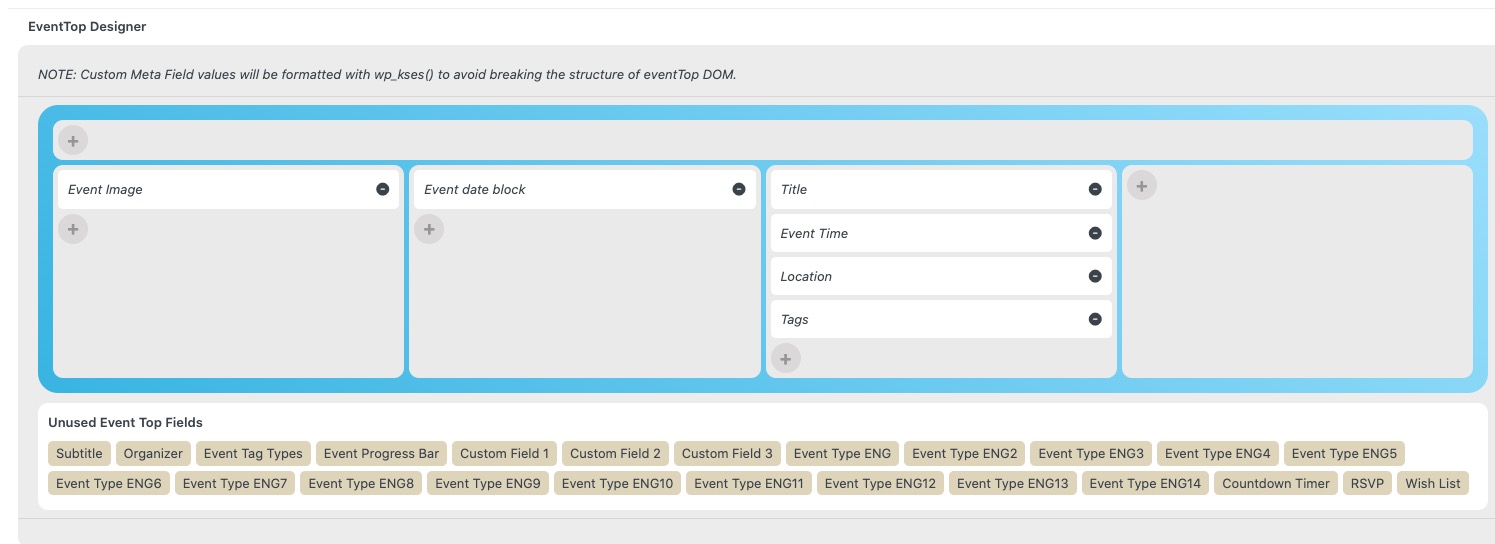
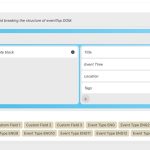
Please arrange EventTop like this:
Hello,
we are going to update all add-ons.
The issue is not that we cannot enable the waitlist. The problem was that once the waitlist was activated (the activation of the plugin) it was not possible to RSVP although there were places available in the repeat event.
So all users were forced to signup for wait list with no need.
Thanks
Hello Ashan,
thank you very much for your support. I really appreciate taht.
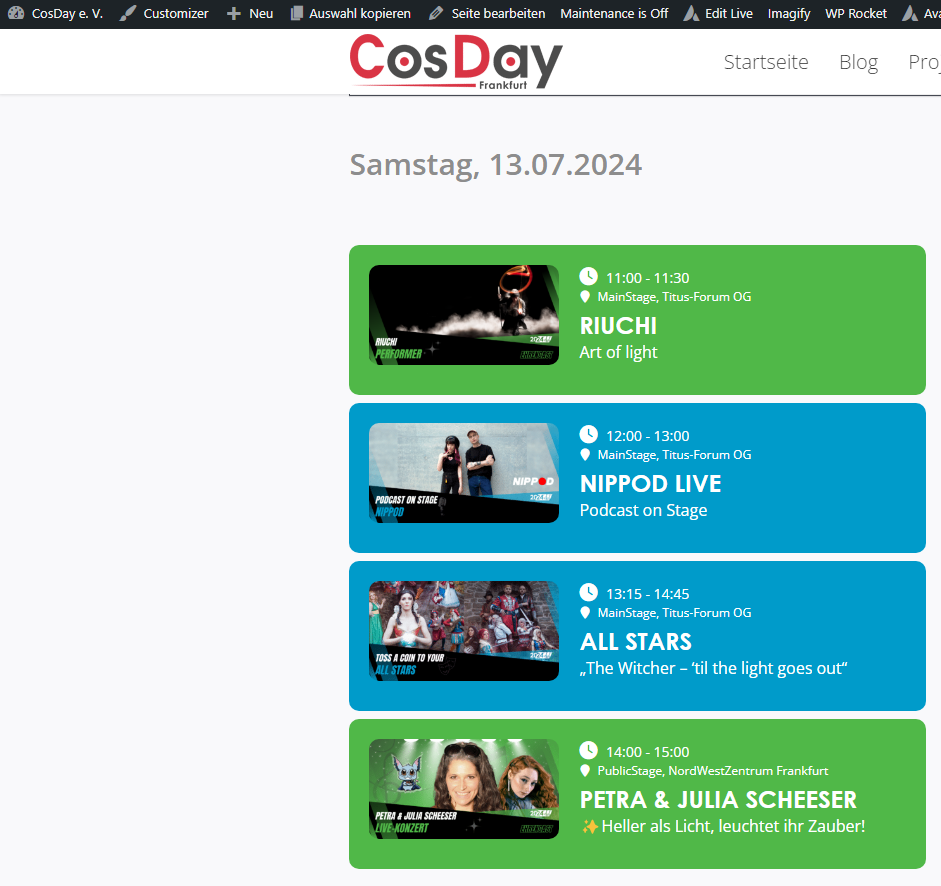
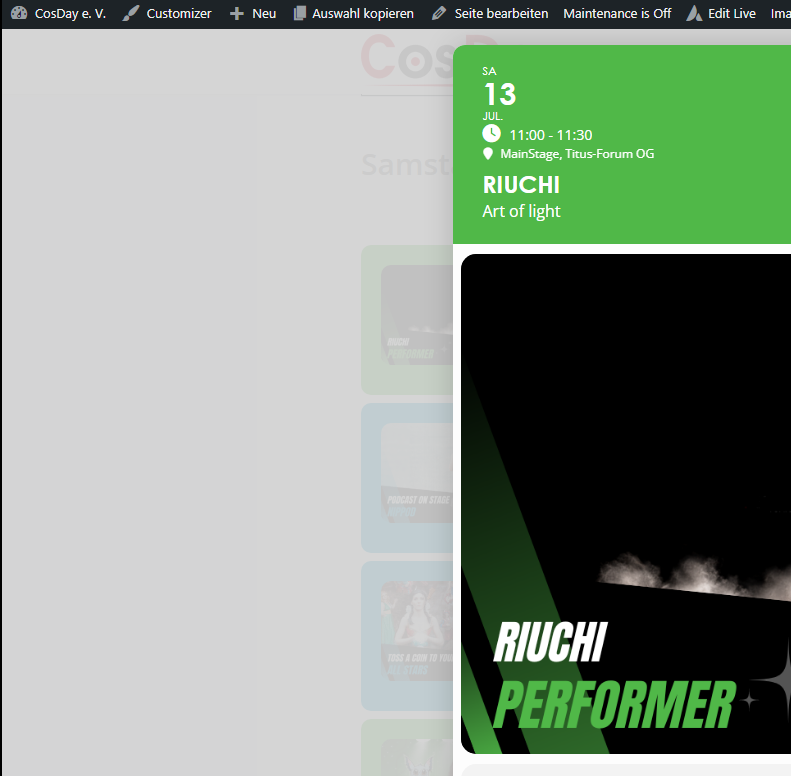
I updated both plugins and basically, it seems to work. Event date block is hidden on list but visible in But I have still some styling issues, but I think I can fix this with custom styling.
The clock icon is a little bit too big and the date block in lightbox is above the time and not next to it. See screenshots.
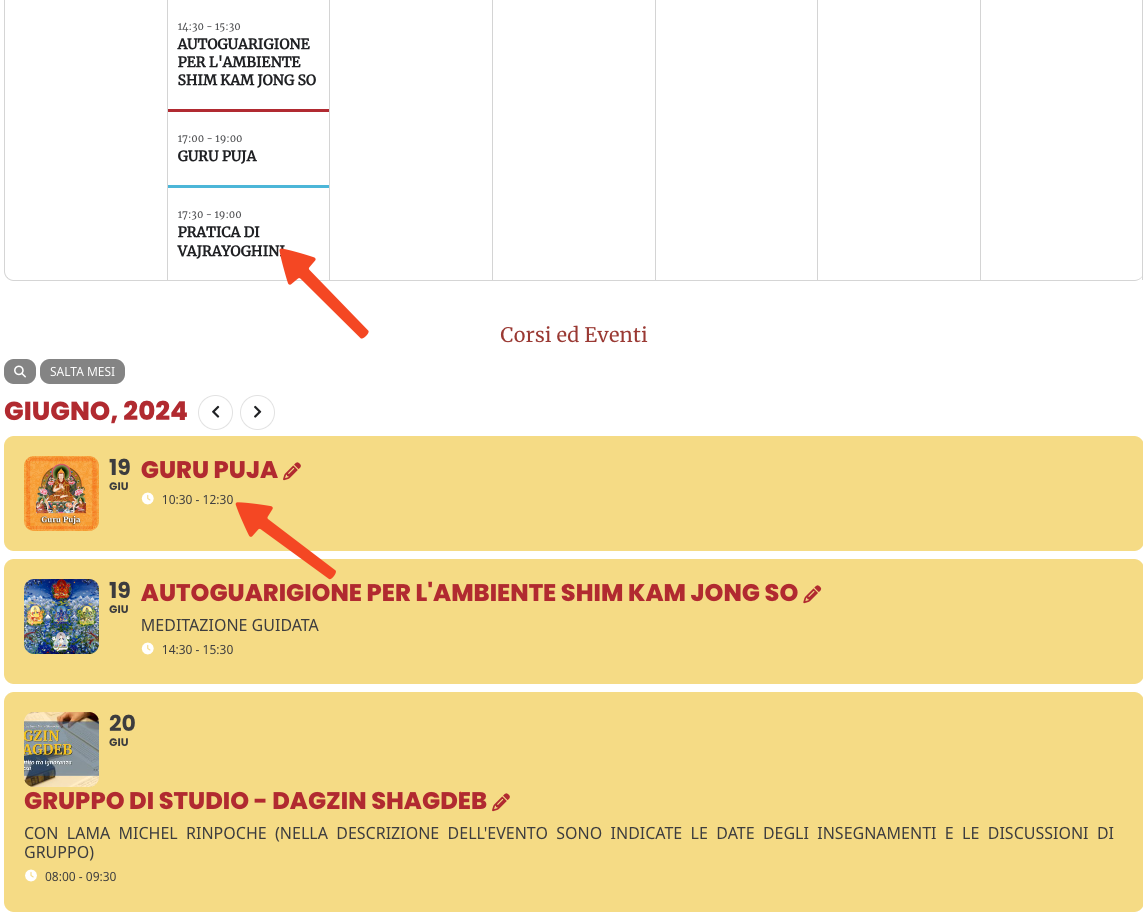
I need it on preview on calendar. I attached the example.
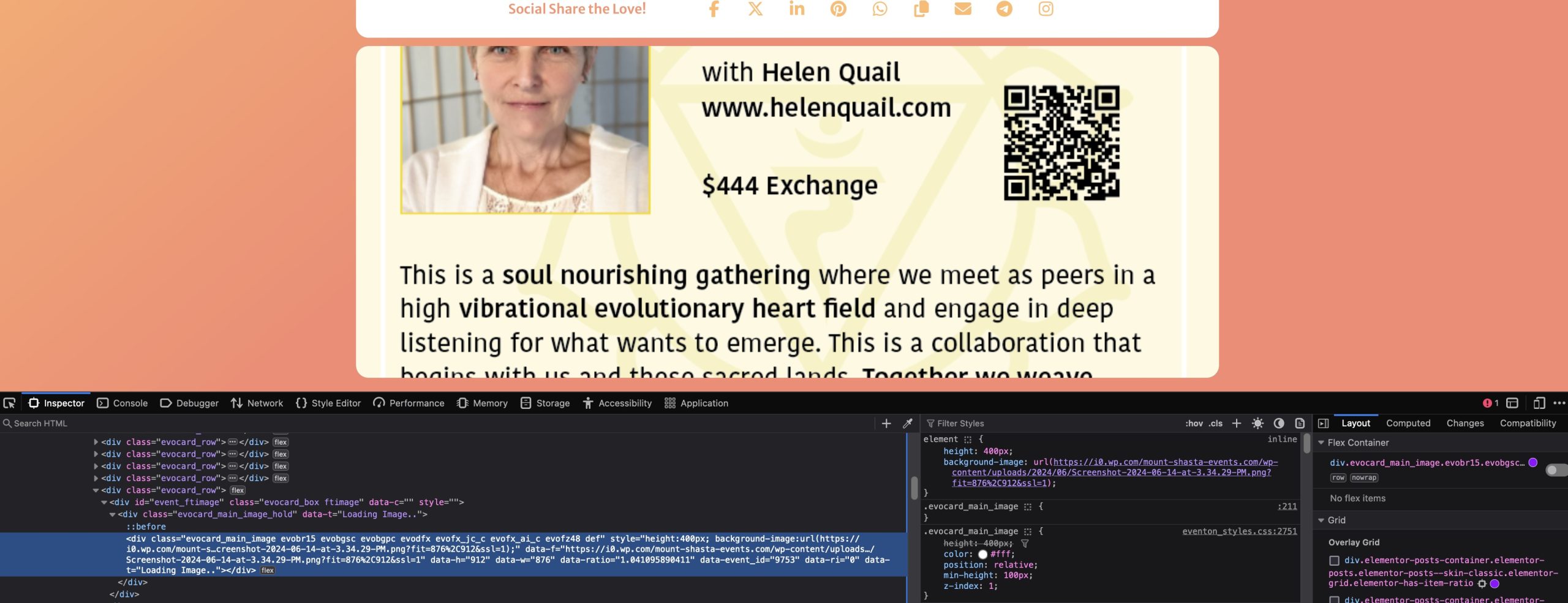
The code is set to an image height of 400px. It is hard coded into the element. If I don’t adjust the CSS all the images are 400px in height. If I do set a height !important, then some of the images display ok however they are not responsive in mobile.
Please … inspect your code and advise. I have attached a screenprint of your code and the CSS. I have no CSS set for this image at this time.
Hello,
I don’t understand how Variations works. How exactly does the connection to WooCommerce work?
Regards
Wolfram
 Or “Show only events from current loggedin user role”: