Please send us wp-admin access to your site as a private message for us to further assist your situation.
Archives: Replies
Replies for tickets on suppota
Reply to: tickets(356179)
Please send us wp-admin access to your site as a private message for us to further assist your situation.
Reply to: tickets(357256)
Hello,
Please add this CSS code to EventON > Styles (If you don’t see any change, EventON > Scripts & Styling > turn off Write dynamic styles to header > save settings > turn on Write dynamic styles to header):
em.evo_endday { display: none !important; }
Reply to: tickets(356179)
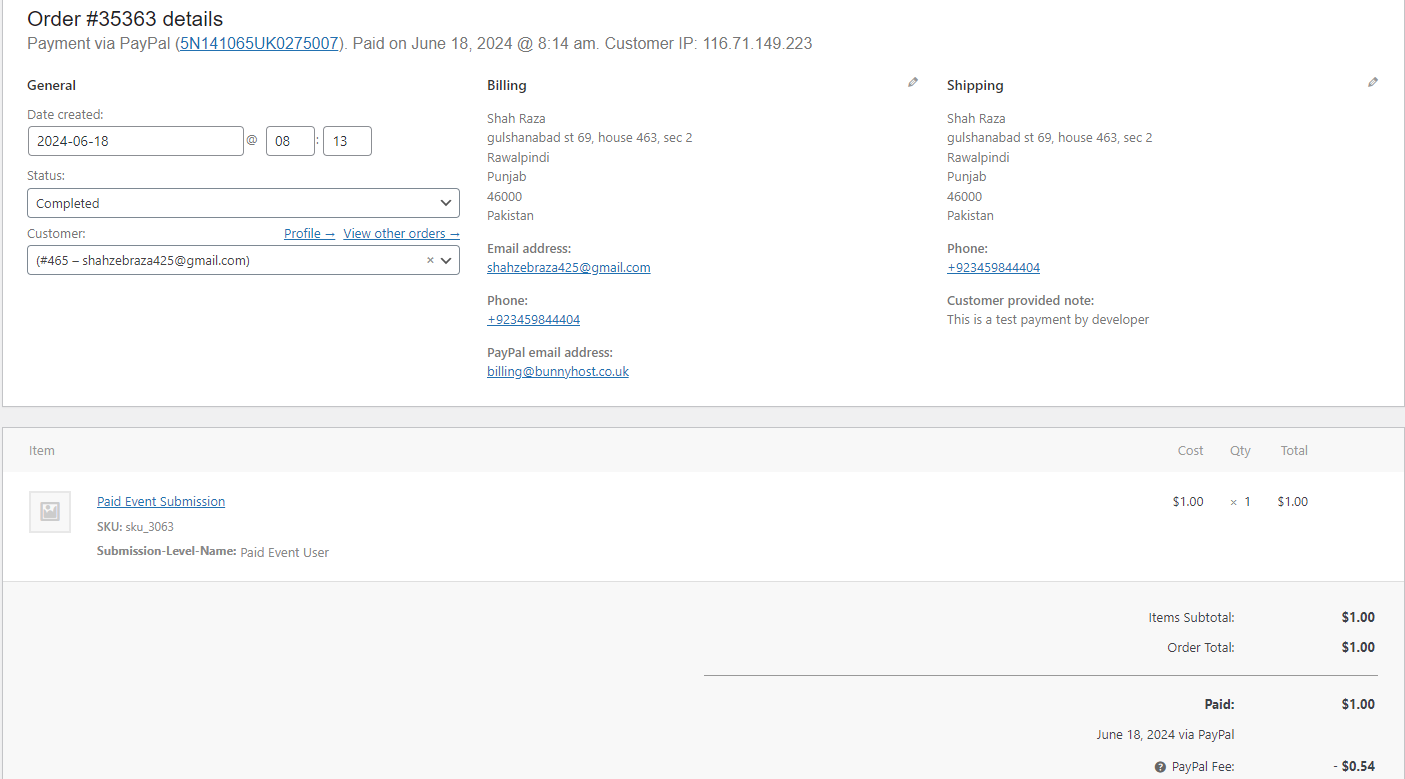
Hi, we have completed the following steps to configure the action user.
we have a level for paid user.
Also, I have set up user capabilities from the dashboard. all new subscriber are allowed to submit event.
But when i tested from new user subscriber. I made the transaction for paid user event submission. the transection is 100% successful. and in admin side woocomerce i can see the order.
I made the order status to completed. but still user is not able to submit event from front-end from. the front-end from still show you
You do not have any paid submissions left
Purchase event submissions using the below section. After purchased, please revisit this page to submit your purchased events.
I purchased 2 time and each time i mark the order status to completed, many hours passed but the user is still not able to access the submission form.
here is URL https://swvadiversechamberofcommerce.org/add-your-event/
Reply to: tickets(356180)
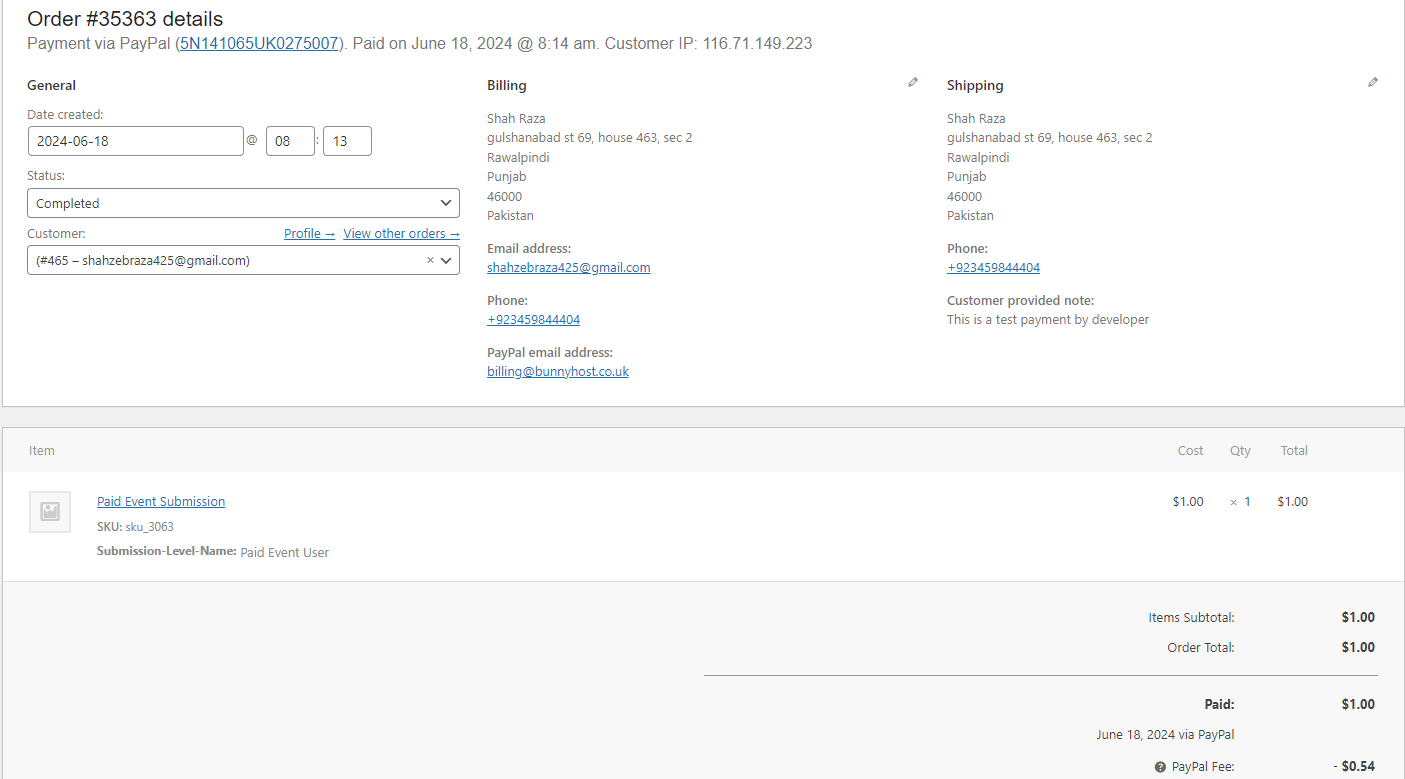
Hi, we have completed the following steps to configure the action user.
we have a level for paid user.
Also, I have set up user capabilities from the dashboard. all new subscriber are allowed to submit event.
But when i tested from new user subscriber. I made the transaction for paid user event submission. the transection is 100% successful. and in admin side woocomerce i can see the order.
I made the order status to completed. but still user is not able to submit event from front-end from. the front-end from still show you
You do not have any paid submissions left
Purchase event submissions using the below section. After purchased, please revisit this page to submit your purchased events.
I purchased 2 time and each time i mark the order status to completed, many hours passed but the user is still not able to access the submission form.
here is URL https://swvadiversechamberofcommerce.org/add-your-event/
Reply to: tickets(356698)
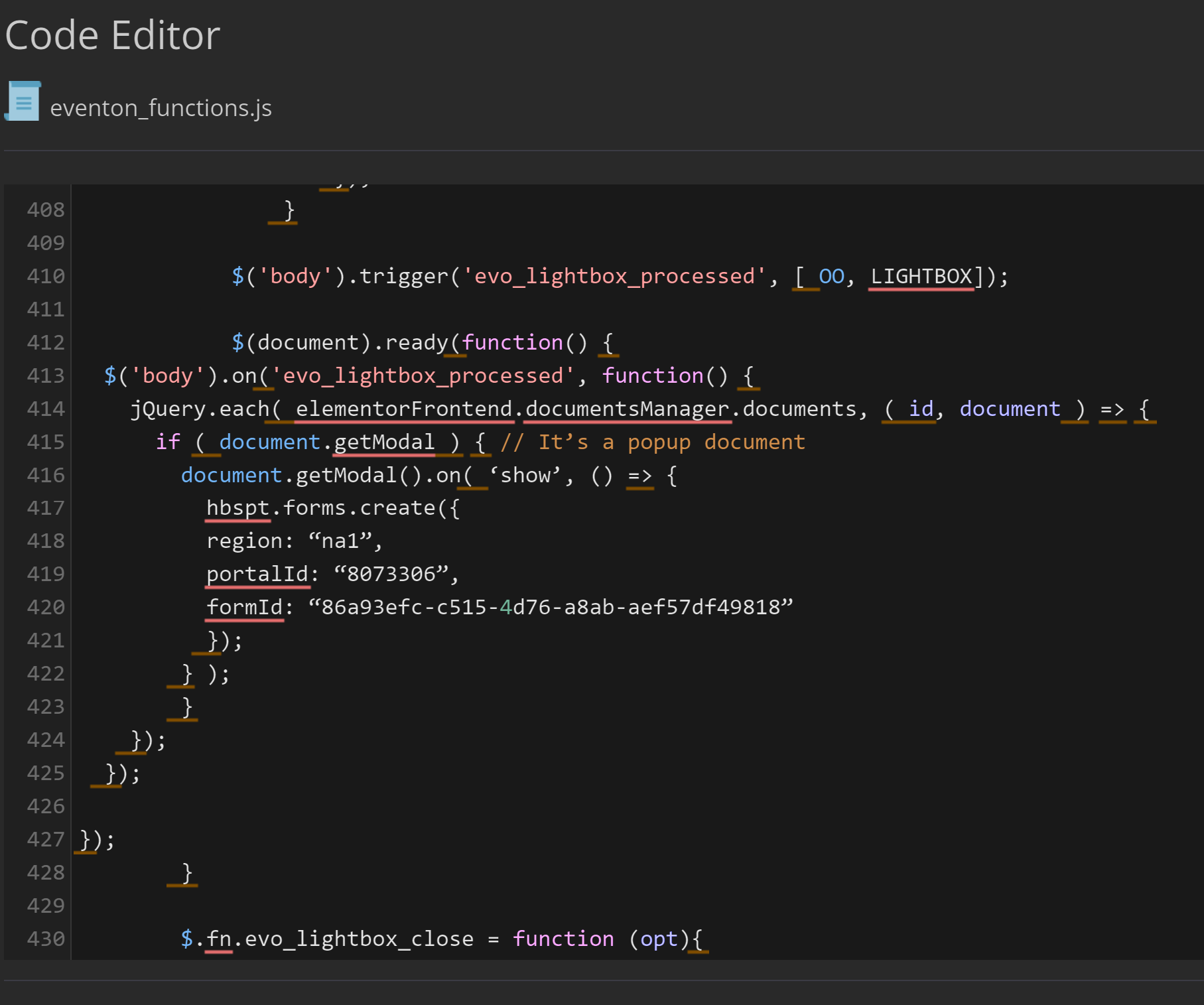
However, I added this code, but now it no longer loads the plugin in the frontend
test: https://corsi.ideandum.com/test-eventi/
Reply to: tickets(357247)

Its not our own selceted Picture. To get comarison – check other Tickets.
Reply to: tickets(356698)
But will it always use the same javascript for each pop-up?
Because for each event the hubspot form will be different, so the string: formId: “86a93efc-c515-4d76-a8ab-aef57df49818” will change for each event
Reply to: tickets(357012)
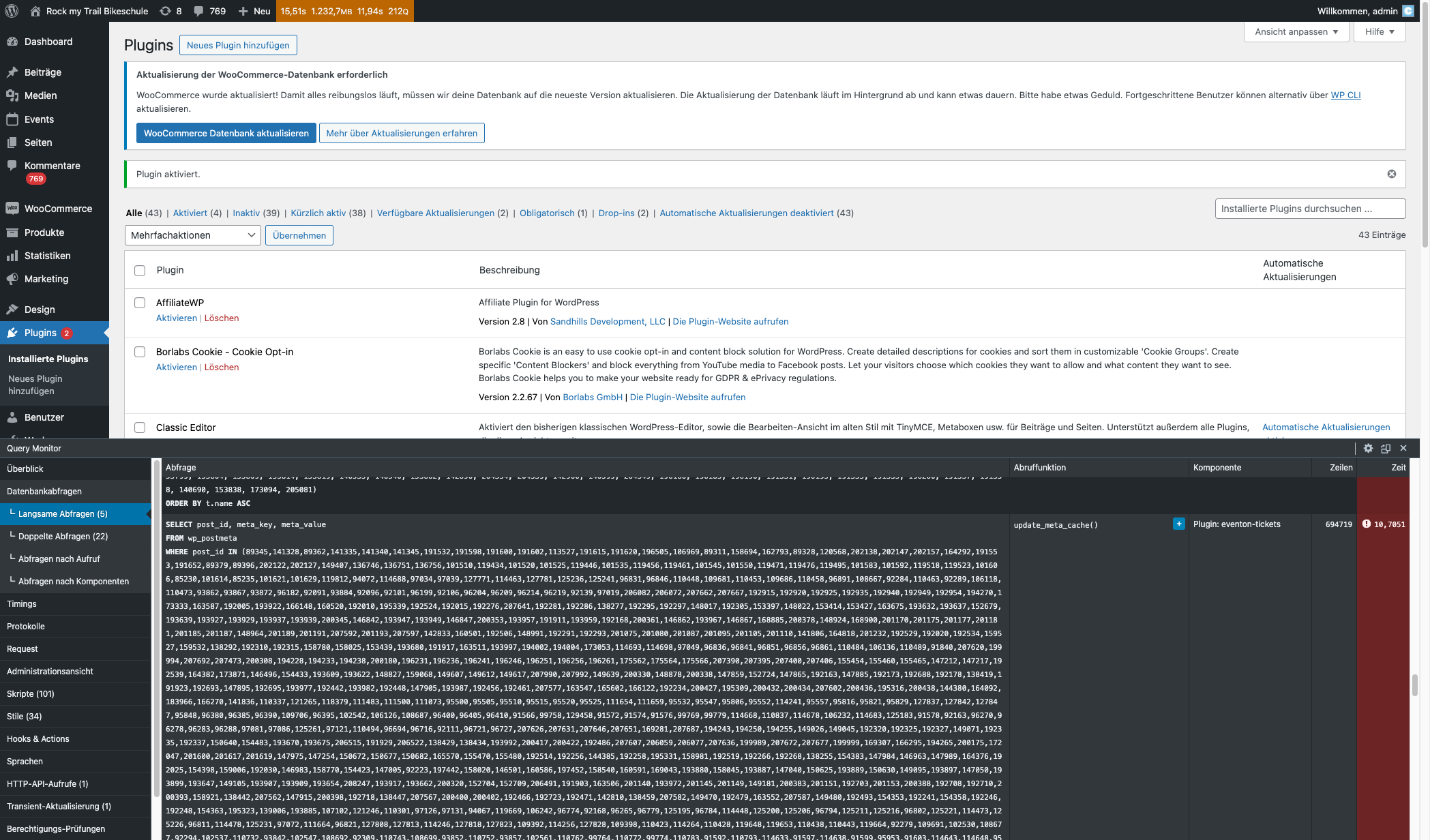
I switched to the default theme and deactivated almost every plugin. The problem is a combination of WooCommerce, EventOn and EventOn Tickets. If I deactivate WooCommerce or EventOn the Tickets plugin won’t do the slow query.
Reply to: tickets(356832)
Hi Ashan,
My apologies! I didn’t spot that pesky ‘s’ on the end. Clearly I didn’t review your image closely enough. Sorry! I’ve changed that as you’ve suggested and can confirm it’s now working as expected! Lovely. Thanks for your help.
Can I confirm this typo will be corrected on a future release, as I presume this change will be removed in the future if we updated the plugin?
Many thanks
James