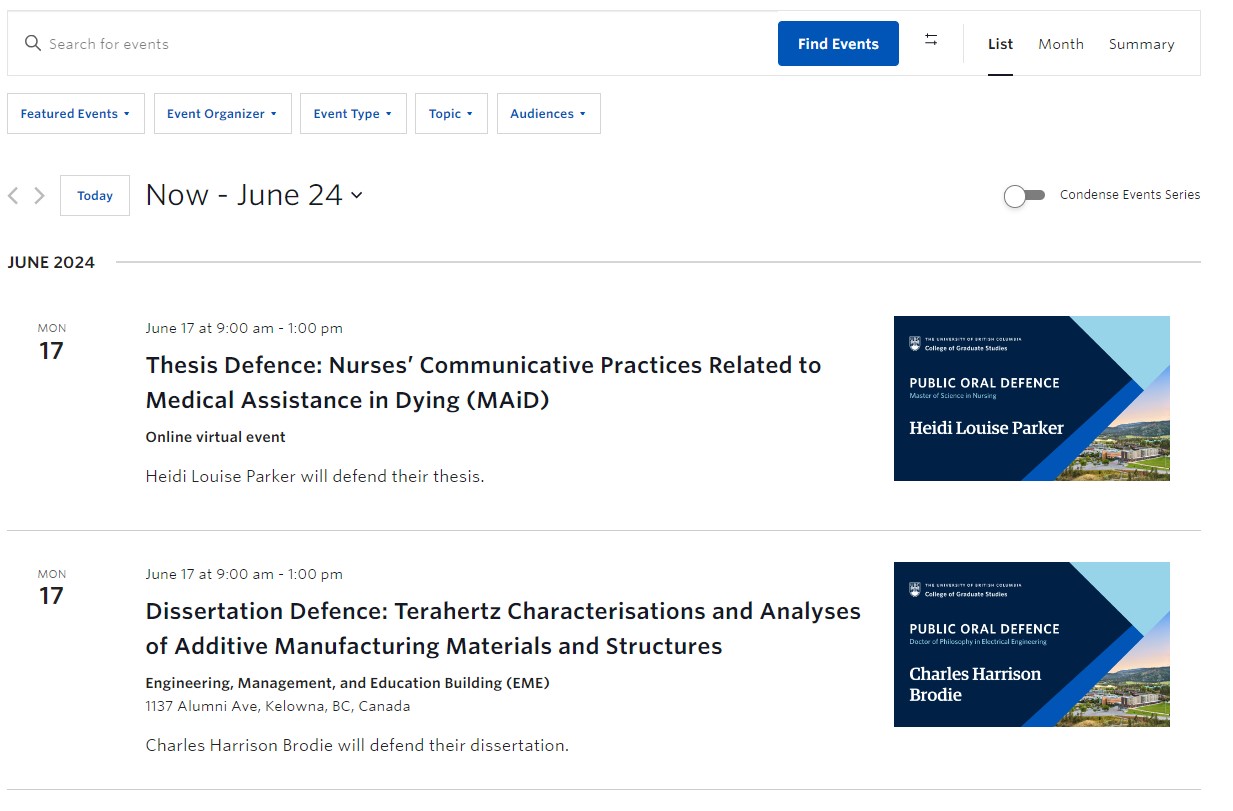
How do I get the event listing to display like this – see attached image-
Replies for tickets on suppota
How do I get the event listing to display like this – see attached image-
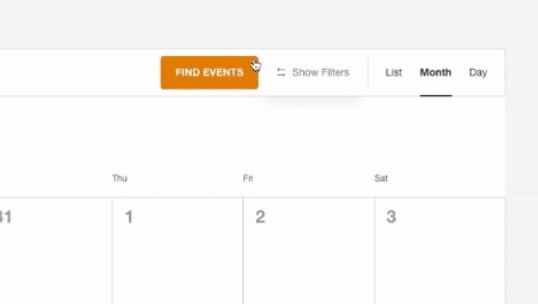
How do I add the Event List, Month to the right side to look like the attached?
I created a new Event List Page. I don’t want a button, I would like to look like this.
thank you
Hi,
It didn’t change the font size.
These licenses are hers. I don’t want her to have to contact me in order to download the last version she paid for. Please transfer the licenses to her account.
Thanks, now it’s working.
This is not ideal:
The title says “date” and it shows date and time.
Not happy with this code change since the update, since it has always worked like this and only showed the date here.
Thanks anyway… maybe you can forward this topic?
on the staging site I have deactivated rocket and installed an alternative cache to test it out
also create a new page with a tab layout which sort of hides the full cal slow loading (unless you click on that tab straight away)
https://staging.thebeatbali.com/eventon-testing-2/
the pop up events show the event image much sooner than the single event pages- I am not sure why
I am sorry for the delay in response- My own website was experienceing some issues I needed to sort out
RSVP 2.9.13 is ready and available. Please try updating.
To update eventon addons: You can download latest eventon addons from myeventon > my account. Then you can go to your website, deactivate old addon and install new one and activate then delete the old addon. This link will further explain the process. Also you can follow us on twitter to get real-time announcements on updates!
We are sorry for the delay. Ashan will check this ASAP.
Which fields are you referring to?
Could you tell us more about how do you allow your customers to choose in which language they can see your website?