Hello,
I have deactivate the licence but i can’t activate it on my website … I have only one licence.
When I try to activate on my EventOn setting wordpress dashboard i have this message : “Could not reach remote server still, however your license is still activated locally and you can continue to use the addon.”
Ashan,
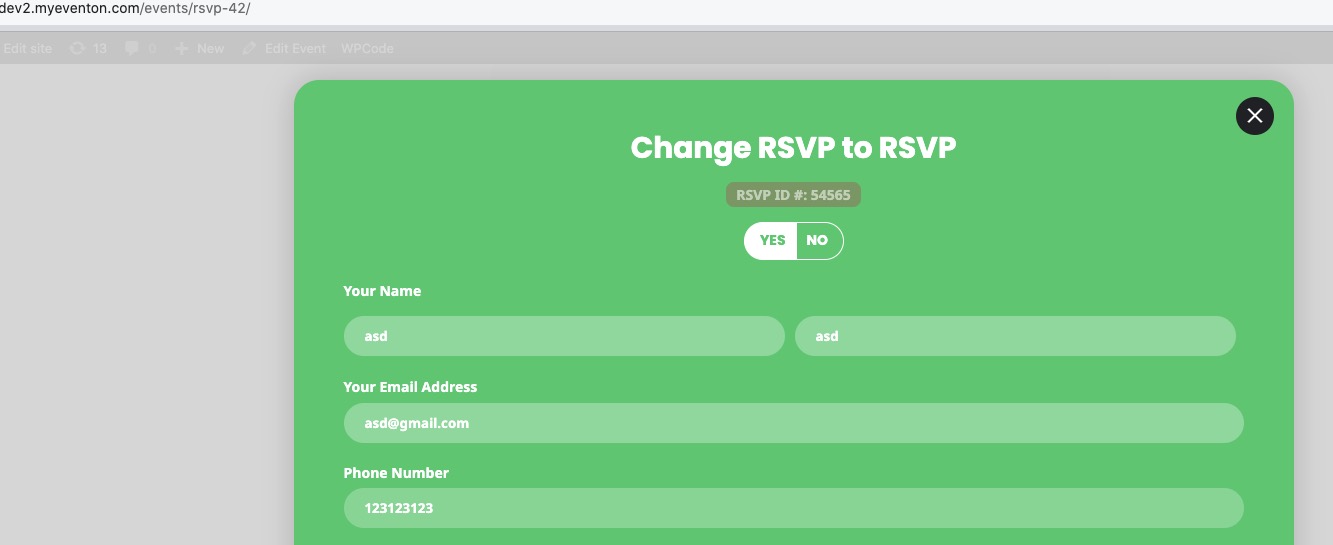
The same on dev2:
https://dev2.myeventon.com/events/rsvp-42/
After you RSVPed you need to refresh the page to see

Because otherwise it shows “FIND MY RSVP” form, even so you are logged-in and RSVPed.
Hello,
Thank you for your messages, I am going to assign this ticket to Ashan and he will be able to take it from here and find you a solution. Please allow some time for him to get back to you, we greatly appreciate your patience and thank you for being a eventon customer!
Hello,
Please take a look at Method #2:
https://docs.myeventon.com/documentations/how-to-deactivate-eventon-addon-licenses/
Here you can deactivate licenses.
ok, that worked!
But when I hover over a day with events it should also get that color #ff1c02
How to do that?
Thank you!
see video below on how to set up
Yes, it is already updated to the latest versions.
I deactivated it and reactivated it on the site It was supposed to be on.
But still, I don’t know where I can download the updated plugin
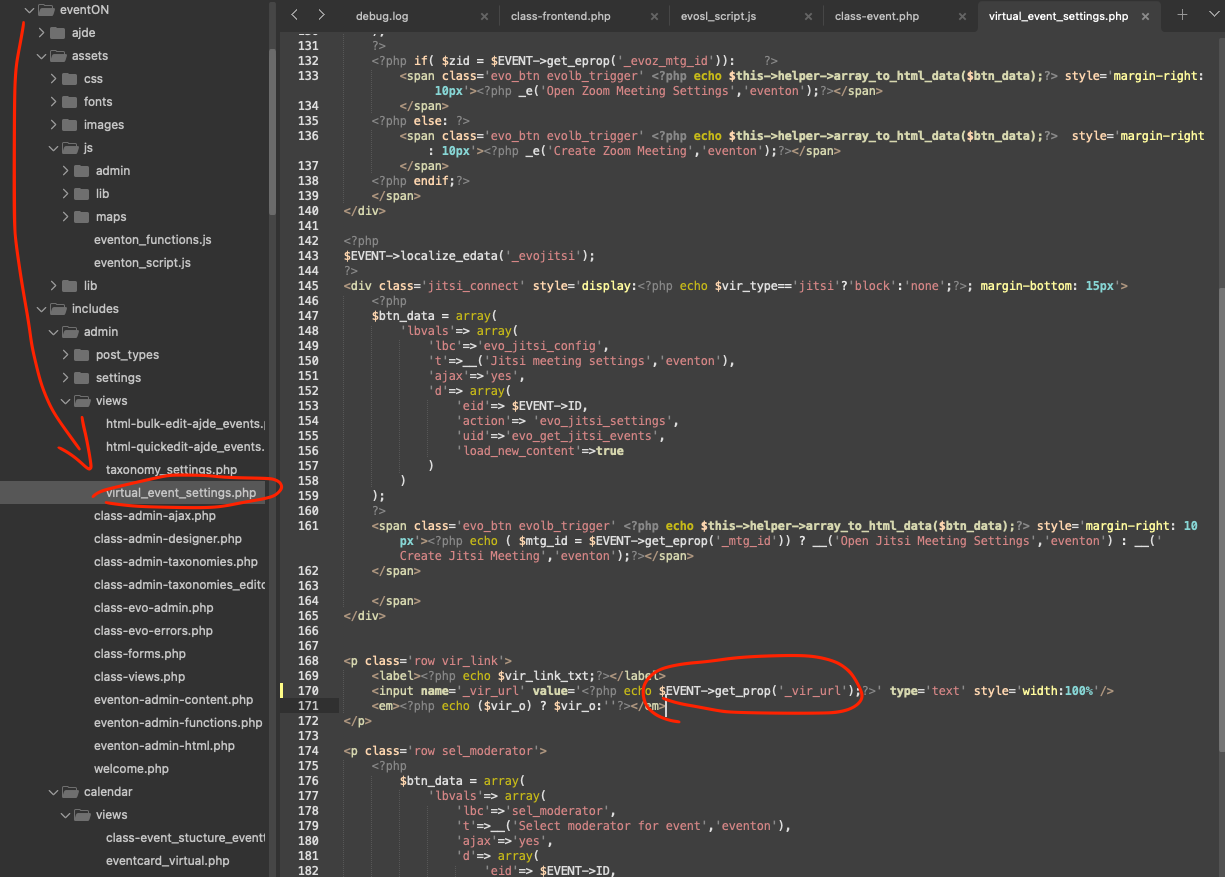
Thank you, I think this still needs to be checked, because if that option is not checked, it’s pulling the event URL when you try to update virtual settings and that would overwrite the URL that was previously added to the event.
Thank for letting us know of this issue. please apply this code change and that should show the correct event URL in the settings.
CODE: $EVENT->get_prop(‘_vir_url’);
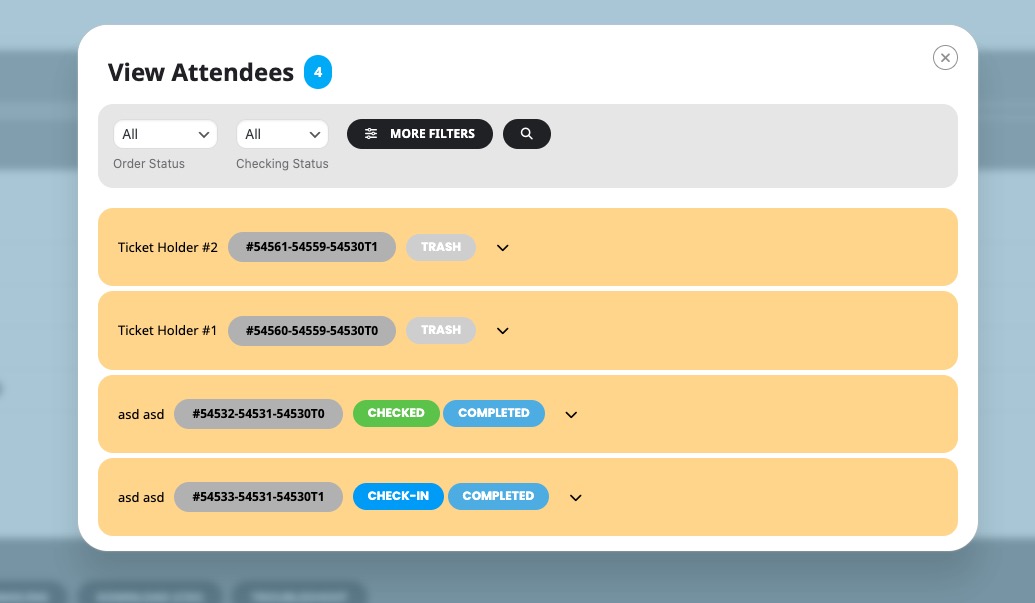
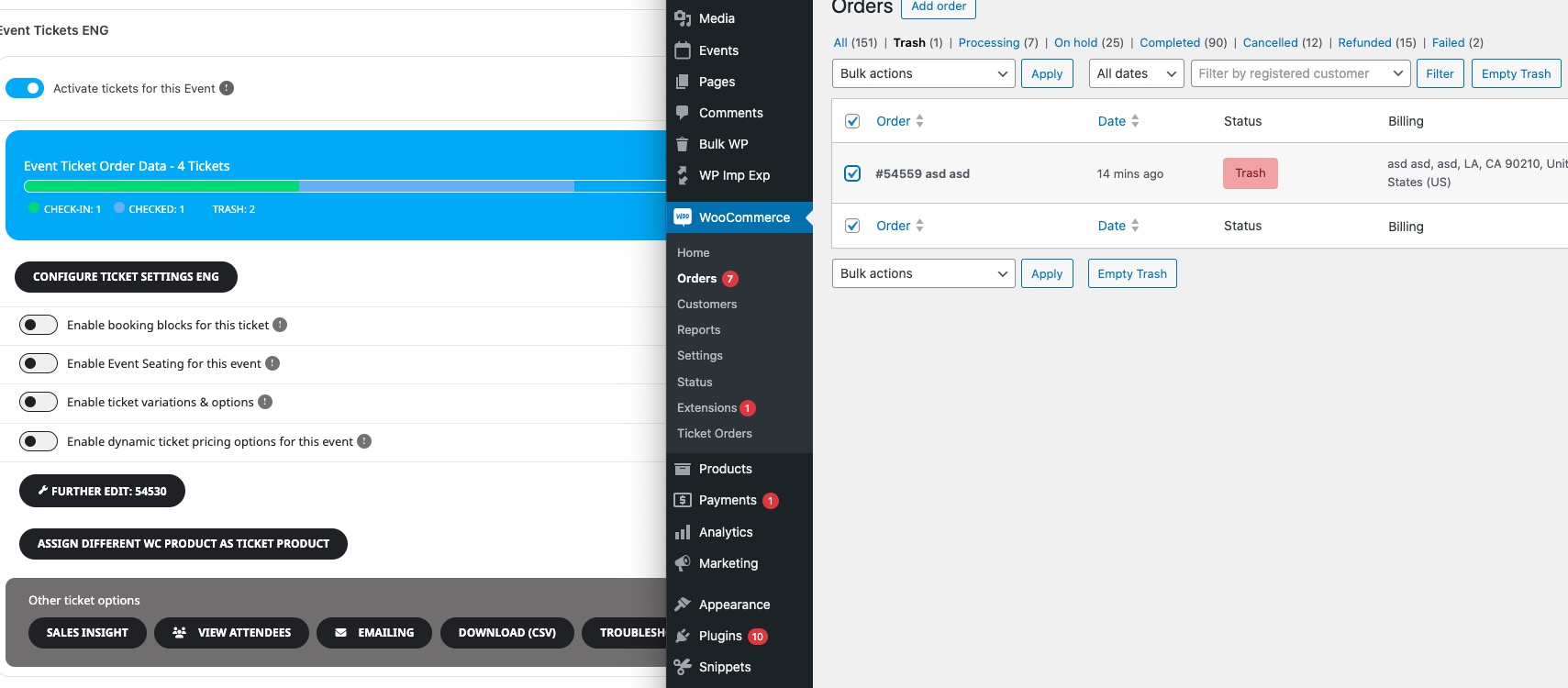
One more thing I want to report is that tickets are not deleted when the order was deleted and it’s causing some errors, the event attendees does not load because of that error. There’s a function that pulls the order but since the order was deleted, it’s causing a fatal error.
What is your version of Tickets add-on? Seems to be working on our test site:
Also, a feature request
It’s been already added:
We are glad your issue is resolved, if you have any further questions or concerns please create a new ticket. If you have a moment, we would greatly appreciate if you could kindly leave us a review at Codecanyon. By going to your account > Downloads. We are very grateful for your kind review!