As a temporary measure please switch the ux_val=’3′ because the WC variations script is only run if the page has “evotx_show_variations” DOM element. I think the reason we restricted it is because it was causing conflict with other plugins.
Until we find a better solution please resort to shortcode change and if we could find a solution it will be in the next version update to tickets addon.
Going to mark this as resolved for now.
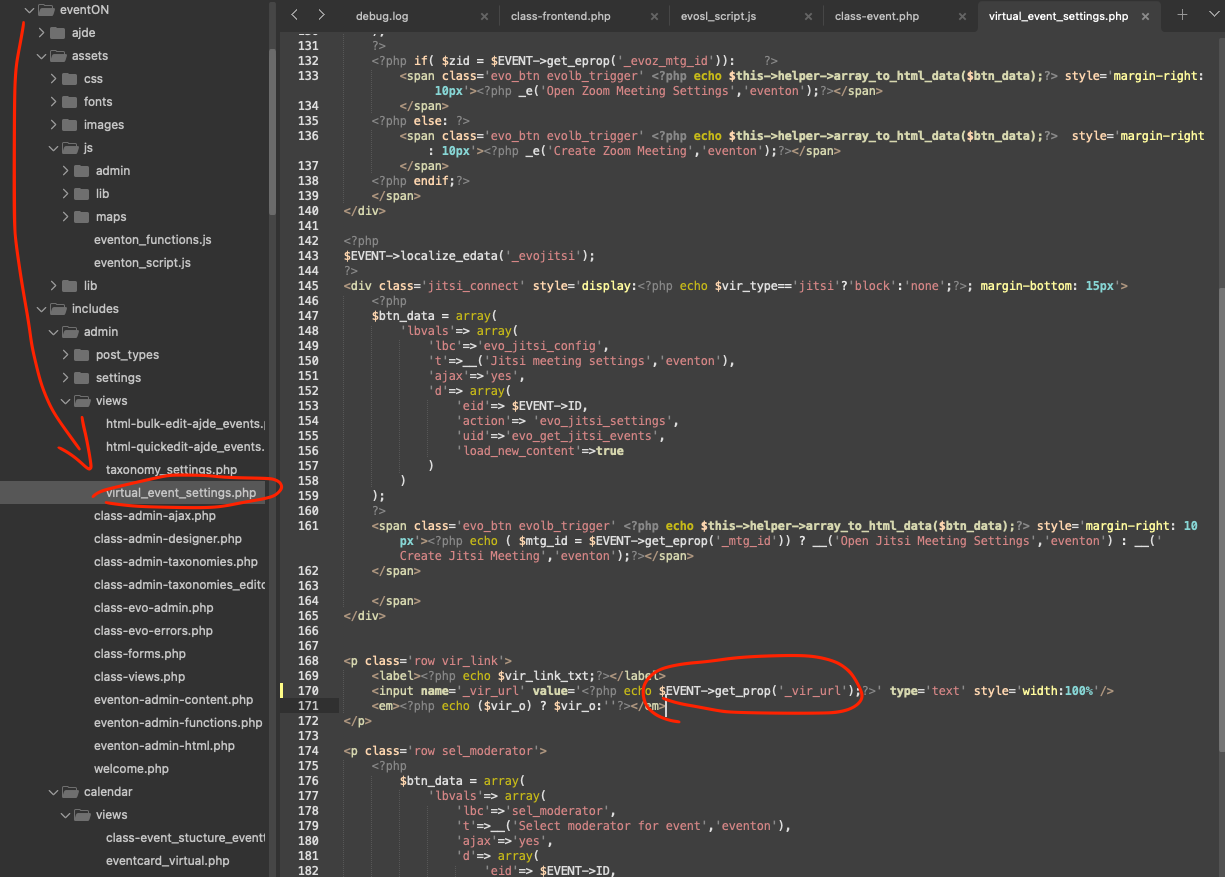
Thank for letting us know of this issue. please apply this code change and that should show the correct event URL in the settings.
CODE: $EVENT->get_prop(‘_vir_url’);
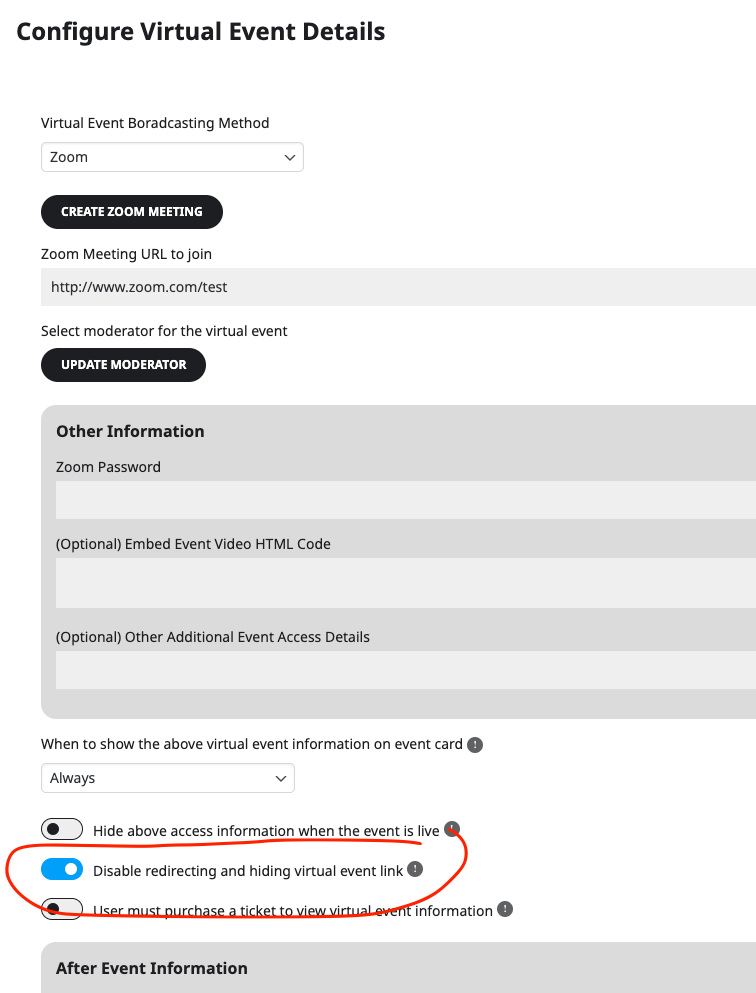
The code is correct, you need to go into event edit and then “Configure virtual event details” and then select to disable redircting the link.
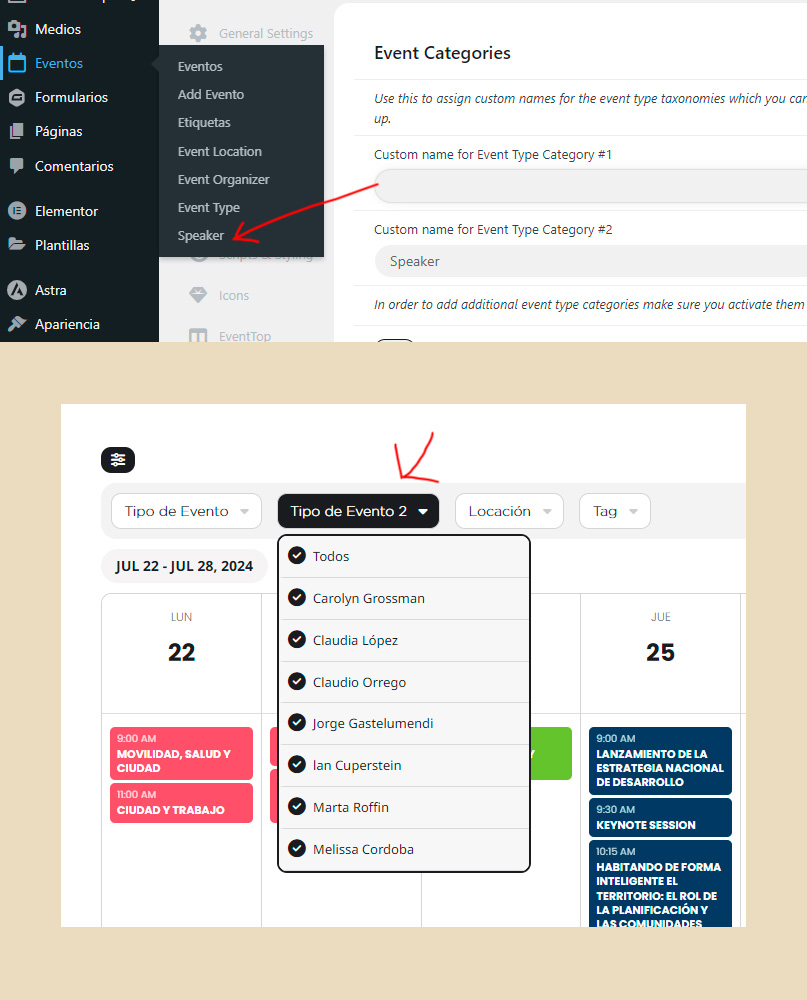
Thanks, but it only modified the name on the admin Events > Submenu, not on the frontend filter, is there a way to do this? I clear cache from server and browser.
Thanks
Is there a tutorial. I can dowload please.
Kindly update to the latest version of QR Addon version 2.0.3 and that should resolve check-in issue.
https://docs.myeventon.com/documentations/changelog-qrcode/
sorry I just realize that now the actual date with no event has also the color #ff1c02
This should stay how it was before #FBFBFB with red line above.
Hi Ashan, ok thanks for the response. I’ll contact them and see what they say.
Hello, great, that worked!
But when I hover over a day with events it should also get that color #ff1c02
How to do that?
Thank you!