Please update to latest version of tickets addon, the emailing information should appear under order details.
Archives: Replies
Replies for tickets on suppota
Reply to: tickets(355639)
Hi Dave
Thank you so much for the really helpful video!
The main issue is the /events page. In short, I want my Events listing page to be at /events but the plugin seems to have created /event-directory The calendar displays correctly on that page, but at /events the header menu is corrupted and I can’t edit the page.
It seems there’s some kind of weird conflict with this plugin – and this is referenced at this previous Helpdesk post but the answer is not publicly shown: https://helpdesk.ashanjay.com/ticket/eventon-possible-conflict-with-elementor-plugin/
One of the answers says: “More info: If the /events page does not work due to theme/plugin conflicts, create a new page, call it “Events Directory” Insert eventon shortcode and use that as your main events page which will have a URL ending like /events-directory. This would be a perfect solution if you have conflicts with /events slug.”
However, this is not a satisfactory answer for me as I want the page to be at /events
Even if I accepted a different page (/event-directory) I can’t disable the /events page and the display is incorrect here, so people may still end up on this broken page.
Please help!
Reply to: tickets(355697)
Hello,
You are welcome, if you have any further questions or concerns please feel free to create a new ticket.
Reply to: tickets(355740)
Hi Tom,
We are glad your issue was resolved, if you have any further questions or concerns please feel free to create a new ticket.
Reply to: tickets(348021)
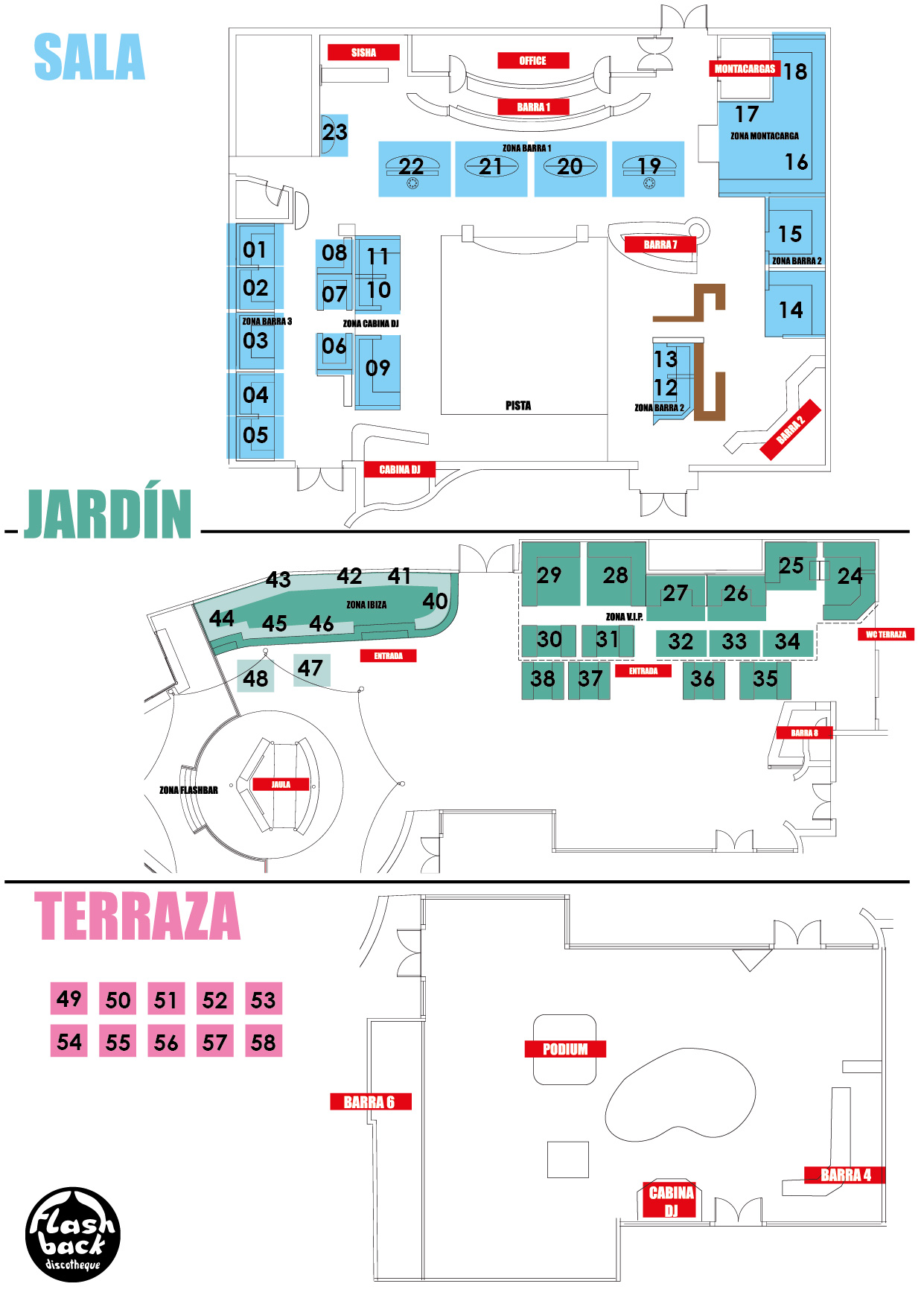
Ok Ashan, many thanks for the update. I'll check carefully and come back to you if find any issue.
On the other hand, do you see your "SEATS" plugin as viable for selling reserved seats in a club that has this table map? (attached)
Thank you so much in advance for your help,
David
Reply to: tickets(355740)
Working. Thank you.
Reply to: tickets(355740)
It’s now working for me. I am checking with my client to see if it is also resolved on their end.
Reply to: tickets(355642)
Ups wrong language … tome to g at home .. )
Hi Artem
Nice to read you again. Many thanks for your quick reply.
Unfortunately it didn’t work with this tutorial either (played through several times) or I’m too stupid for it :o)
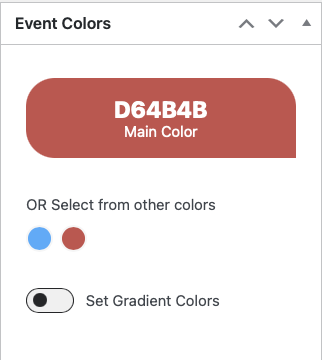
I really only want to change the two main event colours. Of course I can also adjust this manually for each event, but that’s not the idea. And the customer simply doesn’t want this small border to be red but in this dark sulphur yellow colour.
Do you have any other ideas? Should I create an admin account for you?
Many thanks and have a relaxing evening
Roger
Translated with www.DeepL.com/Translator (free version)
Reply to: tickets(355642)
Hi Artem
Schön, dich wieder einmal zu lesen. Vielen Dank für deine rasche Antwort.
Leider hat es auch mit diesem Tutorial nicht geklappt (mehrmals durchgespielt) oder ich bin zu dumm dafür :o)
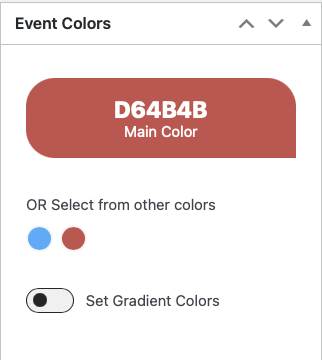
Ich möchte ja auch wirklich nur die beiden Event Hauptfarben ändern. Klar kann ich das auch bei jedem Event von Hand anpassen doch das kann ja nicht die Idee. Und der Kunde möchte diesen kleinen Rand einfach nicht rot sondern in diesem dunklen Schwefelgelb.
Hast du noch eine Idee? Soll ich dir mal einen AdminAccount erstellen?
Vielen Dank und einen entspannten Abend
Roger
Reply to: tickets(355400)
We’ve upgrated the php memory to 2GB and we’re still having issues with speed of loading.
Is there a way to avoid the full load of all events? (ajax or pagination mode)
As of right now we have 28 events. By the end of the year we’ll have around 150 events and it’s mandatory for this page to load as quickly as possible.
Thanks