Here’s a one-time link with login https://1ty.me/cpkx2MR0
Basically, we’re not seeing the events on the feed and we can’t update the plugin. Any suggestions would be helpful. Thank you!
Replies for tickets on suppota
Here’s a one-time link with login https://1ty.me/cpkx2MR0
Basically, we’re not seeing the events on the feed and we can’t update the plugin. Any suggestions would be helpful. Thank you!
Hello, make update and some tests, and it looks that it works fine.
Time and amount of bought tickets.
One smaller fix it needs with Time.
We need Europe time format for Cart page, Checkout page, Thank you page and Email:
https://prnt.sc/6clRM5m2OM91
https://prnt.sc/Uryg1EryZnEC
This is perfect: https://prnt.sc/AWxv3W3xutBC
Thank you a lot.
Best regards.
Lukas
Can you send me an older version of eventon, like 4.5. I try that if that is working.
Could you please try the instructions mentioned in this documentation to make sure your issue is indeed coming from eventon.
I quickly turned off the cache and it was still minified (I turned the cache back on) something is going on which could be another plugin
also within siteground login- depending on your hosting plan they have additional caches running- if you could log into siteground and go to wesite>>>>your site and then speed in the left hand column then cache and clear all types ( I have 3 types of caches on my site) if you are using the siteground cdn and thats flushable do that as well
something is minifying the JS even when the cache plaugin is off
once we find out what it is then we can figure out how to prevent it from doing it to eventon (but leaving the rest of the site to be minified)
Here is a login for you:
https://discoverbuellton.com/wp-admin
user: eventon
pass: ^rjMNcalVFP5l(b12q&qcrSL
Thank you
Adding the two // doesn’t resolve the issue
in case you’ll need the cPanel login credentials, here there are
https://filarmonicatrt.it:2083/
user: filarmonicatrt
pass: L@MiusicaK3PiaceaiVekki
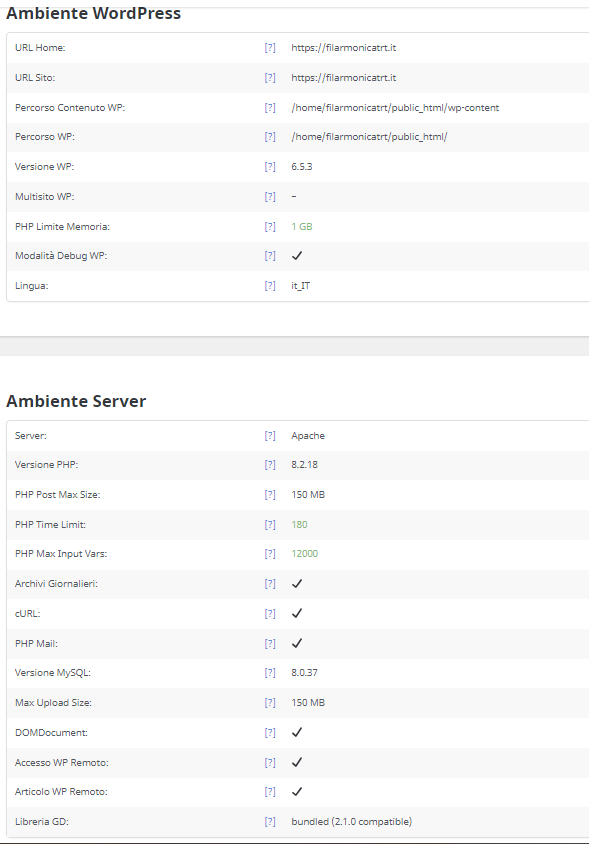
Here is the PHP log error
[31-May-2024 07:06:18 UTC] PHP Fatal error: Allowed memory size of 1073741824 bytes exhausted (tried to allocate 489185280 bytes) in /home/filarmonicatrt/public_html/wp-includes/functions.php on line 4492
What setting shall we change in order to fix this?
Our php memory limit is set to 1GB
Hello,
thanks for the answer.
The problem with the button for the current month cannot be solved by emptying the cashes. This is because the class of the button is not changed correctly. When the button is clicked, it changes from “cal_head_btn.evo-gototoday-btn” to “cal_head_btn.evo-gototoday-btn show vis” and then back to “cal_head_btn evo-gototoday-btn” when it is clicked a second time.
Of course you can use custom css:
.cal_head_btn.evo-gototoday-btn.show.vis {
visibility: hidden;
}
However, this creates the following problem:
If I select a different month, the button appears, I can click it and get to the current month. The button changes the class to “cal_head_btn.evo-gototoday-btn show vis” and is hidden. However, if I now select a different month again, the class remains the same and the button remains hidden. Now you have to click “jump month” again so that the class of the button is changed back to “cal_head_btn.evo-gototoday-btn” and the button is displayed again.
So the problem lies in changing the class when clicking the button.
I think the Past and Future Events Filter problem could be similar, but I haven’t analyzed it yet.
The update is ready. Please try updating.