Hi, ok so I understand with the second link you sent that the issue is how my new colleague has been adding the photos. She isn’t doing that anymore so I assume that we won’t see this issue with any new events.
The first link you sent, the issue isn’t that the images aren’t appearing, the issue is that none of the calendar is appearing when I use that device. There seem to be a number of issues with how the calendar is displaying for people.
I have two phones and on one it seems ok, but on the other it appears like that screenshot that I sent you (that you linked back to in your previous reply). My website loads fine in general, but the calendar doesn’t show up at all.
I’ve been contacted by several users of our site who have reported problems. Last night someone told me that they were able to see the current day’s events but nothing loaded at all for future days. Previously I was contacted by someone who said that they were only able to see the same events every day, that they never changed.
What would cause this? I usually have the calendar pages excluded from caching so that they are always updated, but I turned this off while following your instructions to clear the cache when checking things. I have just excluded the pages again but I don’t know if that will make any difference.
There is also the issue I mentioned in a previous message related to automatically deleting old events and how that is working in English but not in Spanish. Could all these things be connected? I really need the calendar to be working well, as it was before the updates.
Thank you
Ok I have refunded and now your fullCal license is only for single website.
Hello,
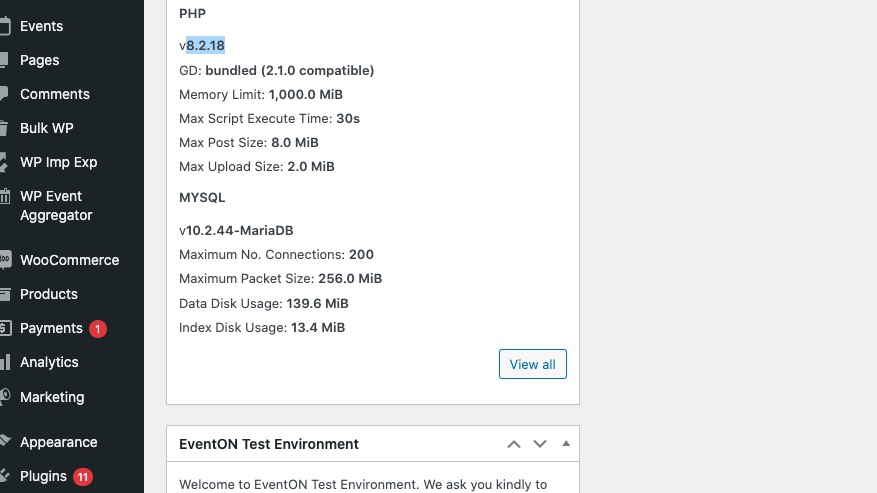
Our current test server has this PHP version:
We didn’t notice any issues related to the PHP version.
Hello,
There is “EventON > EventCard > Hide location other events button” option that hides the button.
Could you tell us more about “photo EventOn Map”?
Hello,
Could you try updating 4.6.4?
To update eventon to latest version: If you are unable to do autoupdate, you can go to codecanyon your account > download and get the latest eventon version as zip file. Then you can go to your website > make sure “Delete eventon settings & data when EventON is uninstalled” is Deslected from eventon settings, delete old eventon, install new one and activate. This link will further explain the process it. Also you can follow us on twitter to get real-time announcements on updates!
If the issue continues, please follow the instructions in this documentation to activate debug in your site to see any PHP errors recorded that can provide insight on to whats going on. Please reply with a link to debug.log file. If you are not able to do this please send us FTP access to your site so we can do this for you.
Hello Andreiy, you can remove that. We are actually going to remove that part of the code on the next version release of eventON 4.6.5 because of the potential security vulnerabilities.
thank you for bringing this to our attention!
Please go to EventON > EventCard > try a different Feature image display style.
Hello,
Please try applying this patch:
https://helpdeskx.s3.amazonaws.com/wp-content/uploads/2023/02/08180337/Screen-Shot-2023-02-08-at-5.02.20-PM.png
This line:
https://helpdeskx.s3.amazonaws.com/wp-content/uploads/2024/04/10065230/Screenshot-2024-04-10-at-15.51.02.jpg
We are glad your issue is resolved, if you have any further questions or concerns please create a new ticket.
If you have a moment, we would greatly appreciate if you could kindly leave us a review at Codecanyon. By going to your account > Downloads. We are very grateful for your kind review!
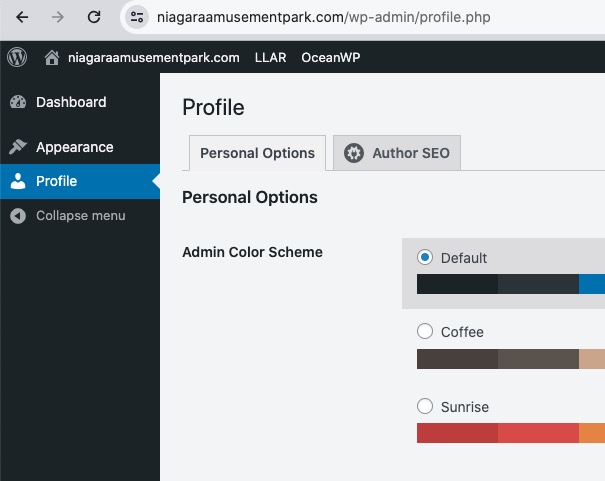
I have limited access to the website:
Could you give us more access?
Please also follow the instructions in this documentation to activate debug in your site to see any PHP errors recorded that can provide insight on to whats going on. Please reply with a link to debug.log file. If you are not able to do this please send us FTP access to your site so we can do this for you.
It seems that the issue can be with memory limit:
https://docs.myeventon.com/documentations/increasing-wordpress-memory-limit/