Dear Gerard,
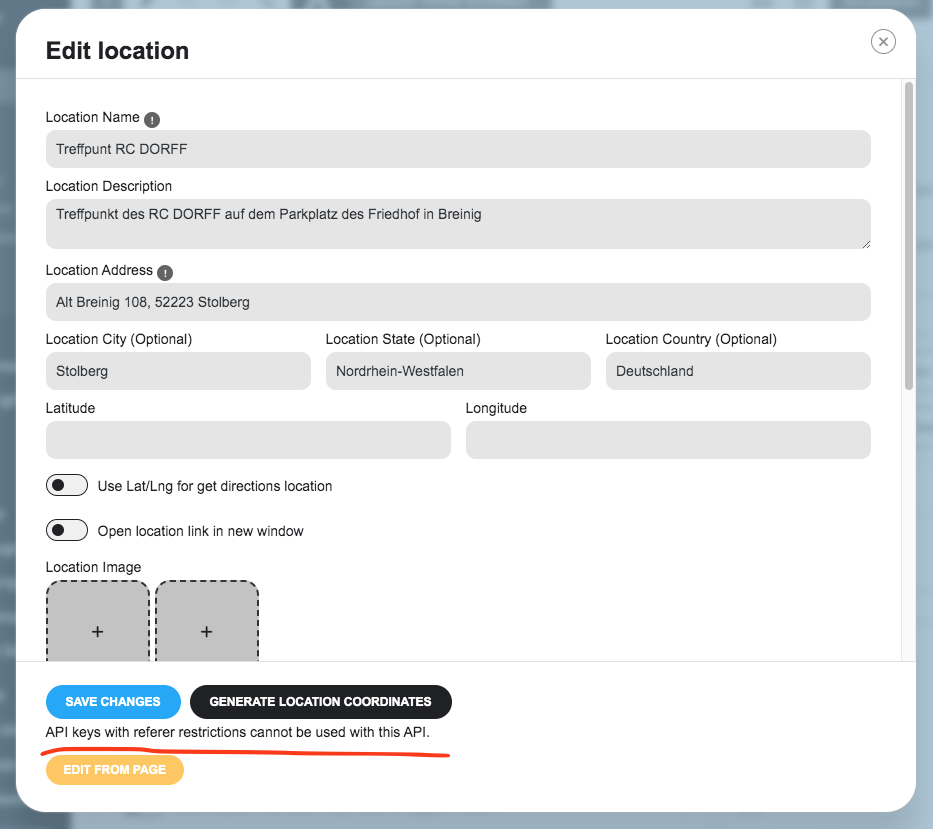
this ticket is just emphasizing the so far not finally answered ticket #341932. In there Ashan refers to #350729. There you find a link for the different ways of settings (actually reatrictions). It works for me with one setting to get the map (just for less than a second) OR with another setting to create the long/lat values. My is currently that it is not possible to get both functionalities at a time.
Didn’t you restrict the google API for use only on your server/website?
@EventOn team: Please get a move on this! Obviously other people have similar issues. We are discussing this now for more than two months. Just come up with instruction how to set values in google to make the Addon work. Again: If you are utilizing 3rd party ressources you should build them in as seamless as possible.
I have found the issue. I did not add event ticket box in the designer.
As I wrote above, ” I don’t have any referring restrictions from Google API affecting the map related to event location.” I have been using this API key for over a year with no issues. Why would it suddenly have a restriction? I look at the other tickets and try all solving issues before contacting you.
Please try with !important
.EVOWV_content.wk_1 .evowv_col_events .event { color: white !important; }
Ashan replied this in other ticket with similar issue:
Found the issue, so your google maps API key has referer restrictions, and it seems that is blocking the API from allowing the plugin to use it to get lat/lon values for the event location which is used to create the map/.
Found some information that might help resolve the API issue.
https://wpstorelocator.co/document/create-google-api-keys/#:~:text=will%20be%20different.-,API%20keys%20with%20referer%20restrictions%20cannot%20be%20used%20with%20this,Address’%20for%20the%20server%20key.
Could you try his suggestion?
Hello,
Images are visible with “Feature image display style: Fit entire image, resized box height”:

Ticket issue. Could you please update QR Code add-on to the latest version and then try the instructions mentioned in this documentation?
Hi Artem, any news on this bug? Any idea, when this is going to be fixed?
We really want to use the option “Scaled cropped image to fit the full box”, but this option is the one, that is causing the “Loading Image” message.
https://chainsandcoffee.com/events/cafe-du-cycliste-cappuccino-ride-wednesday-weekly-social-ride/var/ri-1.l-L1/
Thanks
Tim
Hello,
Please send us wp-admin access to your site as a private message for us to further assist your situation.
Go to EventON > EventCard > Designer > make sure that Event Ticket Box has been added.
Hello,
With WeeklyView you can just show the whole week and customers will be able to select any event they like.
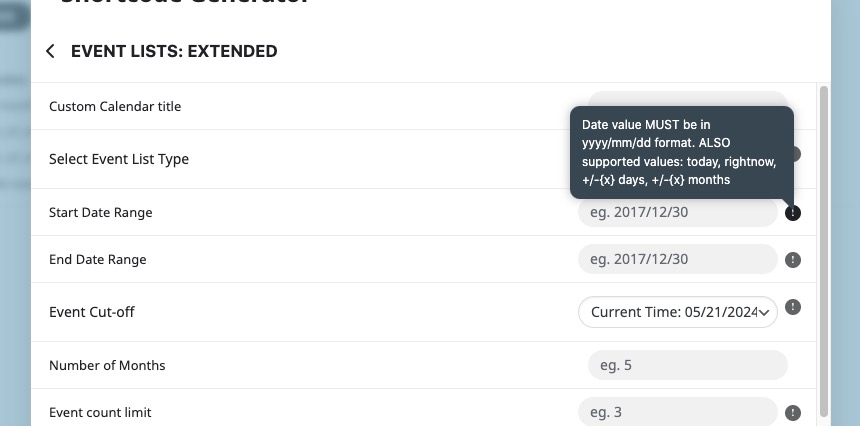
With Event Lists: Ext you can try using “Select Event List Type: Date Range” and then select any number of days to show events you need:
Try on https://dev.myeventon.com/wp-admin/