#62300
Archives: Replies
Replies for tickets on suppota
Reply to: tickets(410178)
<a href="https://www.myeventon.com/my-account/view-subscription/62300/" target="_blank" data-saferedirecturl="https://www.google.com/url?q=
” style=”color: rgb(140, 140, 140); font-family: "Helvetica Neue", Helvetica, Roboto, Arial, sans-serif; font-size: 14px; background-color: rgb(245, 245, 245); text-decoration: underline;”>#62300
Reply to: tickets(410221)
Order ID: #185516
Reply to: tickets(384858)
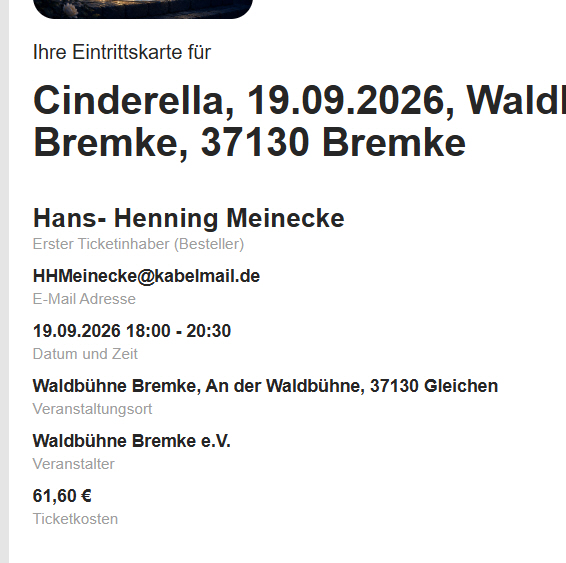
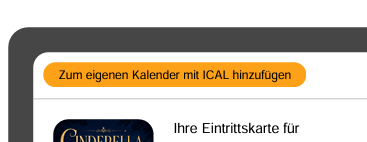
An please check the follwing pictures (Ticket PDF)
1. Ticket Layout PDF: Name is overflowing.
2. Mobile Ticket: Displays the total price, not the individual ticket prices.
3. Ticket Preview: No price or price tier displayed.
4. If possible: Please hide the calendar link and other links in the PDF (use standard formatting); including them causes emails with the attached PDF to end up in spam folders. Thank you.


Reply to: tickets(384858)
Hi, heres the Link to debug.log: https://www.dropbox.com/scl/fo/z601z40ocwhpt08wonzx7/AJOzDgkbhdippW3hDQ0xQXA?rlkey=0zb20w4nao3mu490rt4xiedsv&st=vg3rodn1&dl=0
Access info to our side see View access info. Thanx
Reply to: tickets(410208)
START HERE (MOSTLY FIXED) Sorry, update again, we think we are fixed here from database side , the timezone doesn’t work because it reverted back to 5.06 , we can not proceed to 5.1.2 as there is an errorr.
Updating Plugin EventON (1/1)
Downloading update from https://get.myeventon.com/download.php?plugin=eventon&key=205e062869f29634e4dfc8ae4f879229&code=1784271600&license_key=84c3aa3d-1c98-40f4-bf1a-9b1e19447284&expires=1784790000…
An error occurred while updating EventON: Download failed. A valid URL was not provided.
Reply to: tickets(409978)
Ashan,
The customer cannot upload images using Action User Event Submission Form:
The error:
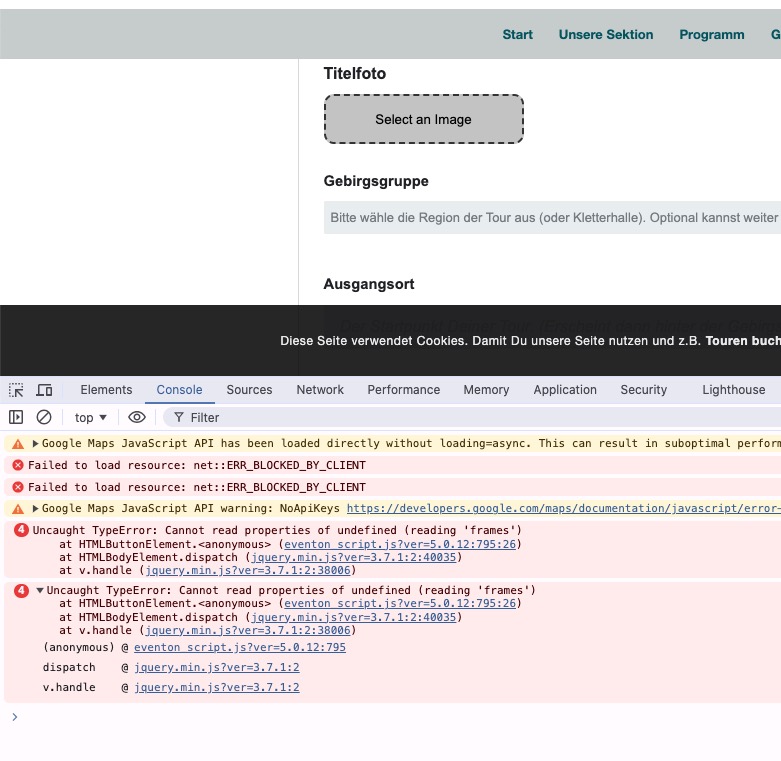
But it works completely fine with the default theme.
Can we fix this from our side?
Reply to: tickets(409978)
Thank you for your messages!
I am going to escalate this ticket to development to help in here. Please allow us some time to address this, and we truly appreciate your patience. Thank you for being a valued EventON customer!
Additionally, if your site has any IP blocking or security restrictions in place, kindly disable them temporarily to facilitate our support process.
Reply to: tickets(410208)
To update eventon to latest version: (If auto update works, please try that from with your website plugins page)
1. If you purchased eventON from codecanyon > Go to EventON Full page and verify your purchase to get a free copy of eventON latest version and move your purchase over to myeventon.com.
2. If you already purchased eventON from myeventon.com go to My Account > Downloads and get the latest version copy.
Once you have the latest version zip file. Then you can go to your website > make sure ”Delete eventon settings & data when EventON is uninstalled” is De-slected from eventon settings, delete old eventon, install new one and activate. This link will further explain the process it. Follow us on X to get real-time announcements on updates!
Reply to: tickets(410223)
Hello,
I cannot access wp-admin because of
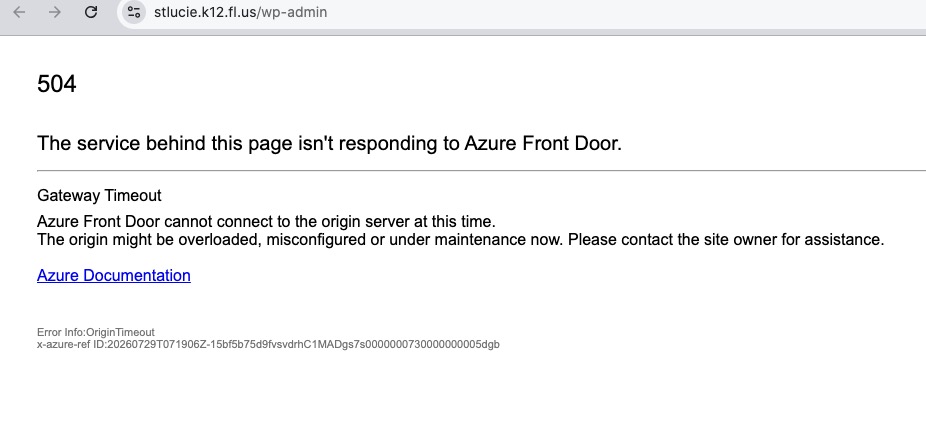
Could you check?
Maybe this is related to the original issue and ICS Import cannot automatically import events because the server cannot be accessed.